
We introspected 922 MCP servers. Here's what we found.
We ran 922 npm-published MCP servers over stdio and captured what tools they actually expose. The dataset is on HuggingFace; the findings are inside.
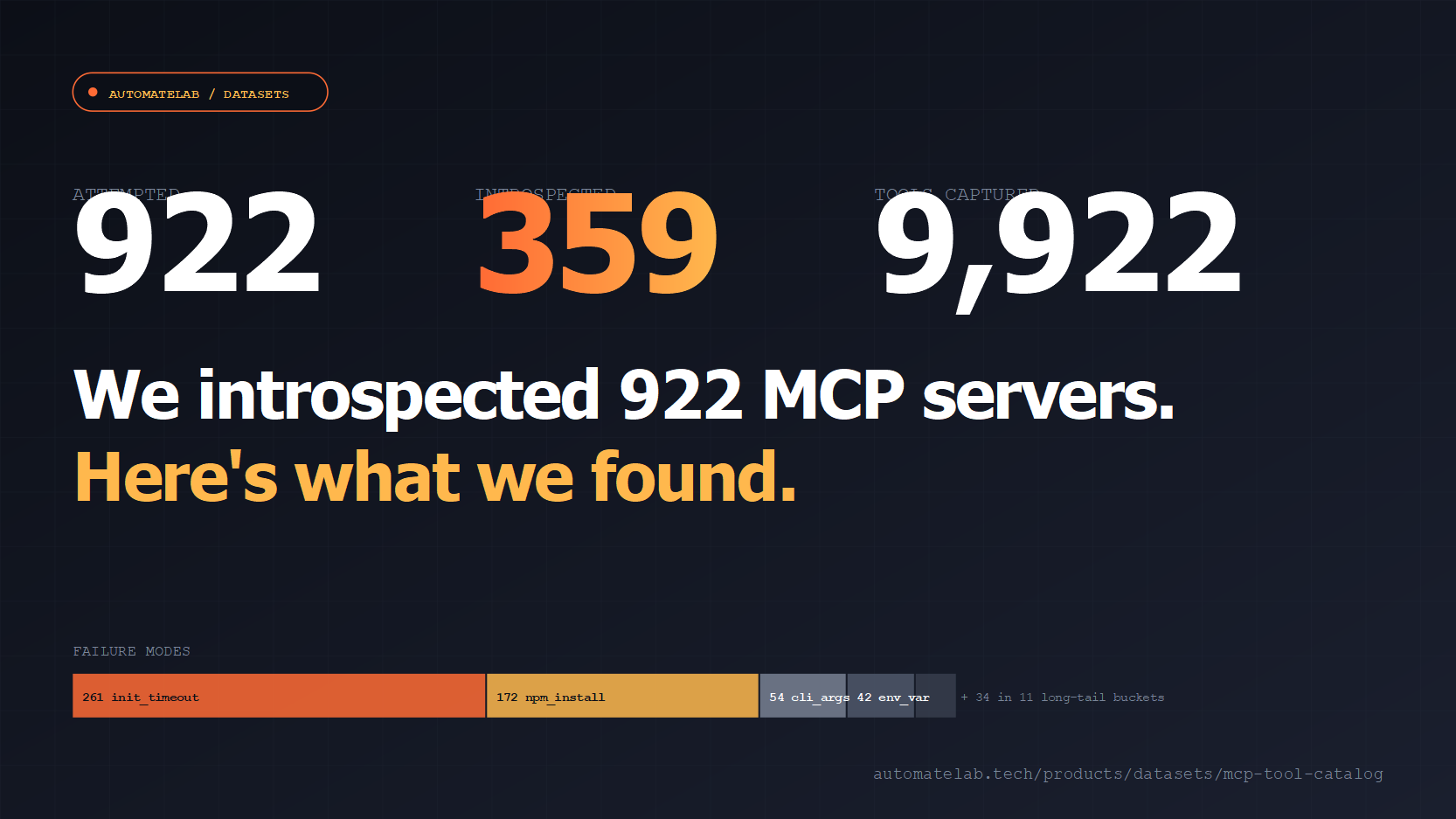
TL;DR: We introspected 922 npm-published MCP servers, reached 359 of them over stdio, captured 9,922 tool schemas, and published the whole catalog free on HuggingFace.
Agents picking MCP servers are flying blind. The README says a server exposes search_issues and create_issue. The actual tools/list response says it exposes 14 tools, three of which require credentials nobody documents and one of which is just ping. Multiply by 900 servers in the wider ecosystem and the cost of "go read the source to find out" becomes the dominant tax on building anything agentic.
So we ran every server we could find and wrote down what they actually expose. The result is automatelab/mcp-servers-tool-catalog on HuggingFace - JSONL and Parquet, refreshed monthly, CC-BY-4.0. The pipeline that produced it is on GitHub. A descriptive landing page lives at /products/datasets/mcp-tool-catalog/.
This post is the findings dump. Numbers below are from the 2026-05-19 snapshot.
How did we introspect 922 MCP servers?
One thousand npm-published candidate packages went in. We validated each one against the npm registry (922 still existed, 78 were hallucinations or unpublished). For each survivor we spawned npx -y <package>, opened a stdio JSON-RPC connection, sent initialize, then tools/list, captured the response, and classified the failure mode for anything that did not return a clean tool array. Concurrency was 8 servers in parallel, 120-second timeout per server. Total wall time was about 25 minutes.
No browser, no scraping, no LLM interpretation of READMEs. The schemas in the dataset are the actual JSON Schema responses the server returned to the protocol's own discovery method.
How many of the 922 MCP servers were reachable?
Forty percent of npm-published MCP servers we tried responded to tools/list within two minutes. The other 60% failed, and how they failed is interesting.
- 261 (28%) init_timeout. The process started but never completed the
initializehandshake. Often these are servers that try to connect to an external API or load a model on startup and time out doing it. - 172 (19%) npm install errors. Missing peer deps, native modules that need a build toolchain, packages that link to private registries.
- 54 (6%) needs_cli_args. The server exits with a usage error because it expects
--config <path>or a subcommand we did not pass. - 42 (5%) needs_env_var. Server starts, then crashes on a missing
API_KEY,TOKEN, or vendor-specific credential. - 11 broken_install. The package itself is malformed - bad
main, syntax errors in shipped code, missingbinentry. - The remaining ~25 spread across 11 long-tail buckets: needs_slack_token, needs_azure_creds, needs_google_creds, needs_stripe_key, needs_config_file, needs_external_runtime, and so on. Each one is a one-line entry in the stderr classifier.
The headline finding is that the credential wall is at least 100 servers wide. Servers that need a real token to even respond to tools/list are a meaningful fraction of the ecosystem. If you are scraping README files to populate an agent's tool list, you are quietly counting those servers as 0-tool servers.
How many tools do live MCP servers expose in total?
The 359 reachable servers exposed 9,922 distinct tools. Mean was 27.6 tools per server, median was 10. The distribution is heavy-tailed: 49 servers exposed 50 or more tools, and 26 servers exposed exactly one.
The hoarders are interesting. The top server in our snapshot is a package whose name in the registry is literally mcp-server - 813 tools, every CRUD verb for a long list of resource types. Below it: elevenlabs-mcp-server at 301, two unrelated packages both called cli and claude-flow at 284 each (interesting overlap, probably the same upstream code), alibabacloud-devops-mcp-server at 188, ms-365-mcp-server at 178, a WordPress server at 163.
The 50-tool ceiling matters. Most foundation models cap tool-use context at somewhere between 20 and 128 entries depending on provider. Half the servers in the long tail of our dataset blow past that ceiling by themselves. If you wire one in, you cannot also wire in three others without curating the tool list manually.
What naming conventions do MCP tools follow?
Of the 9,922 tool names we captured:
- 80.5% are snake_case (
get_user,list_repositories,create_issue). - 11.0% are kebab-case (
get-user,list-repositories). - 6.1% are camelCase (
getUser,listRepositories). - 2.4% use something else - mostly dotted namespaces (
github.search) or PascalCase.
If you are publishing a server and you want the model to predict your tool names correctly without seeing the schema, ship snake_case. The training data leans this way by a factor of eight to one.
Verb prefixes are even more concentrated. get_ opens 1,014 tool names (10.2% of all tools). list_ opens 554. Together with create_ (303), update_ (206), delete_ (140), and search_ (161), the standard REST verbs account for roughly a quarter of every tool name in the dataset. Models don't have to guess. They just have to remember which resource type they want.
How many MCP tools take no required arguments?
Of 9,922 tools, 2,779 have an empty required array in their JSON Schema. They are verbs you call with no arguments - list_models, get_current_user, get_status, ping. For an agent exploring a new server, these are the safe first probes: they cannot fail validation and they often return enough context to help the model decide what to call next.
At the other end: only 1.6% of tools require five or more arguments. The long tail of high-arity tools is small. Most MCP tool surfaces are designed for one or two parameters with everything else optional.
Schema discipline is high. 99.9% of input schemas declare "type": "object" at the top level, as the MCP spec calls for. The exceptions are eight tools that ship an empty schema or a non-object root - bugs worth filing against those servers.
How well are MCP tools documented?
6.8% of tools (672 of 9,922) have a description field under 30 characters. Seventeen tools have no description at all. The other 9,233 have at least one full sentence of context.
The thin-description tools cluster on a few servers - usually ones that auto-generate tools from an OpenAPI spec without filling in the human-readable summary. If you are building a tool-selection layer on top of MCP, these are the tools that will get skipped, because the model has nothing to reason about beyond the tool name.
How to use the dataset
The HuggingFace datasets API is the path of least resistance:
from datasets import load_dataset

tools = load_dataset("automatelab/mcp-servers-tool-catalog", "tools", split="train")
print(tools[0])
# {'server_name': '...', 'package': '...', 'tool_name': 'get_user',
#  'tool_description': 'Returns the authenticated user...',
#  'input_schema': {'type': 'object', 'properties': {...}, 'required': [...]}}
The repo also ships a servers split with the per-server status (ok, init_timeout, needs_env_var, and so on) so you can filter to only reachable servers, or specifically pull the failure buckets if you want to triage them.
For SQL-shaped queries the Parquet files in the dataset repo load directly into DuckDB:
SELECT server_name, COUNT(*) AS tool_count
FROM 'tools.parquet'
GROUP BY server_name
ORDER BY tool_count DESC
LIMIT 20;
What's next for the MCP introspection dataset?
The pipeline runs on the 1st of every month via GitHub Actions. Each refresh updates the rolling state files, writes a diff against the previous snapshot to changelogs/, and re-uploads the dataset to HuggingFace. Servers that newly come online get added; servers that fall off npm or move to a paywalled credential wall move into the failure buckets.
If a server you care about is not in the catalog, open a PR on the GitHub repo adding it to servers-final.validated.json. The next monthly run will pick it up. If a server you maintain is in a failure bucket and shouldn't be - say the README does document the env var but our classifier missed it - the same PR path applies.
Full landing page with the schema, FAQ, and download links is at automatelab.tech/products/datasets/mcp-tool-catalog.