
n8n webhook serves an old version after publishing: fixes
n8n webhooks still serve an old version after publishing? Check long trigger node IDs, inspect publication errors, and verify the deployed response.
TL;DR: If an n8n webhook serves an old version after publishing, check trigger node ID lengths and publication errors, then verify the response from the production URL.
A changed canvas does not prove that the production trigger switched versions. The useful check is a harmless response marker that you can compare with the published workflow, especially after importing JSON or creating nodes through the API.
Is the old webhook response an unpublished edit or a failed publication?
First confirm that you published the change. According to n8n's save and publish documentation, editing saves a draft, while production executions use the published version. A successful manual editor test therefore answers a different question from a request to the production webhook.
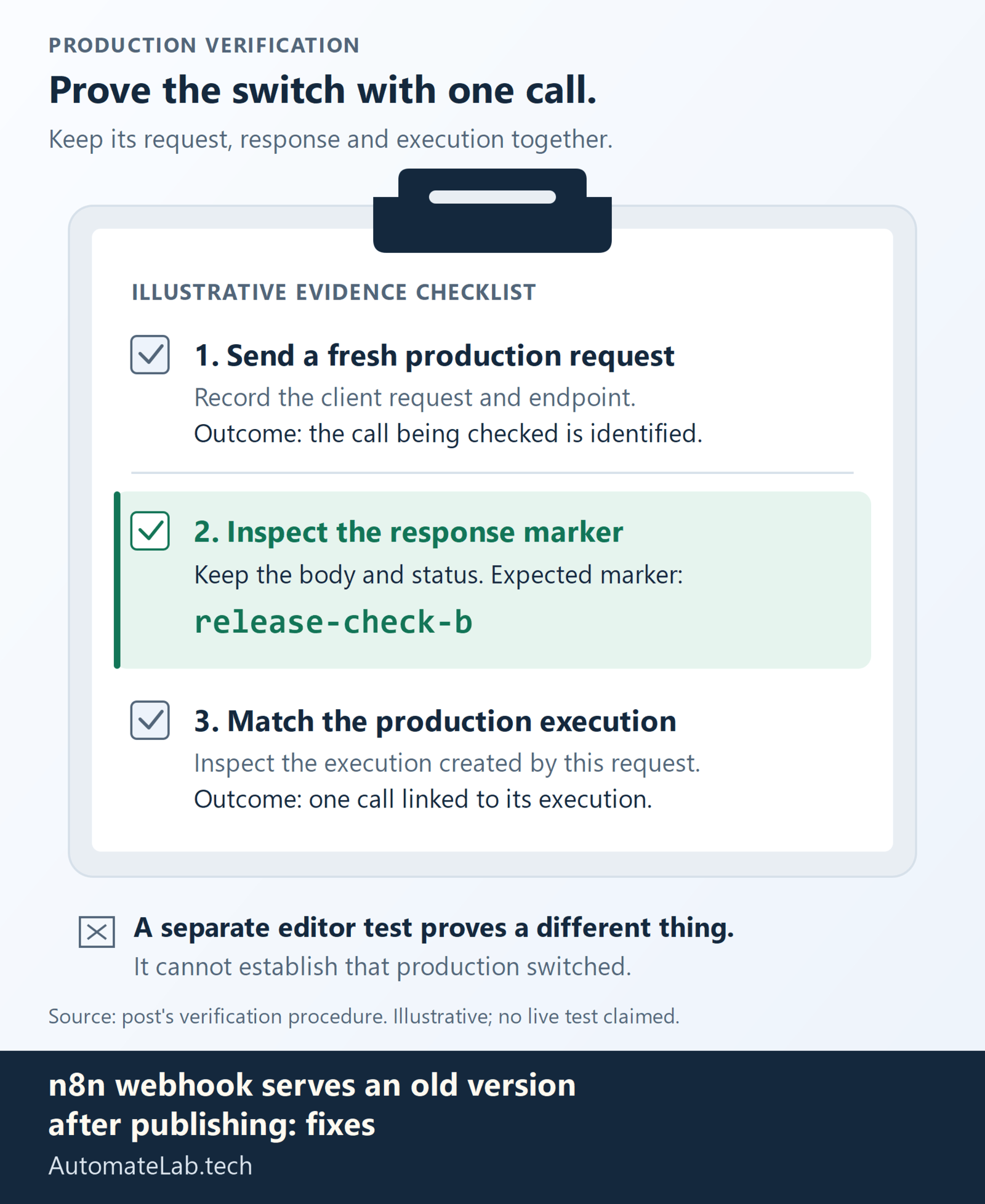
Record the workflow ID, the production endpoint, the expected response, and the time you published. Use a test workflow that returns a fixed marker, such as release-check-b, without sending emails or writing records. Call its production URL from the same client that previously received the old marker. Keep the response body and status alongside the execution timestamp.
If the new draft was never published, publish it and repeat that check. If the published snapshot contains the marker but production still returns the earlier response, inspect the publication path. Browser refreshes and repeated clicks cannot tell you which trigger state the server actually applied.
Why can long trigger node IDs leave the old version running?
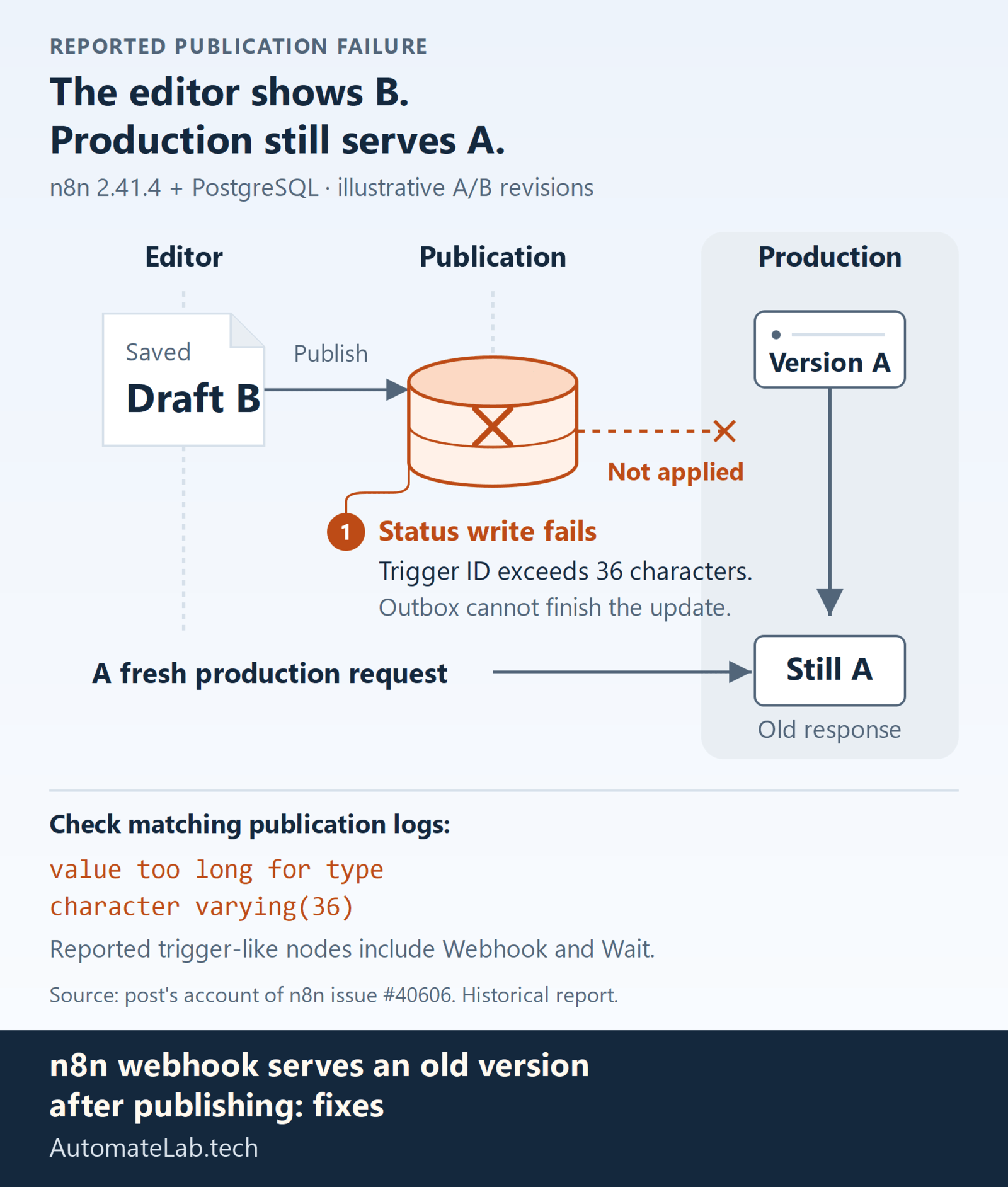
The long trigger ID publication report describes a narrower failure on n8n 2.41.4 with PostgreSQL. Trigger IDs longer than the publication-status column allows cause a database write failure, while the editor can show the newer version as active. The result is a publication outbox that cannot finish applying the update.
Check the instance logs around the publication time for value too long for type character varying(36). Match the affected workflow before assuming every similar database error has this cause. A long ID on an ordinary node is only a candidate; the report concerns IDs recorded for trigger-like nodes, including Webhook and Wait.
How do you inspect node IDs without exposing workflow secrets?
Export the affected workflow to a private local file. Workflow exports can contain sensitive configuration, so inspect the file locally and share only the diagnostic result. The following JavaScript checks a single workflow export or an array of exports. It prints the node position and ID length without printing credentials, node parameters, or the ID value.
const fs = require('node:fs');
const value = JSON.parse(fs.readFileSync(process.argv[2], 'utf8'));
const workflows = Array.isArray(value) ? value : [value];
for (const [w, workflow] of workflows.entries()) {
  if (!Array.isArray(workflow.nodes)) throw new Error('Expected workflow nodes');
  for (const [n, node] of workflow.nodes.entries()) {
    const length = Array.from(String(node.id || '')).length;
    if (length > 36) console.log({workflow: w, node: n, idLength: length});
  }
}
Save this as check-node-ids.cjs and run node check-node-ids.cjs workflow.json. This is an illustrative local inspection snippet, not a publication repair tool. API response envelopes need their workflow object extracted first; do not treat an empty result from an unsupported file shape as a clean audit.
How should you repair the affected workflow?
The reporter describes shortening offending node IDs and clearing the blocked publication condition. Before changing IDs, keep a backup and inspect any references to those IDs in your exported configuration or surrounding automation. A unique UUID-length ID fits the reported limit, but changing a node name alone does not change its ID.
Try the edit on a copy first. Check its connections, expressions, webhook configuration, and any API automation that identifies nodes. Publish the copy and confirm its production marker before applying the same change to the original workflow. If your import pipeline generates IDs, correct that generator too, or the next import may recreate the condition.
Recovery of an already blocked outbox depends on the installed version and database state. The issue does not provide a general repair query suitable for every instance. Ask n8n support or the instance operator to inspect the affected record and release it through a supported recovery process. Avoid copying an invented table update into production.
How do you verify the production trigger switched versions?
Send a fresh request to the production endpoint and inspect both the returned marker and the execution created by that request. A response from a browser cache, another workflow, or a proxy route is not enough. Keep the client request, endpoint, response, and execution together so the evidence describes one call.
If the old response remains, compare the requested path with the configured webhook path and inspect publication logs again. Check whether a reverse proxy routes to another instance. The diagnostic target is the same workflow and production trigger, rather than whichever editor execution most recently succeeded.
For nearby failure paths, compare n8n webhook returns 404: the most common causes and fixes and Fix n8n's MCP Webhook Heap Leak in Queue Mode.
FAQ
Does saving the workflow change its production webhook?
Saving keeps the editor draft. Production uses the published version, so publish the intended change and verify the production endpoint.
Does every long node ID cause this bug?
No. The report links the failure to trigger-status publication writes. Inspect the node type and matching database error before choosing this repair.
Has an upstream fix been released?
As checked on 8 October 2026, the cited issue remains open. It reports n8n 2.41.4; it does not establish that every later release has the same failure.
Where can you find other webhook errors?
The Automation Error Index links related troubleshooting guides. Separate publication failures from missing routes, authorization errors, and requests sent to test URLs.