
Cursor rules not loading: 4 causes and how to fix each
Four causes: wrong scope (project vs global), invalid glob pattern, missing alwaysApply flag, or .mdc frontmatter syntax error. One-minute check and exact fix for each.
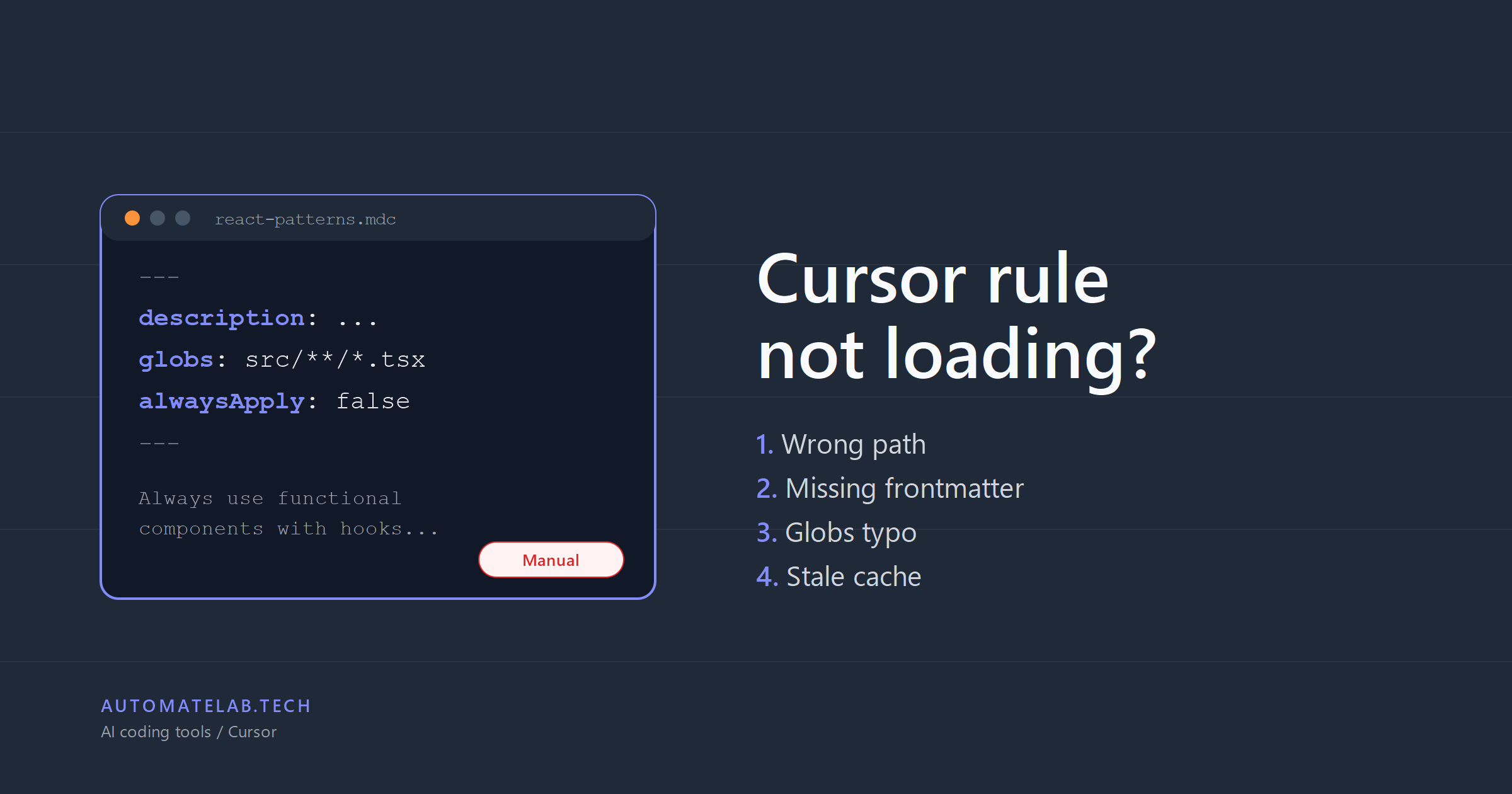
TL;DR: Cursor reads project rules from .cursor/rules/<name>.mdc at the repository root.
If the rule is not firing, the cause is almost always one of four things: the file is in the wrong path, the .mdc file is missing its frontmatter and defaulted to Manual mode, the globs pattern does not match the file you are editing, or Cursor was not restarted after the rule was added. Open Settings → Rules; every loaded rule shows up there with its status. If yours is missing, the path is wrong; if it is greyed out, the frontmatter is wrong.
The single most common mistake: dropping a single .cursorrules file at the project root and expecting it to work. The current Cursor docs only document .cursor/rules/ as a directory of .mdc files. The legacy single-file form is partially supported in older versions but is not the path the docs describe today.
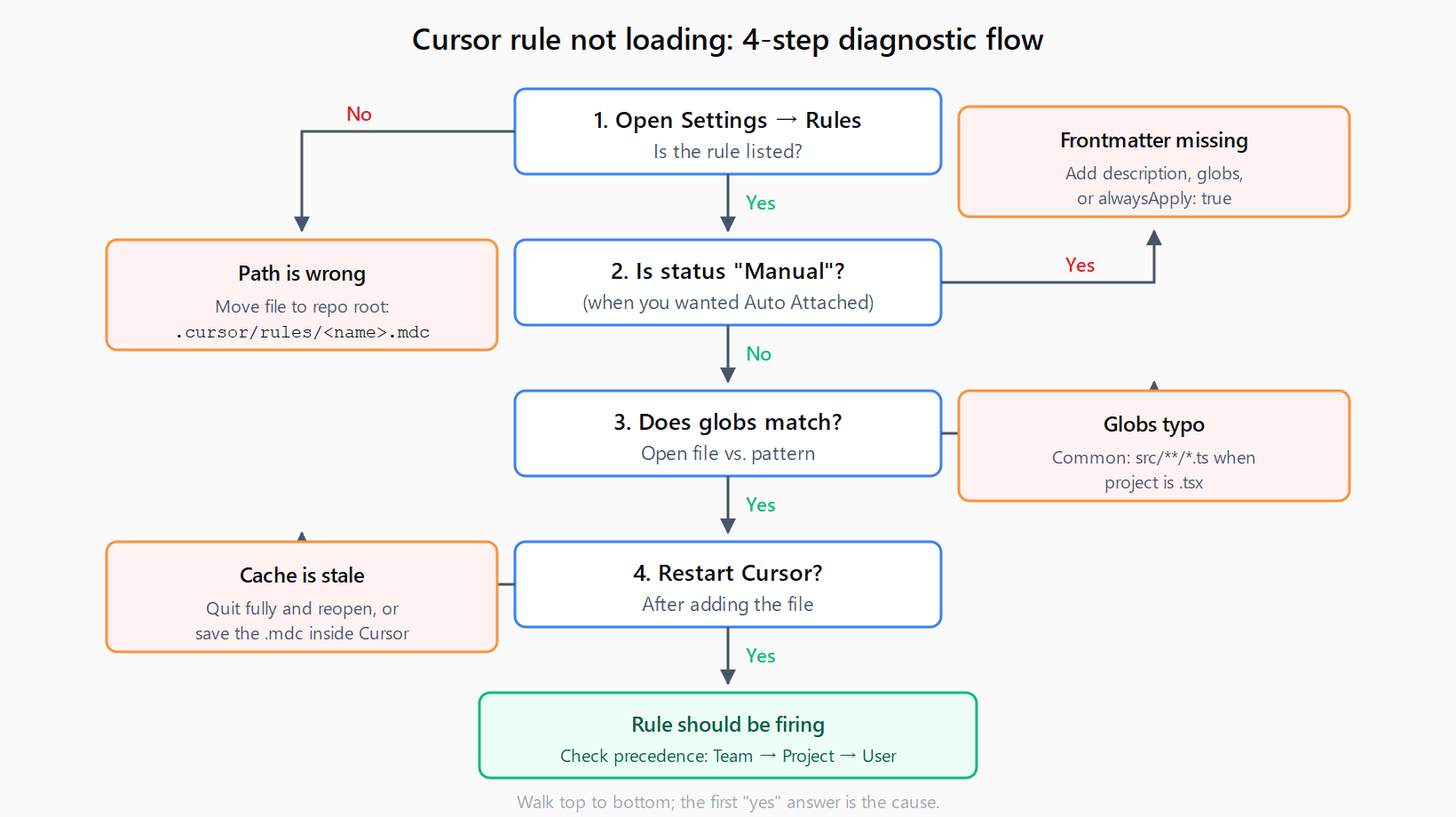
How do you verify Cursor sees the rule?
Before changing anything, confirm what Cursor thinks is loaded. Open Cursor Settings → Rules. The panel lists every project rule and every User Rule with one of these statuses:
- Always - active in every Agent / Composer session
- Auto Attached - active when the open file matches
globs - Agent Requested - the Agent decides based on
description - Manual - inactive until you
@-mention the rule by name
If the rule is not in the list, Cursor never read the file - the path or extension is wrong. If the rule is in the list with status Manual when you expected it to fire automatically, the frontmatter is missing or wrong.
Fix 1: Where should the Cursor rules folder go?
The Cursor rules documentation states project rules live in .cursor/rules, version-controlled, scoped to the repo. The exact layout looks like this:
my-project/
  .cursor/
    rules/
      react-patterns.mdc
      api-guidelines.mdc
      frontend/
        components.mdc
  src/
  package.json
The mistakes that look like the file is not loading:
| What you wrote | What Cursor sees |
|---|---|
.cursorrules (single file at root) | Legacy path; not in current docs. Move contents into .cursor/rules/main.mdc. |
cursor/rules/foo.mdc (no leading dot) | Ignored. The folder must be .cursor. |
.cursor/rules.md (file, not folder) | Ignored. .cursor/rules must be a directory. |
.cursor/rules/foo.txt | Ignored. Use .md or .mdc. |
src/.cursor/rules/foo.mdc | Project rules read from the repo root only; nested project rules are not officially supported the way AGENTS.md is. |
Subfolders inside .cursor/rules/ are organizational - .cursor/rules/frontend/components.mdc works fine. The constraint is that .cursor/rules itself must sit at the project root.
Fix 2: Why does an .mdc without frontmatter default to Manual?
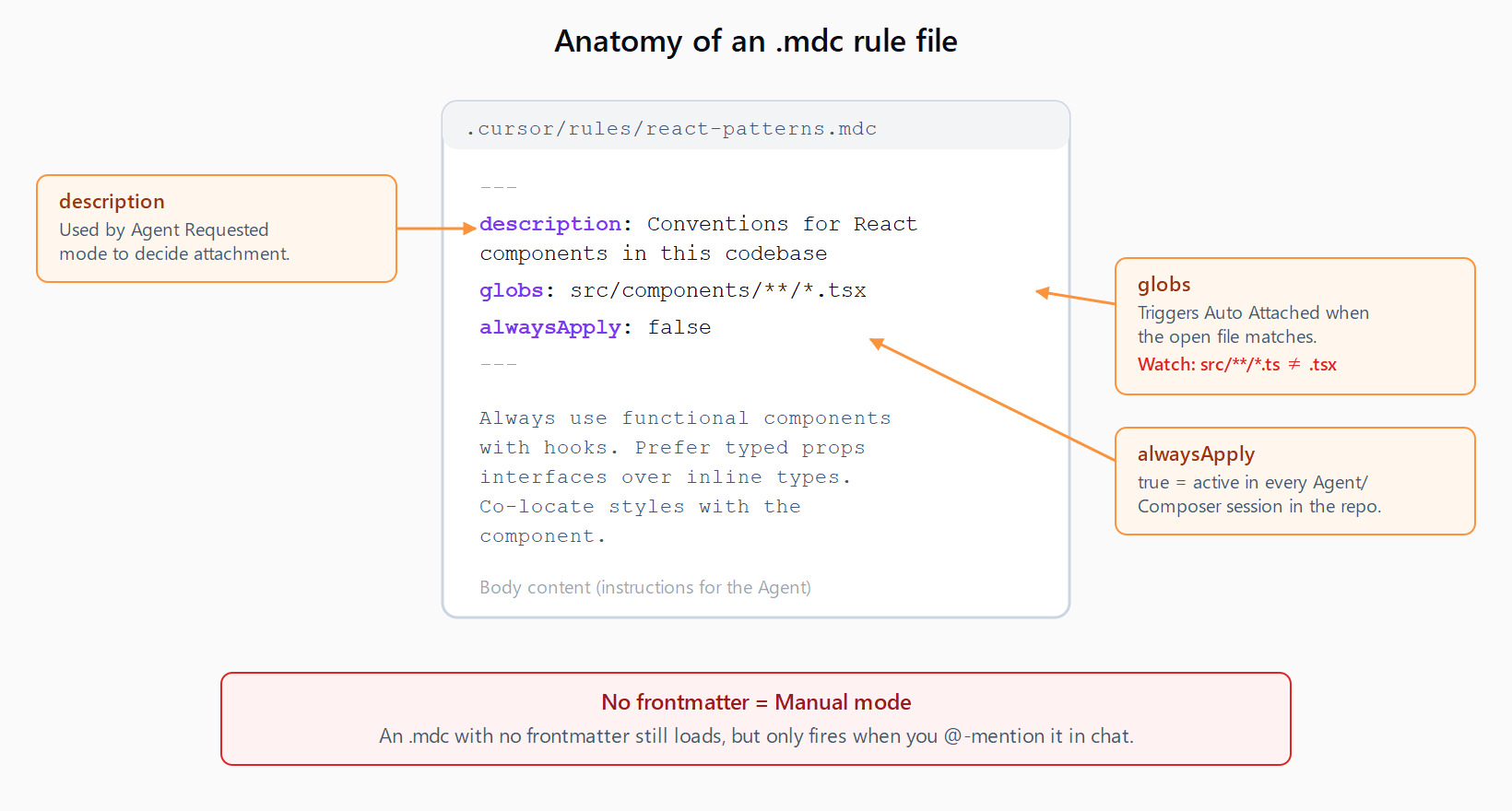
This is the gotcha most posts miss. An .mdc file with no frontmatter still appears in the Rules panel, but Cursor classifies it as Manual. Manual rules only fire when you @-mention them in chat. Reading the doc and dropping a markdown file in the folder gets you a rule that loads but never runs.
The minimal frontmatter for an Auto Attached rule:
---
description: Conventions for React components in this codebase
globs: src/components/**/*.tsx
alwaysApply: false
---

Always use functional components with hooks. Prefer typed props
interfaces over inline types. Co-locate styles with the component.
The three fields and what they do:
description- free-text. Used by the Agent to decide whether to attach the rule under Agent Requested mode. Empty description plusalwaysApply: falseplus noglobs= Manual.globs- glob pattern that triggers Auto Attached mode. The pattern is matched against the file currently open in the editor.**/*.tsxcovers all.tsxfiles anywhere in the repo;src/api/*.tsonly fires insidesrc/api/.alwaysApply- boolean.trueattaches the rule to every Agent / Composer session in this repo, regardless of which file is open.
The most common silent failure: globs: src/**/*.ts (no x) when the project is TypeScript React (.tsx). Settings shows the rule loaded; it just never matches.
Fix 3: Why must you restart Cursor after editing rules?
Cursor reads the rules registry on startup and after explicit file save events inside the IDE. If you created or edited .cursor/rules/foo.mdc in another editor (VS Code, Vim, a terminal), or pulled it via git, Cursor's loaded view can lag the file system. Two ways out:
- Open the rule file inside Cursor itself and save it (
Cmd/Ctrl+S) - that re-registers it. - Quit Cursor fully (Cursor → Quit on macOS, close all windows on Windows/Linux) and re-open. Closing the last window is not always enough on macOS.
If the rule lights up in Settings → Rules after the restart, the file was correct all along - it was the cache.
Why doesn't your Cursor rule fire in Cmd/Ctrl+K?
The Cursor docs note: User Rules are not applied to Inline Edit (Cmd/Ctrl+K). If you put a global rule in Settings → User Rules and tested it by triggering Inline Edit, you saw nothing - that is by design. User Rules apply to Chat / Agent / Composer; Inline Edit is its own surface and only sees the immediate selection plus a small context window.
To get the rule into Inline Edit too, move it from User Rules into a project rule - .cursor/rules/<name>.mdc with alwaysApply: true. Project rules apply across surfaces. The same pattern shows up in other AI coding tools - configuring an MCP layer or a per-project context file is the bridge between scoped editor commands and full-context Agent calls. The MCP server config in Claude Code uses a similar split between user-level and project-level config.
Which rule wins when you have both project and user rules?
Cursor applies rules in the order: Team Rules → Project Rules → User Rules. Earlier sources win on conflict. If a project rule says "always use tabs" and a user rule says "always use spaces," the project rule wins. The user rule is still listed as loaded; it just does not get the final say. This is the same kind of precedence trap that catches developers debugging agent iteration limit errors - the config is loaded but a higher-priority setting overrides it.
FAQ
What is the difference between .cursorrules and .cursor/rules/?
.cursorrules is a legacy single-file form not described in the current Cursor rules documentation. .cursor/rules/ is a directory of .mdc (or .md) files at the project root, version-controlled, with per-rule frontmatter. New projects should use .cursor/rules/.
Where exactly does the .cursor/rules folder go in a project?
At the repository root, next to package.json / pyproject.toml / Cargo.toml. The exact path is <repo-root>/.cursor/rules/<name>.mdc. Subdirectories inside .cursor/rules/ are allowed for organization, but .cursor/ itself must be at the root, not inside src/ or any other folder.
Do .mdc rule files need frontmatter to work?
Yes if you want anything other than Manual mode. An .mdc with no frontmatter loads but classifies as Manual - it only fires when you @-mention it. Add description, globs, or alwaysApply: true to get Auto Attached, Agent Requested, or Always behavior.
How do I check which rules Cursor actually loaded?
Open Cursor Settings → Rules. Every project rule and User Rule appears in the panel with its status (Always, Auto Attached, Agent Requested, Manual). If your rule is not in the list, the file path is wrong. If it is in the list as Manual when you expected Always, the frontmatter is missing or wrong.
Why don't my rules apply in Cmd/Ctrl+K Inline Edit?
Cursor's documentation explicitly notes that User Rules do not apply to Inline Edit. Inline Edit only sees the immediate selection and a small context window. To make a rule apply there, move it into a project rule (.cursor/rules/<name>.mdc with alwaysApply: true) instead of leaving it as a User Rule.
How do I make a Cursor rule apply across every project?
Use User Rules: Cursor Settings → Rules → User Rules. These are global to your Cursor environment and apply in Chat / Agent / Composer (but not Inline Edit). User Rules lose to project rules on conflict, so a User Rule for "use tabs" will be overridden if a project rule says otherwise.
Studio users hitting publish errors may also encounter the UiPath Studio GlobalVariablesNamespace CS0246 error after SDK upgrades.
Hit a different error? Browse the Automation Error Index for a searchable catalog of Cursor errors, each with a verified fix.