
How to Deploy an AI Agent to Production on AWS Lambda (Serverless)
Lambda isn't a cheaper container: no warm process for state, a 900-second ceiling, and streaming that's native only on Node.js. Here's how to ship an agent around all three.
TL;DR: Put the agent behind a Lambda Function URL with InvokeMode: RESPONSE_STREAM, size memory at 1,769 MB or higher for a full vCPU, push conversation state to DynamoDB, and hand any run that could cross 900 seconds to Step Functions.
Most Lambda write-ups treat the function as a smaller, cheaper container and stop there. It isn't one - there's no process sitting warm between requests to hold a conversation in memory, no worker pool to queue a slow call against, and a hard ceiling on how long a single invocation is allowed to run. An agent loop built for a long-running server falls over on all three the first time it hits real traffic.
What does a production-ready Lambda AI agent deployment need?
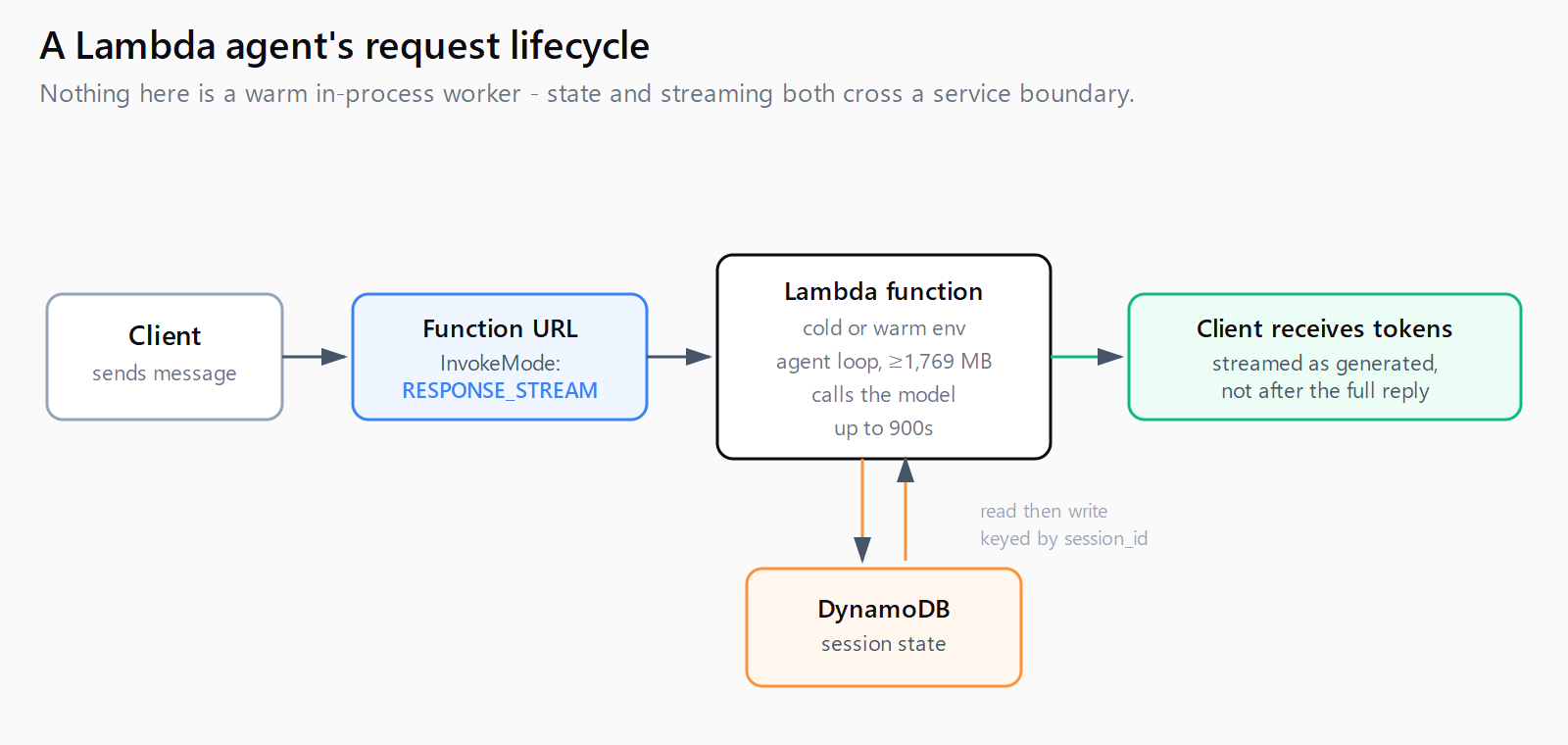
Four pieces, in the order they actually bite: a timeout budget that fits inside Lambda's 900-second ceiling or hands off to Step Functions before it doesn't, a Function URL configured for response streaming so the caller sees tokens instead of a frozen connection, a memory setting chosen for CPU rather than headroom, and an external store for anything the agent needs to remember between calls. Skip any one and the failure shows up in production traffic, not in a demo invocation from the console.
How to handle Lambda's 15-minute timeout for a long agent run?
Lambda's timeout tops out at exactly 900 seconds (15 minutes), configurable in 1-second increments from a 3-second default. There is no way to raise it. An agent loop that plans, calls a handful of tools, and replies fits comfortably inside that window. A multi-agent research task or a loop that waits on a slow external API does not, and setting the timeout to the max just moves the failure from "times out at 30 seconds" to "times out at 900 seconds after burning the full invocation cost."
The fix is to stop treating the whole agent run as one invocation. AWS Step Functions runs each iteration of the agent loop as its own Lambda invocation, passes the accumulated state to the next state, and has no overall execution-time ceiling worth worrying about for an agent workload. A minimal state machine alternates two Lambda tasks - one that calls the model and decides whether another tool call is needed, one that executes the chosen tool - and loops between them until the agent signals it's done:
{
  "StartAt": "CallModel",
  "States": {
    "CallModel": {
      "Type": "Task",
      "Resource": "arn:aws:lambda:us-east-1:123456789012:function:agent-step",
      "Next": "CheckDone"
    },
    "CheckDone": {
      "Type": "Choice",
      "Choices": [
        {"Variable": "$.done", "BooleanEquals": true, "Next": "Respond"}
      ],
      "Default": "CallModel"
    },
    "Respond": {"Type": "Succeed"}
  }
}
Each state's Lambda still runs well under 900 seconds; the state machine, not any single function, absorbs the total run length.
How to stream agent responses from a Lambda Function URL?
This is where the container comparison breaks down hardest. Lambda's response streaming documentation is explicit that native streaming through a Function URL works out of the box only on Node.js managed runtimes. Every other runtime, Python included, needs a custom Runtime API integration or the Lambda Web Adapter to stream tokens at all - none of the current top-ranking guides on this topic mention that split, and it decides whether a working streaming demo built for a container ports to Lambda without a rewrite.
For a Node.js agent, streaming is native:
exports.handler = awslambda.streamifyResponse(
  async (event, responseStream, context) => {
    for await (const token of runAgent(event.body)) {
      responseStream.write(token);
    }
    responseStream.end();
  }
);
For a Python agent, the Lambda Web Adapter sits in front of a normal FastAPI or Flask app and forwards streamed chunks, activated by one environment variable:
AWS_LWA_INVOKE_MODE=RESPONSE_STREAMEither way, the Function URL itself has to opt in. In a SAM template, that's the InvokeMode property:
AgentFunction:
  Type: AWS::Serverless::Function
  Properties:
    CodeUri: agent/
    Handler: index.handler
    Runtime: nodejs20.x
    Timeout: 60
    MemorySize: 1769
    FunctionUrlConfig:
      AuthType: AWS_IAM
      InvokeMode: RESPONSE_STREAM
One billing detail streaming write-ups skip: Lambda keeps billing for the full configured duration even after the client disconnects mid-stream. A long timeout paired with streaming is a cost lever, not a free latency win - keep the timeout close to the agent's realistic worst case, not the 900-second ceiling.
How much memory does a Lambda AI agent need?
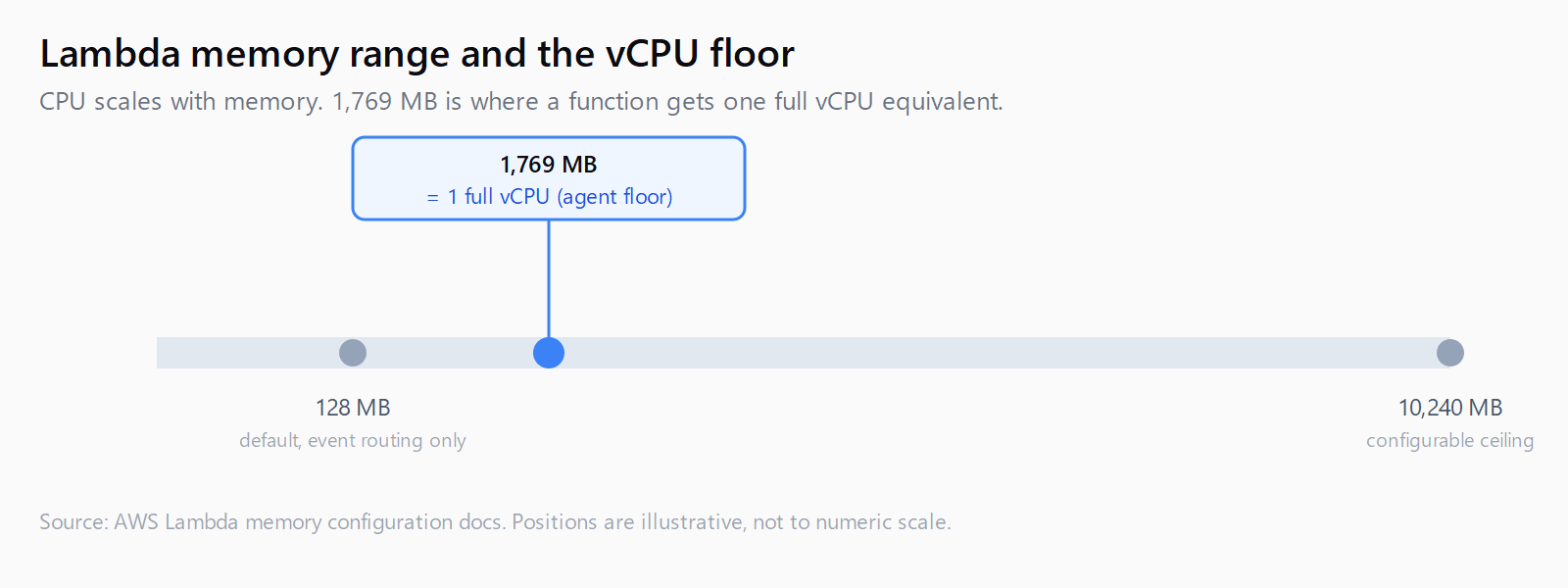
Lambda allocates CPU in direct proportion to configured memory, from 128 MB up to 10,240 MB. At 1,769 MB a function gets the equivalent of one full vCPU; below that threshold, an agent loop doing JSON parsing, retries, and tool-call orchestration is CPU-starved rather than memory-starved, and raising memory speeds up the function even when it never approaches the memory ceiling. 1,769 MB is the practical floor for an agent handler; heavier tool use (embeddings, local reranking, large context assembly) justifies going higher.
Cold starts are the other half of the latency budget. As of 2026, SnapStart for Python has been generally available for over a year, cutting init time from several seconds to sub-second by resuming a cached Firecracker snapshot instead of re-running startup code - but it still requires Python 3.12 or later and is only available in a subset of AWS regions, so check both before assuming it applies. For latency-critical endpoints where any cold start is unacceptable, provisioned concurrency pre-initializes execution environments so they respond in double-digit milliseconds, at the cost of paying for that capacity whether or not it's handling a request.
How to persist conversation state between Lambda invocations?
Nothing survives between separate invocations by default - the execution environment can be frozen and reused for a follow-up request seconds later, or torn down and never seen again. Either way, code that holds conversation history in a module-level dictionary works in local testing and loses every second conversation in production. The fix is to externalize state to DynamoDB, keyed by conversation ID, read at the start of the invocation and written back at the end:
import boto3

table = boto3.resource("dynamodb").Table("agent-sessions")

def handler(event, context):
    session_id = event["session_id"]
    item = table.get_item(Key={"session_id": session_id}).get("Item", {})
    history = item.get("history", [])

    reply, history = run_agent(event["message"], history)

    table.put_item(Item={"session_id": session_id, "history": history})
    return {"reply": reply}
Reading and writing on every call adds single-digit milliseconds against DynamoDB's on-demand capacity mode, which is negligible next to a model call and cheap at low volume - the same serverless economics that make Lambda worth using for a low-traffic agent in the first place. If the agent instead needs to loop, retry, or hand off between sub-agents rather than answer once, work out LangChain vs LangGraph for the orchestration layer before wiring any of this - the Lambda handler below sits in front of whichever one you pick.
How to decide between Lambda, Step Functions, and Fargate for an agent?
- Confirm each invocation of the agent loop finishes well under 900 seconds; if it doesn't, move to Step Functions rather than raising the timeout.
- Set the Function URL's
InvokeModetoRESPONSE_STREAMand confirm the runtime supports it natively (Node.js) or add the Lambda Web Adapter (Python and others). - Set memory to at least 1,769 MB so the handler gets a full vCPU, then measure before raising further.
- Externalize conversation state to DynamoDB keyed by session ID - never hold it in module-level memory.
- If traffic is steady and latency-critical rather than sporadic, price out provisioned concurrency against a small always-on Fargate task before committing to Lambda at all.
An agent that's always busy - continuous polling, a persistent WebSocket, sustained high request volume - stops being a good Lambda fit at the point where provisioned concurrency costs more than a small Fargate task running the same container image described in the FastAPI and Docker or Express and Docker deployment path. Lambda's advantage is paying nothing between invocations; once invocations are constant, that advantage disappears.
FAQ
Can an AWS Lambda function run an AI agent for more than 15 minutes?
No - 900 seconds is a hard ceiling with no override. Split longer runs across multiple Lambda invocations orchestrated by a Step Functions state machine instead of trying to raise the timeout.
Does AWS Lambda support streaming responses for Python AI agents?
Not natively. Function URL response streaming works out of the box only on Node.js managed runtimes; Python needs the Lambda Web Adapter with AWS_LWA_INVOKE_MODE=RESPONSE_STREAM or a custom Runtime API integration.
How much memory does a Lambda AI agent need?
1,769 MB is the point where a function gets a full vCPU equivalent, which is the practical floor for an agent handler doing tool orchestration. Heavier in-function work (embeddings, reranking) justifies more.
Should I use Step Functions or Fargate instead of Lambda for long agent runs?
Use Step Functions when the work is bursty but individual steps still finish in seconds. Use Fargate when the agent needs a single process to run continuously past 15 minutes, such as a long-lived WebSocket connection.
How do you persist conversation state in a stateless Lambda function?
Read and write it to DynamoDB keyed by session ID on every invocation. In-memory state in the handler only survives by accident when Lambda happens to reuse a warm execution environment.
Does SnapStart help with AI agent cold starts on Lambda?
Yes, for Python 3.12+ functions in supported regions - it can cut init time from several seconds to sub-second by resuming a cached snapshot instead of re-running startup code. Check regional availability before relying on it.