
LangChain vs LangGraph: when to use each for AI agents
Choose LangChain create_agent for a configurable agent loop or explicit LangGraph for custom state transitions. Compare memory, human review and persistence.
TL;DR: Use LangChain's create_agent for a configurable model-and-tool loop, and explicit LangGraph for custom state transitions or mixed deterministic workflows; LangChain agents already use LangGraph's runtime.
Checked 20 October 2026. Memory, tool loops and human approval do not automatically require rewriting a LangChain agent as a custom graph. Choose the amount of orchestration code the application needs, then configure persistence and testing for that design.
What is the difference between LangChain and LangGraph?
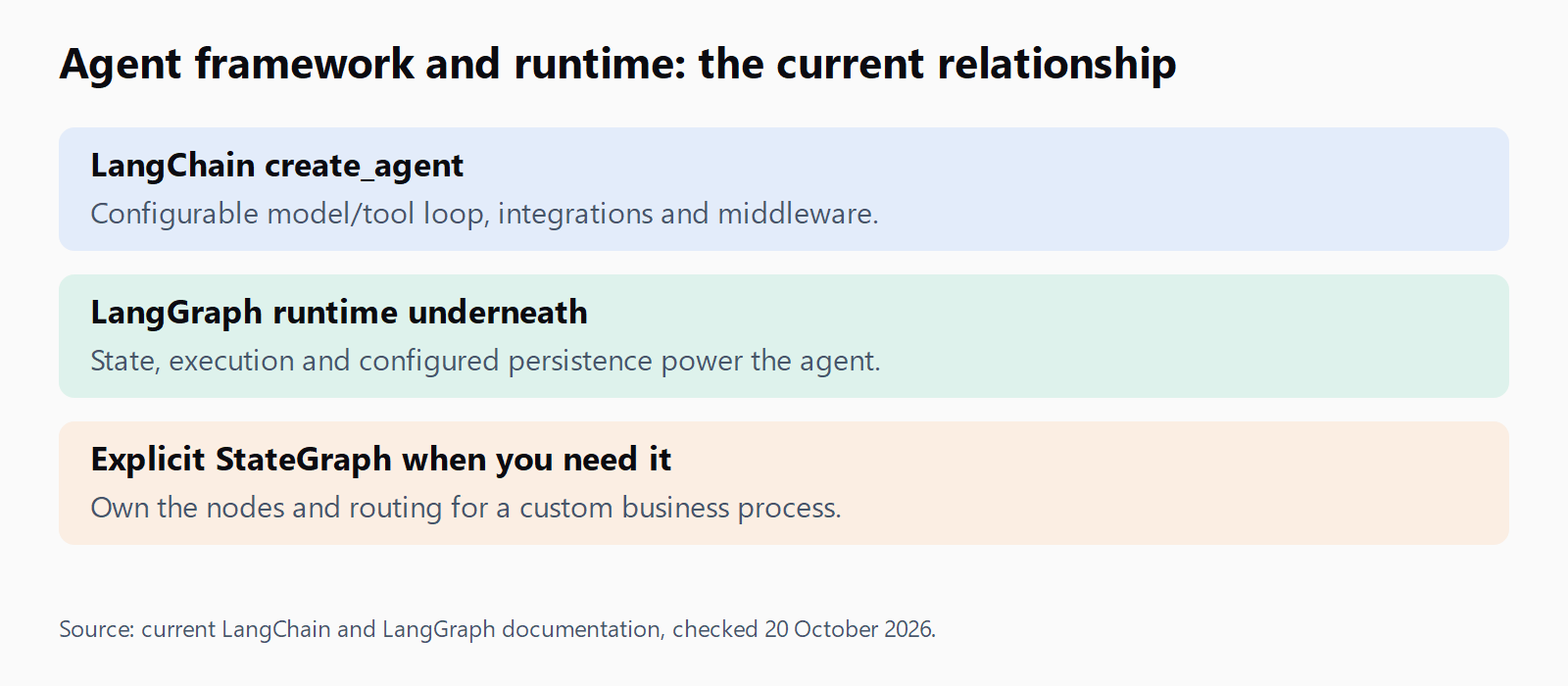
LangChain provides model integrations, tools and an agent constructor. Its LangChain overview describes create_agent as a configurable harness built on LangGraph. It can call tools repeatedly, accept middleware and use the runtime's persistence. Comparing all of LangChain with a one-way LCEL chain gives the wrong answer for current agents.
LangGraph exposes the lower-level orchestration model: define state, nodes and routing, then compile the workflow. The LangGraph overview says it can be used without the high-level LangChain framework. It is useful when application code must control which step runs next, what state it changes and where execution can pause.
| Requirement | LangChain create_agent | Explicit LangGraph |
|---|---|---|
| Model chooses tools in a loop | Standard starting point | Build or compose the loop yourself |
| Conversation memory | Configure a checkpointer and thread identity | Configure persistence for graph state |
| Human tool approval | Available through middleware | Place interrupts within custom workflow nodes |
| Business-specific routing | Use middleware while the agent loop still fits | Own conditional edges and deterministic stages |
| Best for | Tool-using assistants with a recognisable agent loop | Workflows whose graph structure is part of the application design |
| Separate fixed pipeline | LCEL remains useful for component composition | A graph is optional if ordinary functions already express the task |
LCEL is LangChain Expression Language, commonly seen as prompt | model | parser. That composition pattern is one option within the broader framework. A retrieval pipeline can be fixed, while an agent using the same retriever as a tool can decide to search again before answering.
When is LangChain enough for your agent?
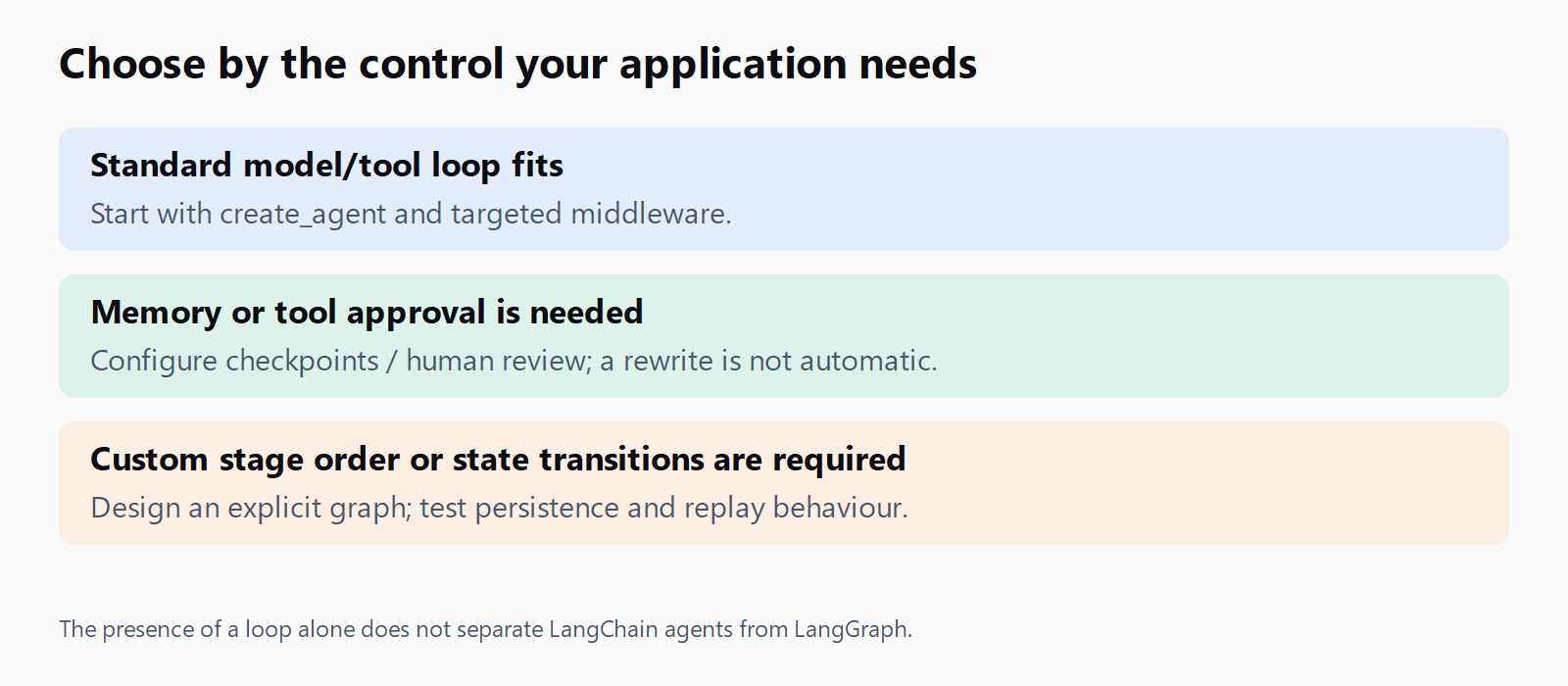
Start with create_agent when the model should select tools, inspect results and continue until it can respond. A support assistant that looks up an order and answers a question fits that structure. Add focused middleware when you need to change tool access, validate an output or handle a recoverable failure.
For conversation continuity, LangChain's short-term memory guide shows a checkpointer and a thread_id. Its human-in-the-loop guide documents middleware that can pause selected tool calls for review. These features are available through the higher-level agent interface; the mere presence of a conversation or an approval requirement does not settle the framework choice.
Keep simple extraction and fixed retrieval tasks simple. A short chain or ordinary functions may be enough when the steps never depend on model-selected actions. The LlamaIndex and LangChain comparison addresses the separate question of choosing a retrieval framework.
When does your agent need LangGraph?
Use an explicit graph when the required business process no longer fits a standard agent loop plus understandable middleware. For example, a quote workflow might extract requirements, apply deterministic pricing rules, send an exception to an approver and only then prepare a response. The model should not choose whether mandatory validation happens.
Graph nodes can separate those responsibilities, and conditional routing can encode the allowed next stages. You still need to define state updates, failure behaviour and stopping conditions. A graph makes those decisions visible; it does not decide them for you or make every tool safe to retry.
Custom multi-agent handoffs can also justify explicit orchestration, but several agents alone are not proof that StateGraph is necessary. Write down what the coordinator must guarantee. If those requirements fit a higher-level abstraction, maintaining a custom router may add work without improving the result.
| Situation | Practical starting choice | Reason |
|---|---|---|
| Assistant searches documents until it has enough evidence | LangChain create_agent | A model/tool loop fits |
| Tool call needs approval before execution | Evaluate LangChain human-review middleware first | Approval is not exclusive to custom graphs |
| Fixed validation must run between named process stages | Explicit LangGraph | Stage order and transitions belong to application logic |
| One input, fixed retrieval and one answer | A short pipeline | No agent loop may be needed |
How do LangChain and LangGraph fit together in production?
LangChain integrations can supply models and retrievers inside graph nodes. Conversely, using create_agent already uses LangGraph underneath. LangChain's framework-layer explanation explains this relationship. There is no requirement to rebuild a working agent merely to say that it uses the lower-level runtime.
Persistence needs deliberate configuration in a standalone application. The persistence documentation distinguishes thread-scoped checkpoints from cross-thread stores. InMemorySaver keeps checkpoints in RAM and loses them when the process ends. Use an appropriate persistent backend when recovery after process loss is a requirement, and test its access, retention and recovery behaviour.
For a custom human gate, the interrupts guide uses interrupt(payload) and Command(resume=...). Resume against the same saved thread. The interrupted node starts again from its beginning, so a write before the interrupt may execute again. Make such operations idempotent or move them after approval; a checkpoint does not provide universal exactly-once external side effects.
LangSmith can trace applications built with either layer. The current visual environment is documented as LangSmith Studio, rather than a separate reason to choose StateGraph. Use traces alongside application tests: inspect the tool arguments and state transitions that led to an unexpected answer.
The Python agent deployment guide covers serving the application. Runtime choice does not replace deployment controls such as bounded execution, credential handling or recovery tests. For failures inside a tool, the LangChain tool error handling guide is a related troubleshooting path.
Where do you start in 2026?
Use the current constructor import, from langchain.agents import create_agent. The v1 migration guide replaces the older langgraph.prebuilt.create_react_agent entry point. Check old tutorials against the installed package version instead of mixing constructor names or prompt parameters from different APIs.
Package metadata checked 20 October 2026 lists LangChain 1.4.6 and LangGraph 1.2.16, both requiring Python 3.10 or later. These are the Python packages; CLI and SDK release numbers belong to separate distributions. Pin a compatible set for a deployed application and review upgrades in a test environment.
Before moving layers, describe the missing capability precisely. If a model/tool loop with middleware can express it clearly, keep that implementation. If the requirement is an explicit business-state transition or a controlled mix of deterministic and agentic stages, prototype that part as a graph. Compare maintenance effort and failure behaviour on the same task.
Compare the two implementations on a small support task: look up an order, handle a missing order and request approval before changing it. Check that rejection prevents the write and that a resumed request does not duplicate it. Inspect which decisions are fixed in code and which remain with the model. Those checks show whether the higher-level agent exposes enough control. They also make the cost of maintaining a custom graph easier to judge than a feature checklist does.
FAQ
Does LangGraph replace LangChain?
No. LangChain agents use LangGraph as their runtime, while LangGraph can also run without the high-level LangChain framework. They offer different amounts of orchestration control.
Can I use LangChain and LangGraph in the same project?
Yes. LangChain model or retrieval integrations can be used inside graph nodes. You can also begin with create_agent and introduce custom graph stages only where needed.
When should I switch from LangChain to LangGraph?
Consider it when the workflow needs explicit state transitions or routing that no longer fits an understandable agent loop and middleware. Loops, memory or human approval alone do not force a switch.
What is LangGraph Studio?
Current documentation calls the visual development and debugging environment LangSmith Studio. It helps inspect agent execution and state; check the current setup documentation for its connection and runtime requirements.
Is LangGraph production-ready in 2026?
It provides orchestration and persistence capabilities used to build production applications. Readiness for a particular workload still depends on the chosen backend, permissions, evaluation and recovery tests; package version alone is not proof.
What is the difference between LCEL and StateGraph?
LCEL composes runnable components, often with the pipe operator. StateGraph describes stateful nodes and transitions explicitly; modern LangChain agents already use a graph runtime, so this is not a comparison of all LangChain against all LangGraph.