
Claude Code AskUserQuestion "No Response After 60s": How to Fix the AFK Timeout
Why Claude Code's AskUserQuestion silently answers itself after 60 seconds, and the version and config fix - plus the terminal-focus gotcha most write-ups skip.
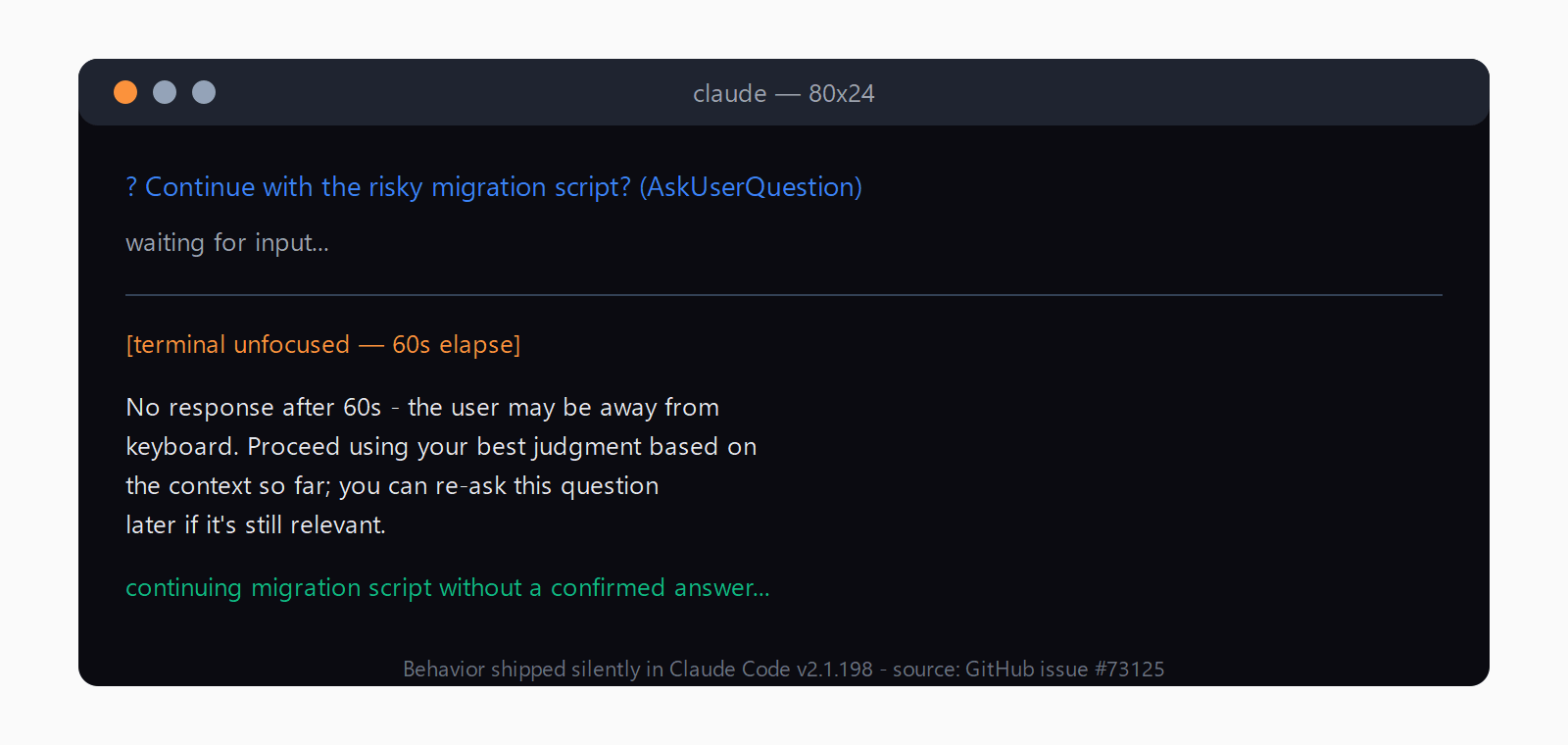
TL;DR: Claude Code's AskUserQuestion silently answered itself with "No response after 60s - continued without an answer" because of an AFK auto-continue shipped in v2.1.198; upgrade to v2.1.200 or later, where it's opt-in and off by default in /config.
The message shows up mid-session with no warning: Claude Code asks a question, the terminal sits unfocused for a minute, and the agent barges ahead on its own answer. AskUserQuestion is one of several places where Claude Code's permission modes pause for interactive input rather than acting alone, so a silent auto-continue there defeats the whole point. Most write-ups on this stop at "upgrade to .200" - they skip the terminal-focus condition that decides who actually hits it, and the undocumented environment variables that still control it under the hood.
Why does AskUserQuestion say "No response after 60s"?
Claude Code v2.1.198 (built 2026-07-01) quietly added an "AFK mode" to the AskUserQuestion tool: if a dialog sits unanswered for 60 seconds, the CLI injects a synthetic reply and moves on. The exact text is "No response after 60s - the user may be away from keyboard. Proceed using your best judgment based on the context so far; you can re-ask this question later if it's still relevant." No changelog entry mentioned it, and the tool's schema never exposed a timeout parameter - which is why GitHub issue #73125 collected 409 reactions and 143 comments within a week.
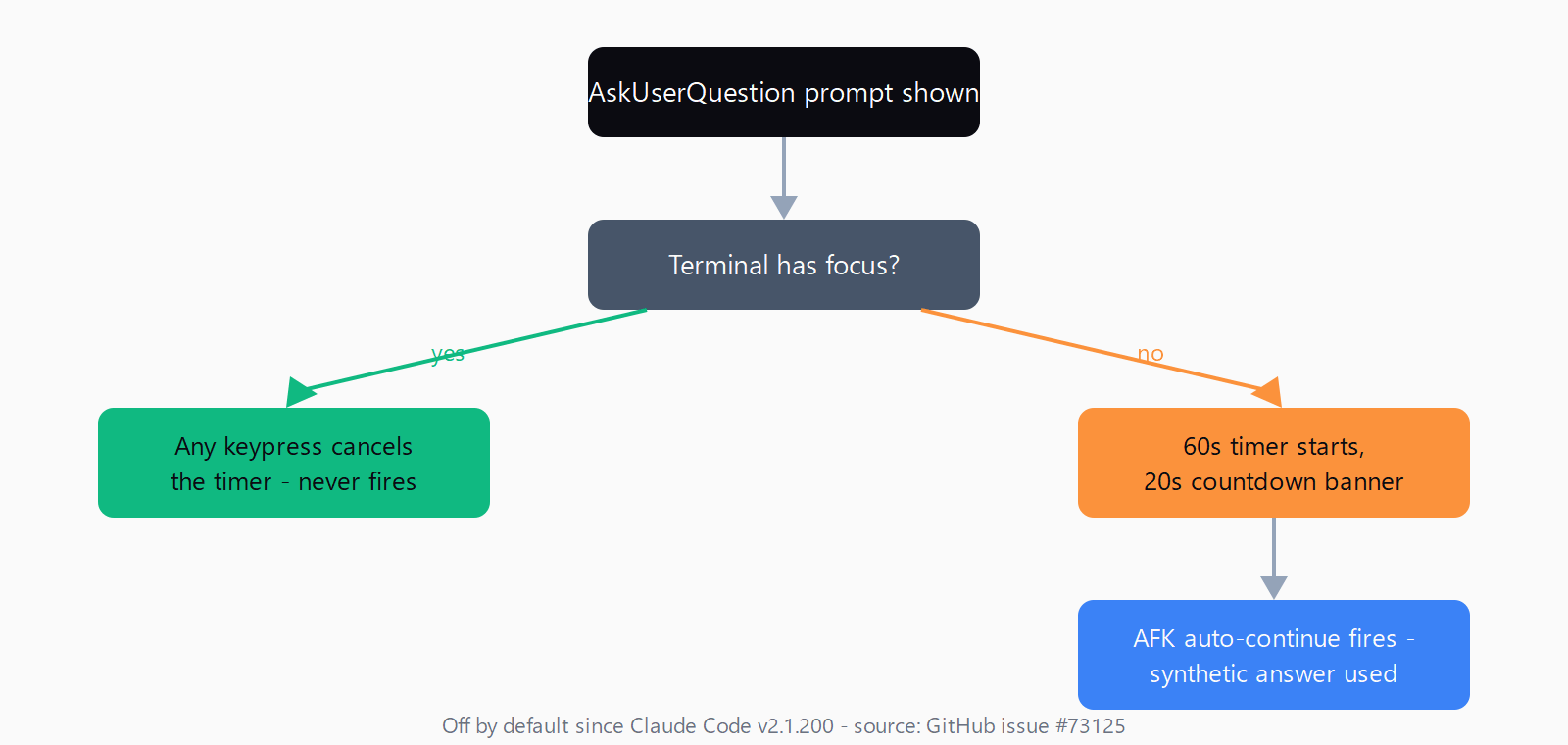
Maintainer ThariqS confirmed the change and the fix on 2026-07-04: "Fixed in v2.1.200, it is no longer a default-opt in. It's available in /config as a configurable time window." He also clarified the trigger condition: "the timeout only starts if the terminal doesn't have focus, and if you press any key it's cancelled."
How do you fix the AskUserQuestion timeout?
- Check your version. Run
claude --version. If it reports anything at or below v2.1.198, the AFK auto-continue is active by default. - Upgrade to v2.1.200 or later. Native installs auto-update in the background - force it immediately with
claude update. Homebrew, WinGet, and apt/dnf/apk installs need a manual upgrade command (brew upgrade claude-code,winget upgrade Anthropic.ClaudeCode, or your package manager's equivalent). - Confirm the setting in
/config. From v2.1.200 onward, the idle timeout is off by default and only fires if you opt in - open/configinside a session and check the AskUserQuestion timeout window is unset (or set to whatever value you actually want).
How do you verify the fix worked?
Trigger an AskUserQuestion prompt, switch focus away from the terminal, and wait past a minute. On v2.1.200+, the prompt should still be waiting when you switch back - no synthetic answer, no "No response after 60s" text in the transcript. If you want a broader configuration check first, the same verify a Claude Code install routine (claude --version then claude doctor) confirms the binary and its config are both healthy before you go testing edge-case behavior.
Why did this only happen in some of my sessions?
The focus check is the detail every news blurb on this bug skipped. The 60-second timer only starts once the terminal loses focus, and any keypress cancels it - so a session you're actively watching and typing in essentially never triggers it. The reports piling up on issue #73125 mostly came from detached or headless setups: a session left running in a background tmux pane, an SSH connection to a remote box, or a bot bridge relaying Claude Code output to a chat app (see the related Telegram-relay report in issue #70294) - anywhere a human isn't physically at the keyboard to cancel the countdown.
What if the timeout still fires after upgrading?
Two undocumented environment variables control the behavior underneath /config, per GitHub issue #73408: CLAUDE_AFK_TIMEOUT_MS (default 60000, the delay before auto-continue fires) and CLAUDE_AFK_COUNTDOWN_MS (default 20000, the on-screen countdown banner shown before it fires). If one of these is set in your shell profile or CI environment, it overrides whatever /config shows. Watch for the footgun the issue flags: setting CLAUDE_AFK_TIMEOUT_MS=0 does not disable the behavior - it fires the auto-continue immediately. There's no first-class "never" value yet; the issue is still open as of this writing, requesting a proper settings.json opt-out.
If none of that applies and the prompt still auto-continues on a current version, the underlying cause is probably unrelated to AFK mode. Claude Code on Windows in particular carries its own set of unrelated MCP and process-spawn quirks - see the spawn ENOENT errors on Windows fix for a similar-looking but unrelated failure mode - or check the Automation Error Index for other Claude Code entries before assuming it's the same bug.
How do you confirm and fix the AFK timeout in three steps?
- Run
claude --versionand confirm you're on v2.1.200 or later; if not, runclaude update(or your package manager's upgrade command). - Open
/configand check the AskUserQuestion idle timeout is unset or set to your preferred window. - Check your shell profile and CI config for
CLAUDE_AFK_TIMEOUT_MSorCLAUDE_AFK_COUNTDOWN_MS- clear them if you don't intend to override the default.
FAQ
What does "No response after 60s - continued without an answer" mean in Claude Code?
It means the AskUserQuestion prompt sat unanswered for 60 seconds while the terminal lacked focus, and Claude Code's AFK mode auto-continued with a synthetic "use your best judgment" reply instead of waiting for you.
Which Claude Code version fixed the AskUserQuestion timeout?
v2.1.200, released 2026-07-03, made the idle timeout opt-in and off by default, configurable through /config. It shipped a day after the bug was first reported in issue #73125.
Does the timeout fire even when I'm actively watching the terminal?
No. The countdown only starts once the terminal loses focus, and pressing any key cancels it - which is why the bug mostly surfaced in detached, remote, or bot-relayed sessions rather than interactive ones.
What are CLAUDE_AFK_TIMEOUT_MS and CLAUDE_AFK_COUNTDOWN_MS?
Undocumented environment variables that set the auto-continue delay (default 60000ms) and the on-screen countdown banner's lead time (default 20000ms). They override whatever /config shows and can be left over in a shell profile or CI environment from before v2.1.200.
Can I fully disable the AFK auto-continue?
Not with a documented "never" setting yet. Since v2.1.200 it's off by default, so simply upgrading and leaving /config untouched is the practical fix; setting CLAUDE_AFK_TIMEOUT_MS=0 does not disable it and instead fires immediately.