
Cursor removed @Docs in 3.14.2: migrate to rules, skills, files
Cursor 3.14.2 removed @Docs. Migrate with pasted URLs, local Markdown, rules and skills - plus what you lose.
TL;DR: Cursor removed the indexed @Docs corpus in 3.14.2, so migrate one-off refs to pasted URLs, repeated refs to local Markdown files you @-mention, and standing instructions to rules or skills.
Cursor emailed @Docs users in early August 2026 that the feature would sunset in version 3.14.2, and staff confirmed the removal on the Cursor 3.14.2 sunsetting thread. Before, docs URLs lived under Settings then Indexing and Docs and were referenced with @Docs. After, that panel is gone and @Docs no longer appears in Agent. The official line is that newer models plus improved web search made a separate index obsolete. Forum threads with 46 replies combined dispute the token cost, so this guide gives the working replacement plus the tradeoff table other posts skip.
When should you migrate off @Docs and when should you wait?
- Migrate if you are on 3.14.2 or later and @Docs is already missing from Agent, because the old index is not coming back in the current build.
- Migrate if your docs workflow is version-pinned API references that you query daily, because pasted links drift while local copies stay pinned.
- Migrate if you share docs guidance across a team, because project rules and skills are the only version-controlled path left.
- Do not rebuild yet if you are still on a pre-3.14.2 build with a working @Docs index and a freeze in place, because a forced upgrade mid-sprint adds churn.
What maps from @Docs to rules, skills, and workspace files?
Nothing maps one to one. @Docs was a managed remote index you referenced by name. The replacements split that job into three smaller tools, each with a different cost. The Cursor rules documentation and the Cursor skills documentation describe instructions and workflows, not a documentation library.
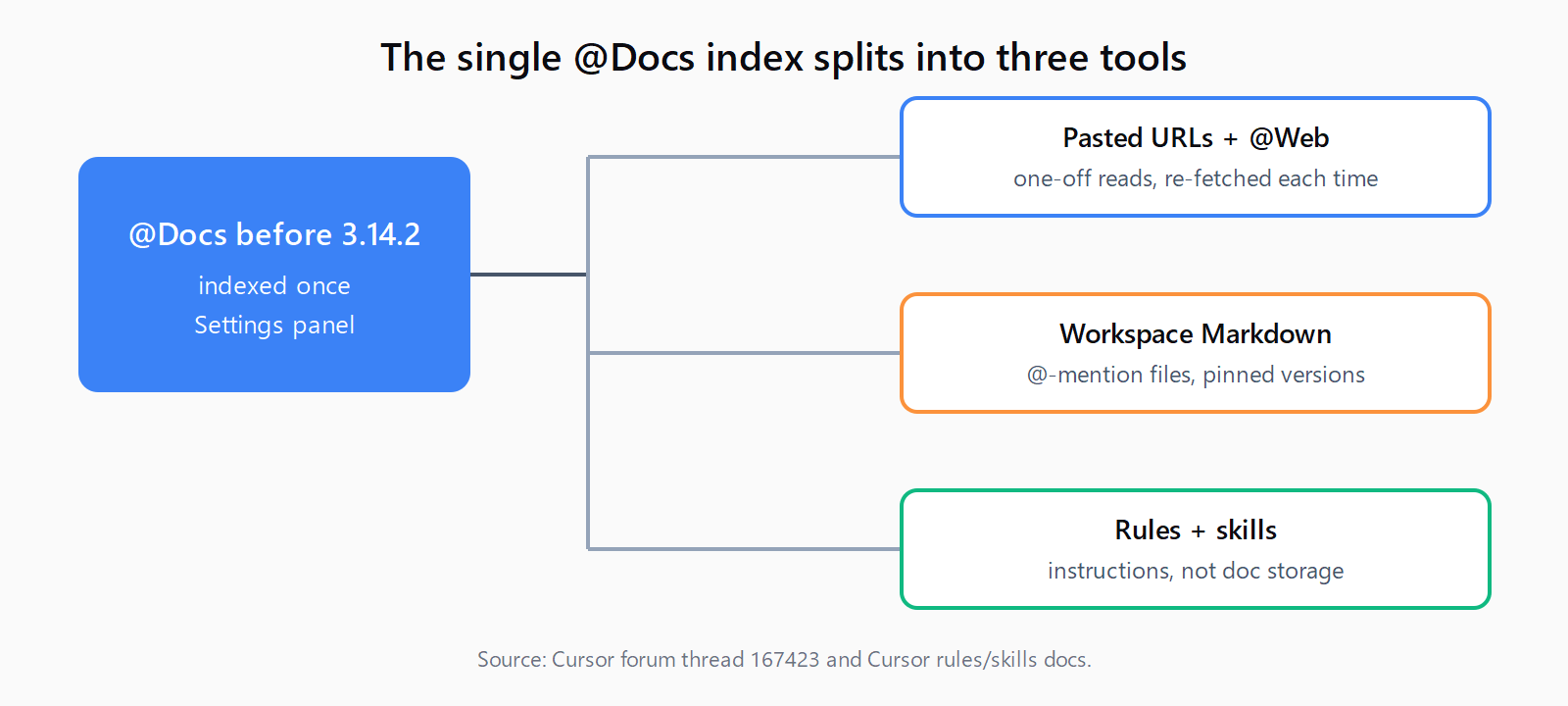
| Feature | @Docs before 3.14.2 | Now | Migration impact |
|---|---|---|---|
| Pinned doc set | Indexed once under Settings | Local Markdown copy in workspace | Needs rebuild |
| One-off lookup | @Docs mention | Pasted URL or @Web fetch | Drop-in |
| Standing guidance | Not the job of @Docs | Rule or skill | Bonus |
| Version pinning | Index snapshot | Manual file update | Needs rebuild |
| Private docs | Indexed if URL allowed | Workspace files only | Needs rebuild |
Step 1 - How do you export your @Docs list before it disappears?
There is no export button once the panel is gone, so reconstruct the list from history. Open recent chats and search for @Docs mentions, then copy each source URL into a checklist. Check browser history for docs domains you visited from Cursor, and check any team wiki page that listed the indexed URLs. Save the list as docs/INDEX.md with one URL per line plus the version you pinned, for example stripe-api v2026-07. This file becomes the source of truth for Steps 3 and 4. If you skip this inventory, later steps rebuild from memory and miss the private pages that web search cannot find.
Step 2 - How do you pin docs with pasted URLs and @Web?
For one-off questions, paste the exact documentation URL directly into the prompt and ask the agent to read that page. Staff restated this on 2026-09-04 for users on 3.19.7: exact URLs beat vague asks. Example prompt shape:
Read https://cursor.com/docs/context/rules and tell me which frontmatter fields control auto-attach.Use @Web or ask the agent to search only when you do not have a known-good URL. Search results vary by day and model, and version drift is real. When the answer must match a specific release, paste the versioned URL instead of letting the agent guess. This path costs a fresh fetch on every prompt, which is fine for rare lookups and wasteful for a corpus you query ten times a day.
Step 3 - How do you store docs as workspace files you can @-mention?
For repeated refs, keep a local copy in the repo and @-mention the files. Create docs/vendor/<tool>.md and paste the pages you actually use, trimmed to the endpoints and flags your code calls. Add a header with source URL and retrieved date so updates are traceable:
docs/vendor/stripe-api.md
Source: https://docs.stripe.com/api/v2026-07
Retrieved: 2026-09-20
Scope: payment intents + webhooks only
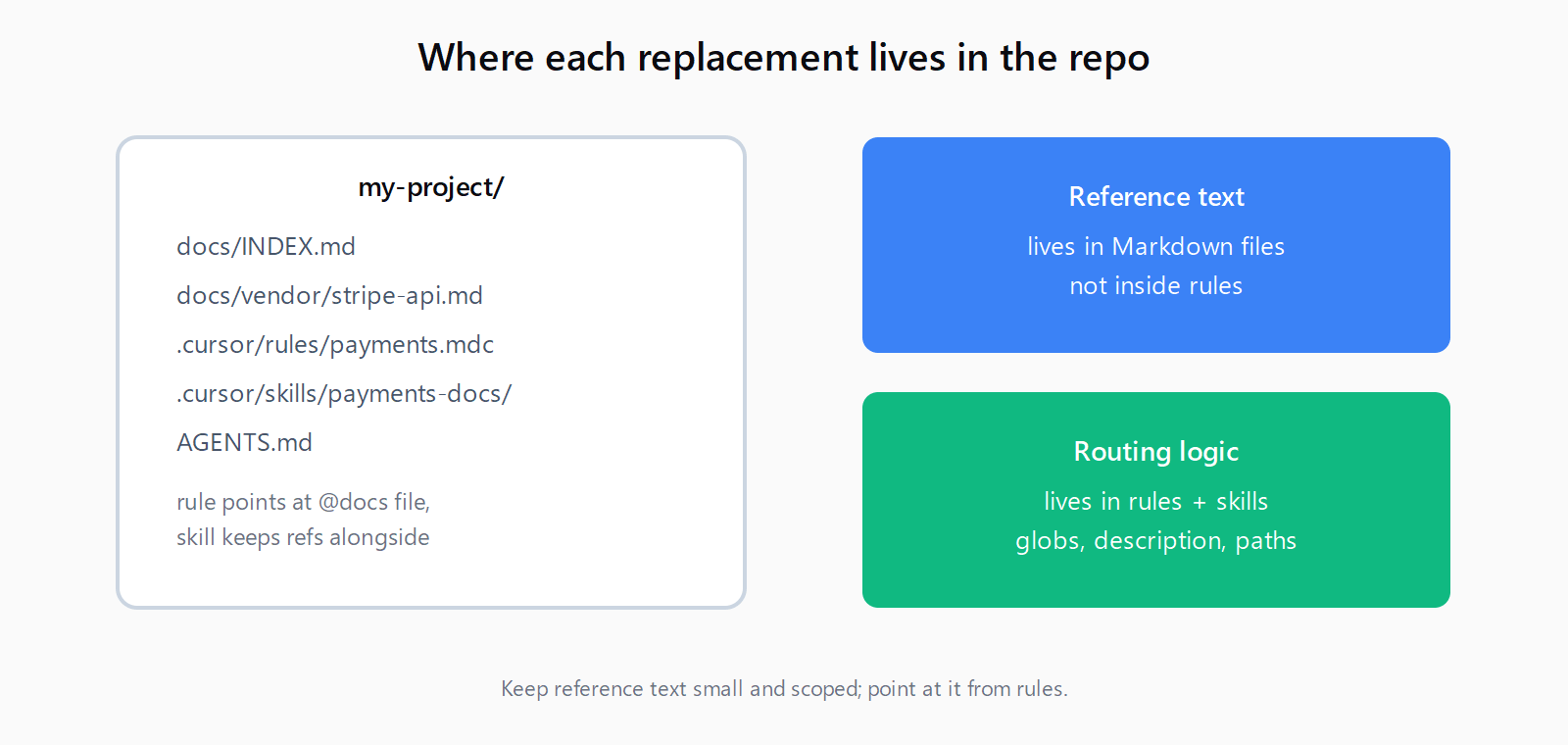
Reference with @docs/vendor/stripe-api.md in chat instead of pasting the URL again. The file is version-controlled, works offline, and covers private docs that cannot be indexed remotely. The cost is maintenance: every workspace needs its own copy, and updates are manual. One team reported in the sunset thread that Shopify-scale docs cannot reasonably be copied per repo, which is where this replacement strains. Keep the files small and scoped, and link the canonical URL at the top so a refresh is a diff, not a rewrite.
Step 4 - How do you move standing guidance into rules and skills?
Rules and skills hold instructions, not reference text. Put repo conventions in AGENTS.md at the root for cross-tool use, then add Cursor-specific scoping in .cursor/rules/ only where globs matter. Example rule that points at workspace docs instead of embedding them:
---
description: API reference routing for payments work
globs: src/payments/**/*.ts
alwaysApply: false
---

When editing payments code, read @docs/vendor/stripe-api.md first.
Do not guess endpoint shapes from training data.
Encode a repeated docs-heavy workflow as a skill in .cursor/skills/<name>/SKILL.md with name and description frontmatter, and keep the reference text in references/ next to it. Skills load progressively and the agent pulls them when the description matches, which keeps context lean. Run /migrate-to-skills in Agent chat to convert eligible dynamic rules and slash commands, but leave alwaysApply: true and glob-scoped rules in place. If the Cursor cache hides a new rule after creation, save the file inside Cursor or restart the IDE so the registry re-reads it.
Step 5 - How do you cut over and verify retrieval still works?
Run both paths in parallel for one workday before deleting old notes. Pick three recent @Docs queries and re-run each as a pasted URL once and as a workspace @-mention once, then compare answers against the versioned source. Confirm the agent cites the pinned file, not a stray web result, when the file is in context. Check Cursor Settings then Rules to confirm each new rule shows the expected status of Always, Auto Attached, Agent Requested, or Manual. A rule with no frontmatter loads as Manual and only fires on @-mention, which looks like the migration failed when it is only a scoping miss. When the three checks pass, archive the old @Docs list and keep docs/INDEX.md as the live map.
What do you lose in the move off @Docs?
You lose a single managed index with predictable retrieval. Pasted URLs re-fetch, parse, and locate the section on every prompt. Local copies duplicate across projects and need manual version bumps. Web search adds latency and variable results. The forum asked directly whether repeated use of the same corpus costs more tokens now than under @Docs, and staff did not provide numbers. Plan as if repeated corpora cost more, because each prompt rebuilds context that @Docs reused. The gain is flexibility: rules and skills travel in git, AGENTS.md works across Cursor, Codex, Claude Code, and Copilot agents, and @-mentioned files work for private docs that a remote index never covered well.
How do you check the full migration in 15 minutes?
- List every @Docs URL you used into docs/INDEX.md with version and date.
- Re-run one query with a pasted exact URL and confirm the agent reads that page.
- Save the top three repeated docs as workspace Markdown with source headers.
- Re-run the same query with @-mentioned files and confirm the pinned answer.
- Add one rule that routes payments files to the local API reference.
- Convert one repeated docs workflow into a skill with references alongside.
- Verify rule statuses in Settings and archive the old @Docs notes.
FAQ
Where did @Docs go in Cursor 3.14.2?
Cursor removed it. Settings then Indexing and Docs no longer lists documentation URLs, and @Docs no longer appears in Agent. Staff confirmed the removal was intentional, with no immediate plan to restore it.
How do you add docs in Cursor after 3.14.2?
Paste the exact doc URL into the prompt for one-off reads, or save the pages you reuse as local Markdown in docs/vendor/ and @-mention those files. Add standing pointers in a rule or skill so the agent loads them without pasting every time.
Can Cursor rules replace @Docs?
No, not as a document store. Rules hold persistent instructions and are included at the start of model context. Use them to route the agent to the right workspace file, not to paste a full API reference into the rule body.
Can Cursor skills replace @Docs?
No, not alone. Skills package a workflow with scripts and references the agent loads on demand. Pair a skill with local Markdown or pasted URLs for the actual reference text, and scope with paths when the skill is file-specific.
Is the new workflow more token efficient than @Docs?
Cursor has not published a comparison. The sunset thread asked this for repeated use of the same corpus three times without an answer. Expect higher token use for repeated corpora because each prompt re-fetches and rebuilds context that an index reused once.