
Fix n8n multiple matching items after Merge and Aggregate
Keep customer identity intact when Merge and Aggregate combine several records.

TL;DR: Fix n8n multiple matching items by making the downstream record choice explicit, preserving one-to-one links and carrying group data through many-to-one steps.
Changing .item to .first() can remove the error while selecting another customer's data. Inspect which customer IDs contributed to the output before changing the expression. Choose the expression only after deciding which records the action represents.
Why does n8n report multiple matching items?
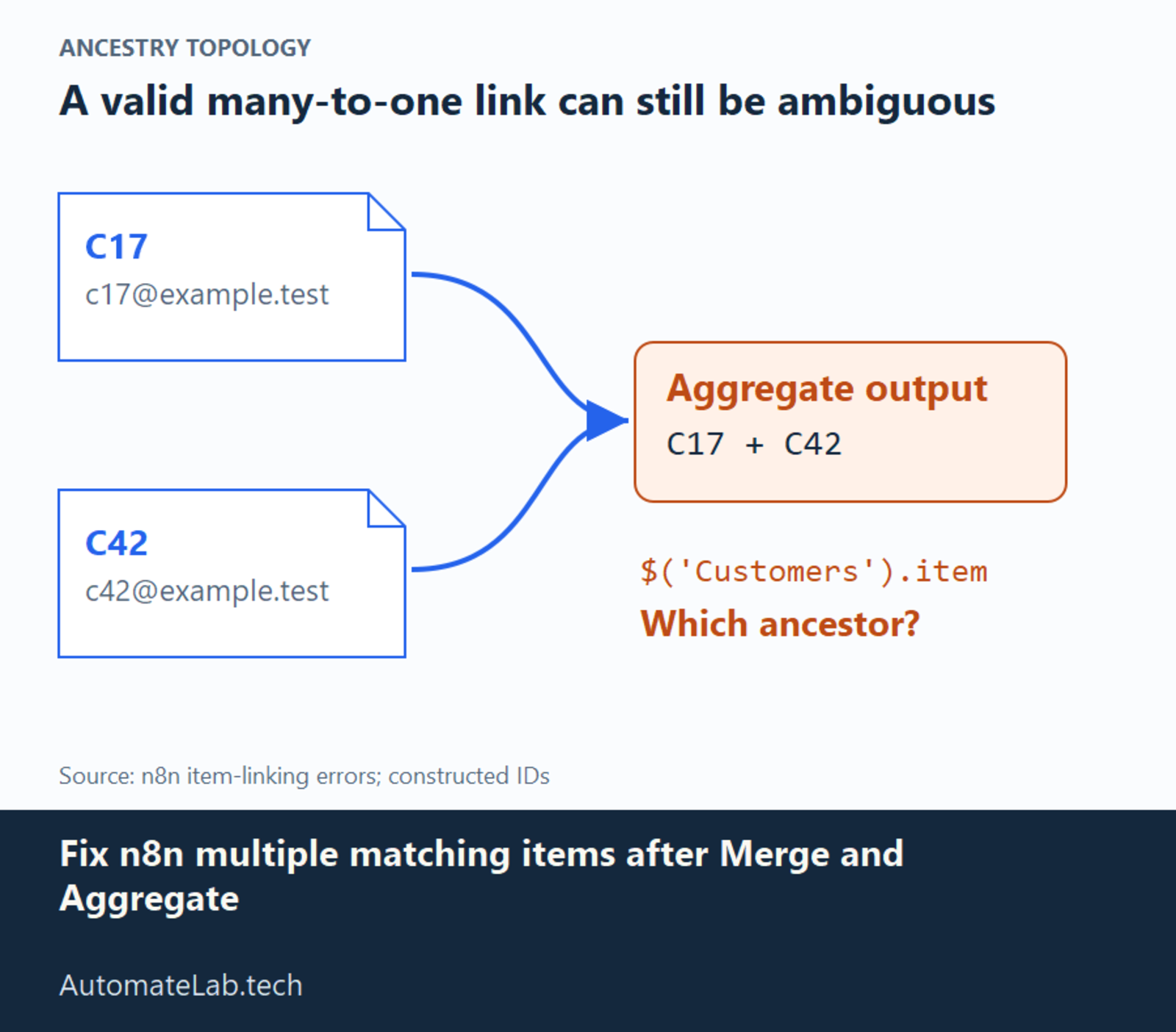
An expression such as {{ $('Customers').item.json.email }} asks n8n to follow the current item's ancestry to one item in Customers. After several ancestors contribute to one output, that request can have several answers. n8n's item-linking error reference names Merge, Aggregate and Summarize as possible combining nodes.
This is different from a broken thread with no pairing information. Multiple matches can mean the ancestry is accurately recording a many-to-one operation. Assigning one arbitrary ancestor would misrepresent the output. Start at the failing expression and trace backward to the first node where several candidate items became one.
Use distinct IDs in the test input. Customer C17 has c17@example.test; C42 has c42@example.test. If the output represents C42, a successful expression returning C17's email is a failed repair. Testing with repeated names or identical emails hides that problem.
How should Merge join customer records?
When a record has a stable ID, join on that ID and carry the needed fields into the resulting item. The Merge node documentation distinguishes matching-field joins from position-based combinations. Select the mode that matches the actual relationship.
- Inspect both inputs and identify the common key, such as
customerId. - Use Combine with Matching Fields when the same key identifies related records on both inputs.
- Choose the handling of multiple matches and conflicting field names deliberately; duplicated keys can produce more than one joined result.
- Read the merged email with
{{ $json.email }}when that field is already on the current item.
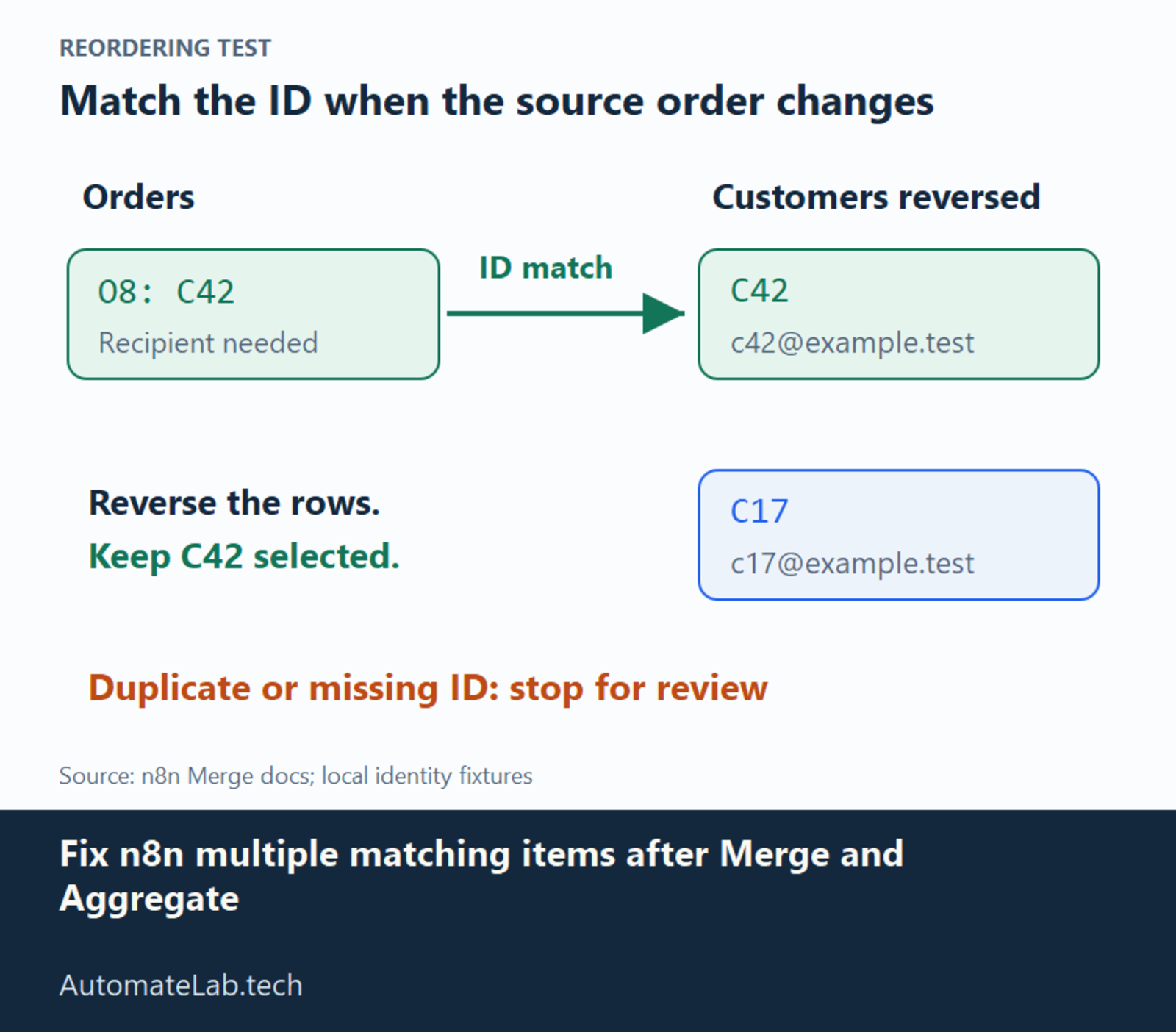
A positional join assumes the first row on one side belongs with the first row on the other. Reversing the Customers rows should not change an ID-based result. If it does, inspect the joining mode and downstream positional expressions before sending any messages.
Append keeps input items in sequence; it does not enrich each row with matching data from the other stream. Likewise, a matching-fields join does not guarantee that a later Aggregate output has only one ancestor. Check each combining step separately.
How do you handle Aggregate outputs with many ancestors?
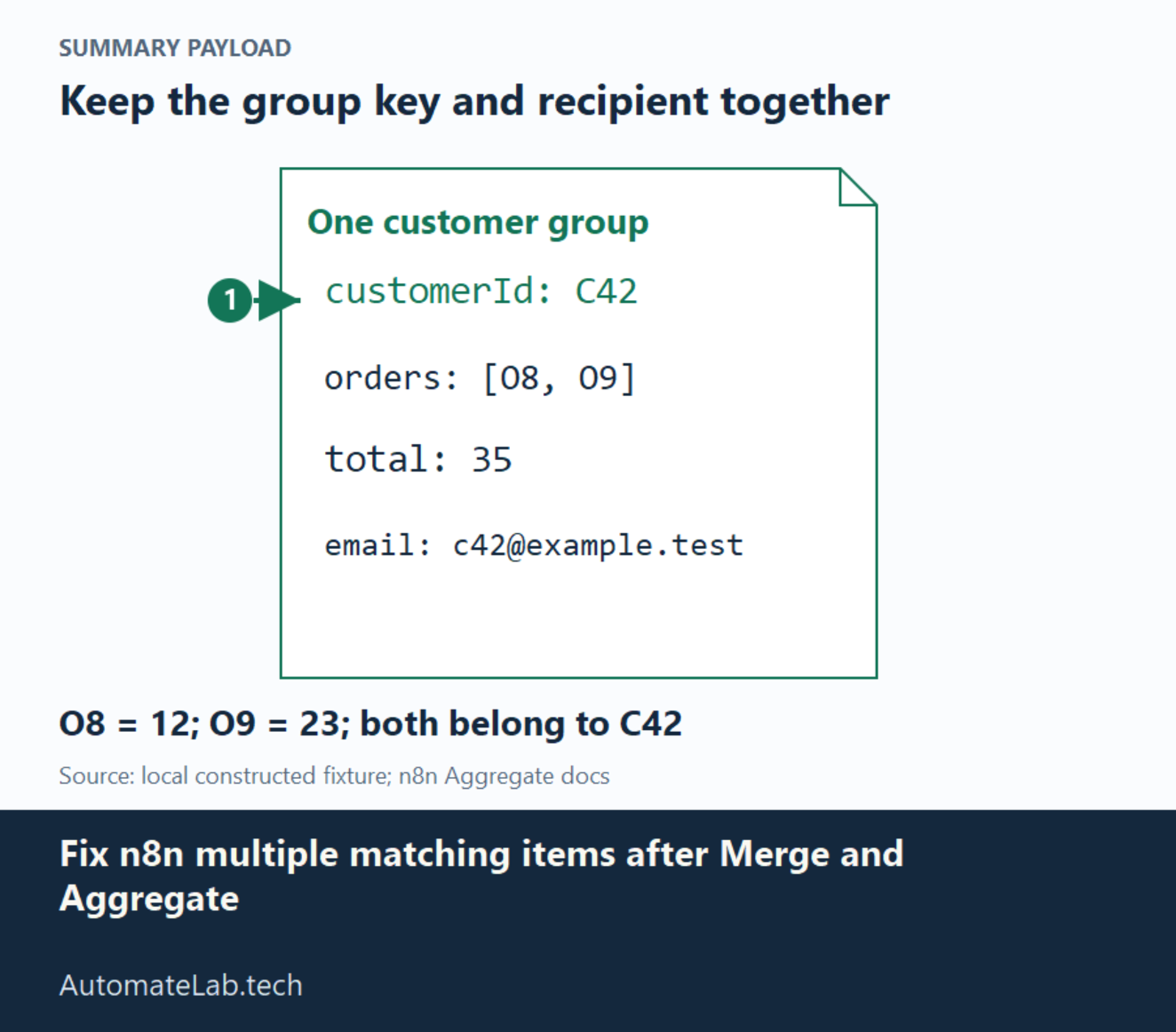
Keep the data required by the next action in the aggregate output. A summary spanning several customers should contain a collection of customer records, or be grouped before sending one message per customer. Asking for one upstream customer through .item leaves that business decision unresolved.
The Aggregate node reference describes both individual-field aggregation and collecting item data. Choose fields that preserve identity alongside the values you summarize. Separate arrays of names and emails become fragile when filtering changes one array independently.
For example, C42's orders O8 and O9 total 35 in this constructed fixture. That output represents two orders but one customer. Keep customerId: C42, the total, and the intended destination together. If the group also includes C17, split or regroup it before choosing a recipient.
When should a Code node return pairedItem?
Use pairing metadata when custom code creates output items that each come from a known input item. The Code node linking guide explains cases where returned items need that information. The index refers to the input item that produced the output.
// Code node: Run Once for All Items
return $input.all().map((item, index) => ({
  json: {
    ...item.json,
    email: item.json.email.trim().toLowerCase(),
  },
  pairedItem: { item: index },
}));
This example assumes each input has a string email and preserves one output per input. It cannot turn a mixed-customer summary into a one-to-one transformation. If code filters or reorders items, retain the original input index with each record while constructing the result.
The Code node execution modes determine which inputs your code processes. A different symptom, the Loop node processing only its first item, needs its own execution-path check.
How do you verify the correct recipient survives reordering?
Run a controlled workflow with messaging disabled and inspect the proposed outputs. Cover two customers in the original order, the same customers reversed, two orders for one customer, and one ordinary customer record. Compare the customer ID and destination in every proposed action, even when every node succeeds.
The local JavaScript fixture for this article checked ID lookup with reversed rows, rejected a duplicate customer ID, and confirmed the C42 order total stayed attached to C42. It also checked the map example's pairing indices. These checks ran in Node.js; a live n8n execution is still needed before enabling the action.
Before enabling the action, repeat those cases in your installed n8n version and inspect its execution data. Record how unmatched IDs and duplicate IDs are handled. Missing data should take an explicit failure or review path; selecting row zero silently changes the meaning of the workflow.
For other workflow failures, the Automation Error Index groups errors by platform and cause.
FAQ
Is replacing .item with .first() always wrong?
No. It is appropriate when the workflow deliberately needs the first result, such as a single configuration record; document that ordering assumption.
Does pairedItem remove ambiguity after Aggregate?
Only if the output truly belongs to one source item. A summary derived from several records still needs a defined group or recipient.
Why does Merge by position send the wrong email?
Position assumes matching row order on both inputs. Use a stable matching key when customer identity determines the relationship.
What if the pairing information is missing instead?
Inspect custom Code or community nodes that create items. Restore the real input-to-output links before relying on an upstream .item reference.