
Make Google Apps Script intermittent 404: safe retry checks
Make gets intermittent 404 responses from Google Apps Script? Trace deployment and redirects, validate JSON, and retry safely without duplicate actions.
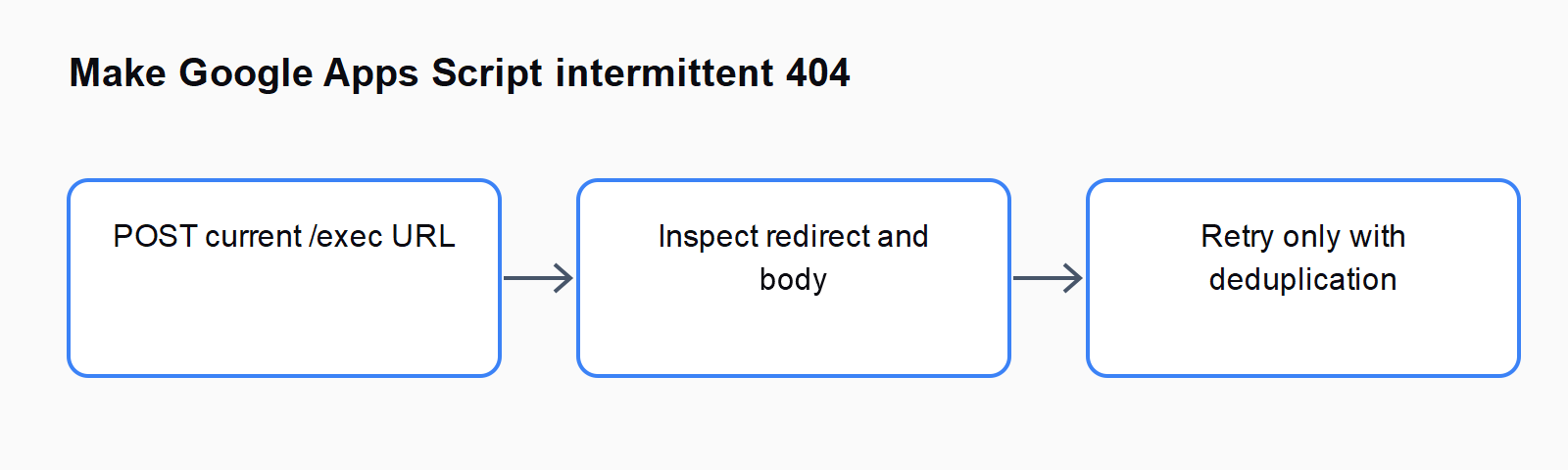
TL;DR: For intermittent Make-to-Apps-Script 404 responses, verify the deployment and redirect chain, check whether the script already acted, and retry only with duplicate prevention.
A failed HTTP response can arrive after a script has completed its work. If that script sorts rows or creates a document, replaying the entire scenario can repeat the side effect even though Make never received the expected JSON.
Is the 404 permanent or intermittent?
Capture the request method, current deployment URL, response status, response headers, and response body from the failing HTTP module. Compare them with a successful call using the same test input. Redact file IDs and tokens before sharing the evidence with support.
The Make and Apps Script report describes an HTML Page not found response that sometimes disappears when the same request is retried. Increasing the request timeout did not solve that reported case. Its author had not correlated every failed request with a specific script execution, so the thread alone does not prove one root cause.
If every request fails, investigate the URL, deployment access, and authentication first. A permanently missing endpoint should not enter an automatic retry loop. If identical controlled requests alternate between failure and success, preserve the evidence and investigate the content-serving path as well as the script.
Are you calling the current deployed web app?
Use the deployment URL intended for your caller. Google's web app documentation distinguishes the deployed app from the development URL, which is restricted to users with script access. Check which account executes the app and which callers may access it.
After changing script code, confirm which version the deployment serves. A working editor test can use code different from the deployed endpoint. Keep a harmless version marker in a diagnostic response so you can identify the deployed code without relying on a screenshot of the editor.
Choose access settings for the real caller and the data involved. A public endpoint is not an automatic fix for an authenticated application. Test with a disposable input and confirm the intended caller can reach the deployment before reconnecting document or email actions.
Why does ContentService introduce a redirect?
Google's Content Service documentation explains that content is redirected to a one-time URL on script.googleusercontent.com. An HTTP client must handle that response path to obtain the returned content. Seeing the script complete is therefore different from receiving its JSON response.
Inspect the HTTP module's redirect setting and the actual response headers. A related Google issue tracker report describes intermittent failures at the redirected content URL. That is useful supporting evidence, but it does not establish that your failed request shares the same cause.
Do not hard-code a previously observed one-time redirect URL into the scenario. Keep the deployed endpoint as the entry point and record the redirect returned for the current request. If support needs a reproduction, provide the timing and status sequence without exposing the content URL or sensitive payload publicly.
How do you prevent a retry from repeating a write?
Assign an operation key before the first attempt and reuse that exact key on retries of the same logical operation. A new key for every attempt cannot identify duplicates. On the script side, check durable operation state before repeating the work and return the stored result when the operation already completed.
A lock can help coordinate concurrent script executions, but it does not make a remote write and a local completion record atomic. If the write succeeds and saving the result fails, the next attempt may still repeat the action. Use destination-supported idempotency where available, or reconcile the existing document or row before trying again.
Keep the operation ledger bounded and define how old keys expire. Store only the values needed to identify the operation and its result. Test concurrent requests and a simulated missing response in a disposable environment before enabling retries for customer data.
How should the Make error route recover?
Make's error handling documentation describes routes for handling failed module operations. Use the retry mechanism supported by your current scenario and keep recovery focused on the failing HTTP operation. Add a limit and a delay; do not replay upstream writes blindly.
Allow downstream modules to proceed only after checking the expected application result. A 200 response containing HTML, or JSON with an application-level failure, is not the successful record your PDF or email step expects. Validate the response structure and its success field before continuing.
Remember that duplicate prevention in the script covers only the script's work. A later replay can still resend an email or recreate a PDF. Give each downstream side effect its own deduplication rule, or inspect the previous run before repeating it.
For nearby failure paths, compare Trigger a Make scenario instantly when a Google Drive file lands and How to fix Make's Retry error handler (formerly Break) not triggering.
FAQ
Does Completed in Apps Script mean Make received the result?
No. Script execution and delivery of the ContentService response are separate observations. Correlate the request with its execution and returned response.
Should every 404 be retried?
No. A wrong URL or denied deployment needs correction. Retry an intermittent case only after checking side effects and adding bounded recovery.
Does a script lock guarantee exactly one write?
No. A lock coordinates executions, but a failure between a destination write and recording its result can leave an ambiguous outcome.
Where can you find other HTTP troubleshooting guides?
The Automation Error Index links related symptoms. Keep timeout, authentication, redirect, and missing-resource failures separate when choosing a fix.