
Fix n8n Anthropic tools failing with "No prompt specified"
n8n Anthropic tools fail with No prompt specified after earlier calls work? Inspect thinking replay arguments and test with Thinking Mode disabled.
TL;DR: If n8n Anthropic tools fail with No prompt specified after earlier calls succeed, inspect replayed tool arguments and test the reported workaround of disabling Thinking Mode.
The failing tool may have received an empty object even though the model supplied values earlier. Preserve the execution trace before changing the prompt, so you can identify whether arguments disappeared during replay or were missing from the first call.
Which No prompt specified failure does this guide cover?
This guide covers the Anthropic thinking replay report opened on 5 October 2026. It concerns an AI Agent that makes tool calls successfully at first, then sends empty arguments on later steps. The reporter observed it on n8n 2.42.2 with a thinking-enabled Anthropic model.
A blank initial agent prompt has a different diagnosis. If the very first request fails, inspect the incoming item and prompt expression before applying a replay workaround. Likewise, an authentication or model-access error needs its own investigation. The presence of Anthropic in a workflow does not make every tool error a replay defect.
Use a copy of the workflow with read-only tools for the comparison. Keep the same prompt, input item, and tool schemas across runs, and record the model selection. That gives you a useful difference to inspect without risking another email, payment, or customer-record update during diagnosis.
Where can thinking replay lose the tool arguments?
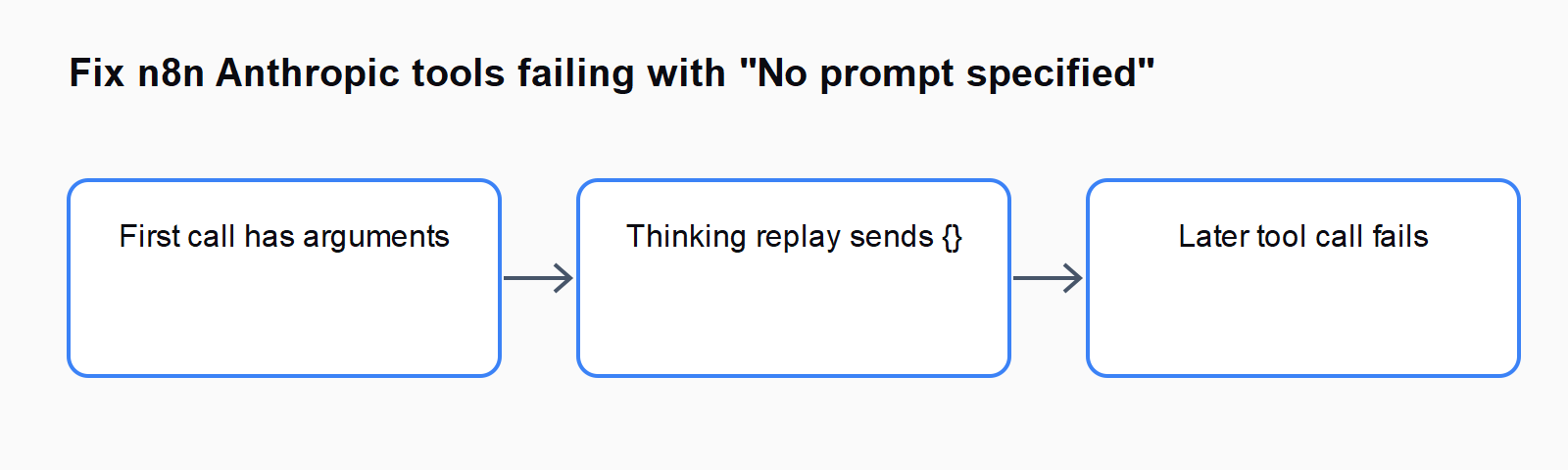
The issue identifies a replay path that reads an earlier tool argument's input property instead of preserving the whole argument object. A tool whose schema uses topic or another field can therefore be replayed with input: {}. The report describes a different non-thinking path that retains the arguments.
Inspect the original call and the following model request side by side. The first should show the values the tool actually received. The later request should preserve those values when representing the earlier tool use. The diagnostic signal is a populated original argument followed by an empty replay representation.
Original tool arguments:
{"topic": "Check invoice status"}

Replayed tool use in the reported failure:
{"input": {}}
These objects illustrate the shape of the mismatch; they are not a captured production trace. If both objects already contain empty values, trace the mapping before the tool call. If the replay preserves the values, this particular report does not explain the failure.
How do you test the Thinking Mode workaround?
Open the Anthropic Chat Model sub-node attached to the affected AI Agent. Find its Thinking Mode option and set it to Disabled, as described in the issue. Save the test workflow, run the same input, and compare the later tool calls with the original trace.
Keep this as a controlled workaround test. Disabling thinking changes the model configuration, so check that the agent still completes the intended task and returns the expected result. Do not assume one successful call proves that a multi-step workflow is repaired; exercise the sequence that previously reached the empty replay.
If your installed node does not expose that option, record its node version and available settings. Avoid manually adding an undocumented parameter to exported JSON. Follow the installed node's supported configuration or ask n8n support how to disable thinking for that model and version.
What else should you inspect if arguments are still empty?
Check the tool's parameter names and the expressions used to populate them. A model-generated field and a value read directly from an upstream item follow different data paths. Inspect the actual value that reaches the tool, including any whitespace or missing field, instead of assuming the expression text describes a valid value.
The Anthropic Chat Model documentation also notes that expressions in sub-nodes resolve against the first input item. If your test batches several items, isolate one item and confirm that its values match the field being inspected. That documented behavior is separate from the replay issue.
Check whether a tool requires a field called prompt while your schema supplies topic, query, or input. A naming mismatch can produce the same visible complaint without argument loss. Reduce the test to one read-only tool, then add the remaining tools back after you understand the failing call.
Should you raise the agent iteration limit?
Increasing the limit gives the agent more attempts, but it does not reconstruct arguments that replay discarded. If the agent repeatedly calls a tool with empty values, preserve the failed call and fix the configuration or replay path before allowing a longer loop.
After the workaround, review the tool sequence, returned values, and final answer. The useful success condition is that the previously failing tool receives its required arguments on later steps. A final answer alone may hide skipped tools, so inspect the execution data as well.
For nearby failure paths, compare How to Fix n8n AI Agent Tool Calls Not Saved in the Memory Node and Fix the n8n DeepSeek reasoning_content 400 Error.
FAQ
Is the reported bug fixed in the latest n8n release?
As checked on 8 October 2026, the cited issue is open and describes a workaround. It does not establish a released fix or prove that every newer version remains affected.
Should every Anthropic workflow disable thinking?
No. Test the workaround when the trace matches the empty replay symptom. Workflows without that mismatch need their own diagnosis.
Does disabling thinking change credentials?
The workaround changes the model's thinking configuration. Keep credentials and other test settings stable while comparing the two runs.
Where can you compare other n8n agent errors?
The Automation Error Index links sibling errors. Compare argument loss, prompt mapping, authentication, and iteration limits as separate failure paths.