
SaaS Webhook Catalog: 30 Vendors, 1,119 Events, One Index
One index for every webhook event in your team-ops stack - 30 vendors, 1,119 events, consistent schema.
TL;DR: The SaaS Webhook Catalog is a free index of 1,119 webhook events across 30 team-ops tools - browse by vendor at automatelab.tech/saas-webhooks/ or query the raw dataset on Hugging Face.
Every automation builder knows the routine: you need the exact event name for a webhook trigger, so you open a new tab, navigate to the vendor's docs, scan a multi-page reference, find the slug, copy it, and close the tab. Then repeat for the next vendor. Stripe calls it payment_intent.succeeded. Jira calls it jira:issue_created. GitHub calls it push. None of these naming patterns translate across vendors, and none of the docs live in the same place. The SaaS Webhook Catalog puts all of them in one searchable index.
Why are SaaS webhook docs so scattered?
Each SaaS vendor ships webhook documentation as part of their own developer portal - written by a different team, in a different format, updated on a different schedule. Some vendors list events alphabetically. Others group by object type. A few expose a JSON schema you can programmatically inspect; most don't. When you're building an automation that spans five tools - say, a deal closes in Pipedrive, updates a row in Notion, posts to a Slack channel, creates a Jira ticket, and fires a Twilio SMS - you're making five separate documentation trips before you write a single line of logic.
The catalog solves this with a single consistent schema: vendor, event name, description, and the condition that fires it. Every vendor, same format.
What's in the SaaS Webhook Catalog?
The catalog covers 30 SaaS tools across project management, CRM, support, HR, communication, recruiting, and developer tooling - 1,119 webhook events total. Here's a cross-vendor sample:
| Vendor | Event | Fires when |
|---|---|---|
| GitHub | push | A commit is pushed to a branch or tag |
| Slack | message | A message is posted to a subscribed channel |
| Stripe | payment_intent.succeeded | A payment intent is confirmed and funds captured |
| HubSpot | contact.creation | A new contact record is created in the CRM |
| Jira | jira:issue_created | An issue is opened in any project |
| Zendesk | ticket.created | A new support ticket is submitted |
| Calendly | invitee.created | A meeting is booked through a scheduling link |
| PagerDuty | incident.triggered | An alert fires and creates a new incident |
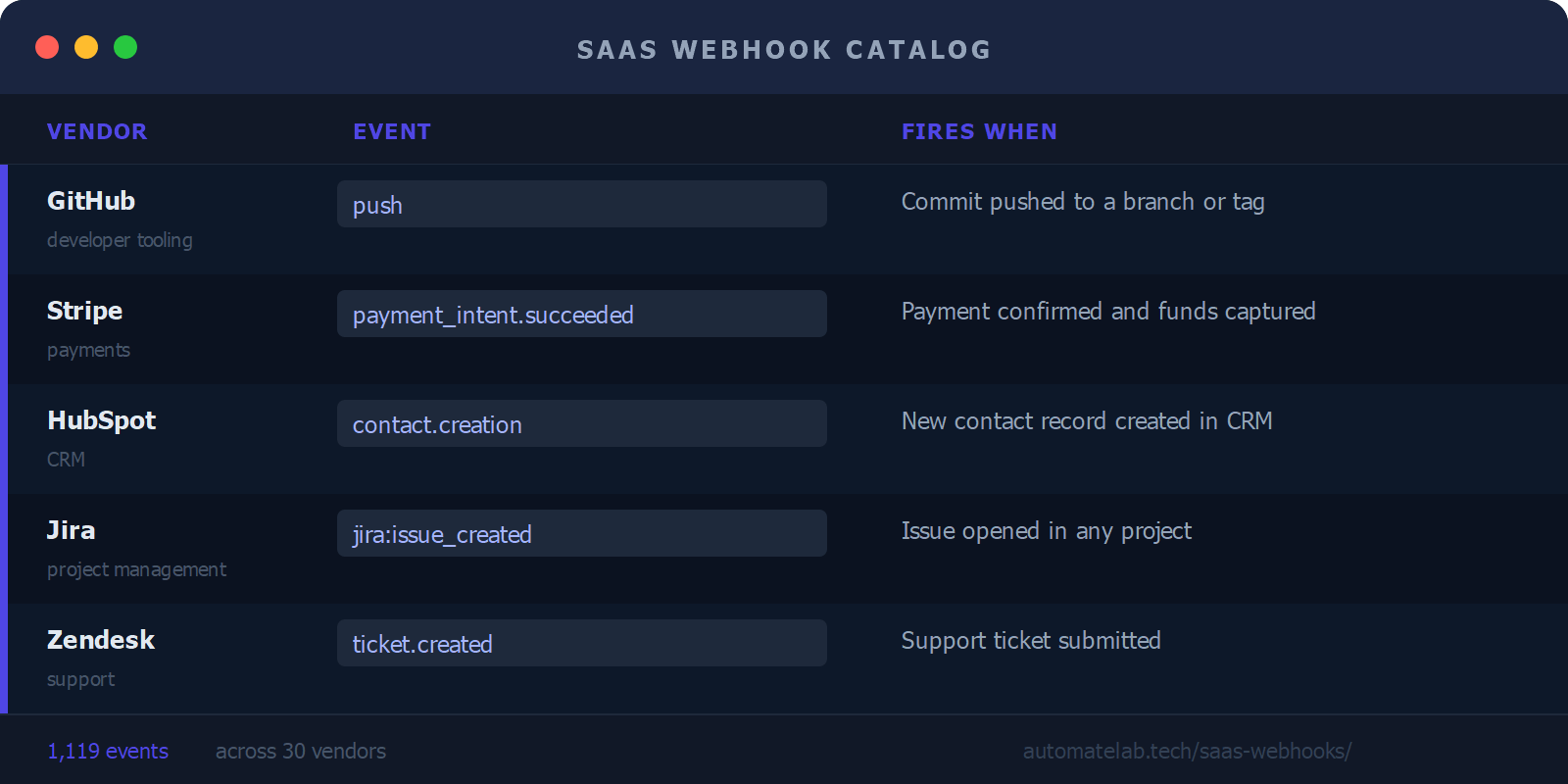
Each vendor page lists the full event set for that tool, with a short description of the payload and the condition that triggers each event. The index is built from official vendor documentation and the source data is on GitHub.
Which vendors are in the catalog?
Every vendor in the catalog has its own page with the complete event list:
- Asana
- Ashby
- Attio
- BambooHR
- Calendly
- ClickUp
- Close
- Discord
- Freshdesk
- Front
- GitHub
- Greenhouse
- Gusto
- Help Scout
- HubSpot
- Intercom
- Jira
- Linear
- Loom
- Mailchimp
- Microsoft Teams
- Notion
- PagerDuty
- Pipedrive
- Salesforce
- Slack
- Stripe
- Twilio
- Zendesk
- Zoom
Where is the raw dataset?
The full catalog is published as a Hugging Face dataset with 1,119 rows and four columns: vendor, event, description, and fires_when. You can load it directly into a notebook, use it as context for an LLM prompt, or pipe it into your own tooling. The collection scripts are on GitHub if you want to extend the dataset or add a new vendor.
If you're building automation workflows in tools like the n8n MCP server or wiring triggers from the n8n nodes catalog, the webhook event reference cuts the time you spend context-switching between documentation tabs.
FAQ
Which 30 SaaS tools are in the webhook catalog?
Asana, Ashby, Attio, BambooHR, Calendly, ClickUp, Close, Discord, Freshdesk, Front, GitHub, Greenhouse, Gusto, Help Scout, HubSpot, Intercom, Jira, Linear, Loom, Mailchimp, Microsoft Teams, Notion, PagerDuty, Pipedrive, Salesforce, Slack, Stripe, Twilio, Zendesk, and Zoom. The selection covers the most common team-ops stack: project management, CRM, support, HR, recruiting, communication, and developer tooling.
Can I query the webhook event data programmatically?
Yes. The full 1,119-row dataset is on Hugging Face in Parquet format. You can load it with the datasets library (load_dataset("automatelab/saas-webhook-catalog")) or download the raw Parquet file for use in any data tool. The schema is flat: one row per event, four columns.
Are webhook event names consistent across vendors?
No - naming conventions vary widely by vendor. GitHub uses short verb slugs like push and pull_request. Stripe uses dot-notation like payment_intent.succeeded. Jira prefixes events with the product name: jira:issue_created. The catalog normalizes descriptions and trigger conditions into a common format, but preserves the original vendor event names so you can paste them directly into your webhook config.
How do I use these events in n8n, Make, or Zapier?
Copy the event name from the vendor's page in the catalog and paste it into your webhook trigger node. In n8n, this goes in the Webhook node's "Event" field when using a vendor-specific trigger. In Make and Zapier, select the event from the dropdown - if you know the exact event name, you can also filter or search for it. The catalog is most useful for planning: knowing the exact event slug before you open the workflow editor saves a round-trip to the vendor docs.
Will new vendors be added to the catalog?
The current set of 30 covers the most common team-ops tools. New vendors can be added by submitting a pull request to the GitHub repository - the collection scripts are documented and follow a consistent pattern. Priority will go to tools that appear frequently in automation workflows alongside the existing 30.