
Fix UiPath Get Orchestrator Asset Error 1101: A Folder Is Required
Get Orchestrator Asset fails with error 1101 after the Studio 2025.10.12 upgrade because the Orch Folder Path field silently loses its value; refresh the connection to clear it.
TL;DR: Get Orchestrator Asset fails with error 1101 "A folder is required" after a Studio upgrade because the Orch Folder Path field loses its value; click the bottom-right refresh button to resync the connection and the call succeeds.
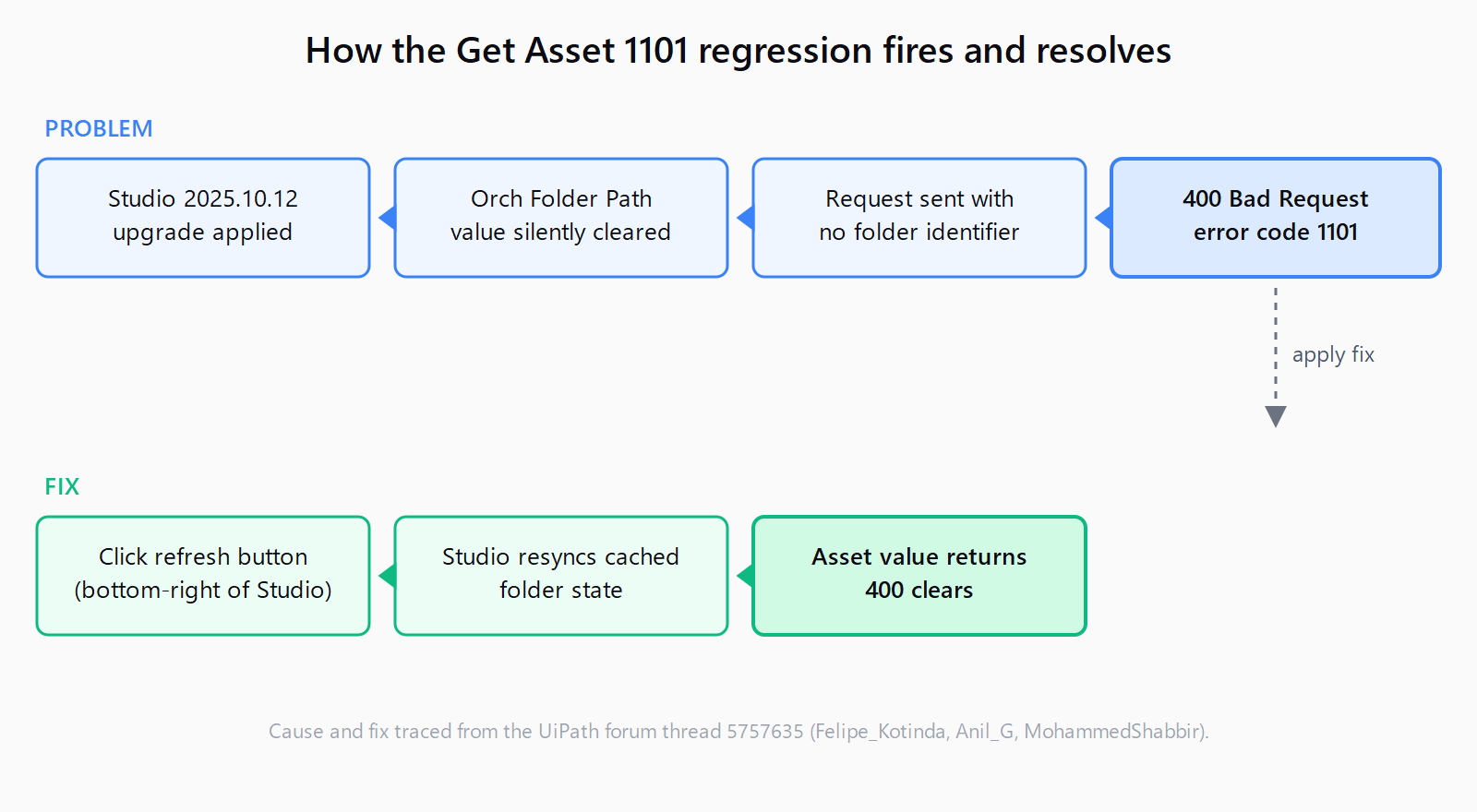
The error appears the first time you run a workflow that worked before the upgrade. The asset exists in Orchestrator, the folder exists, and your robot account still has access, so the generic advice to check Modern Folder permissions or re-grant robot access leads nowhere. What actually broke is the Orch Folder Path field on the Get Orchestrator Asset activity: it still looks populated in the designer, but the value the activity sends to Orchestrator is empty, so Orchestrator rejects the request with Status code: 400 (Bad Request) and error code 1101. This is a Studio design-time regression, not an Orchestrator folder structure or RBAC problem, and it does not affect unattended robot runs.
Why does Get Orchestrator Asset return error code 1101 after the upgrade?
Two things line up. First, the Studio 2025.10.12 install (released June 3, 2026) ships UiPath.System.Activities v26.2.4 bundled, but most projects carry an older pinned activities package. The original reporter was on 24.10.8. When Studio upgrades but the activities package version does not match, the Get Orchestrator Asset activity's dropdown-selected field values can be dropped from the serialized state. Second, Studio's cached connection to Orchestrator desyncs during the upgrade, so even fields that look filled in the designer are sent stale or blank.
The result is a request that reaches Orchestrator with no folder identifier, and Orchestrator answers with error code 1101. This is a confirmed Studio-side regression traced on the UiPath forum by Felipe_Kotinda on June 30, 2026, and corroborated by two community members. The 2025.10.12 release notes do not list it as a known issue, so the forum is the only authoritative source and anyone following the docs stays stuck.
How to fix error 1101 in Get Orchestrator Asset?
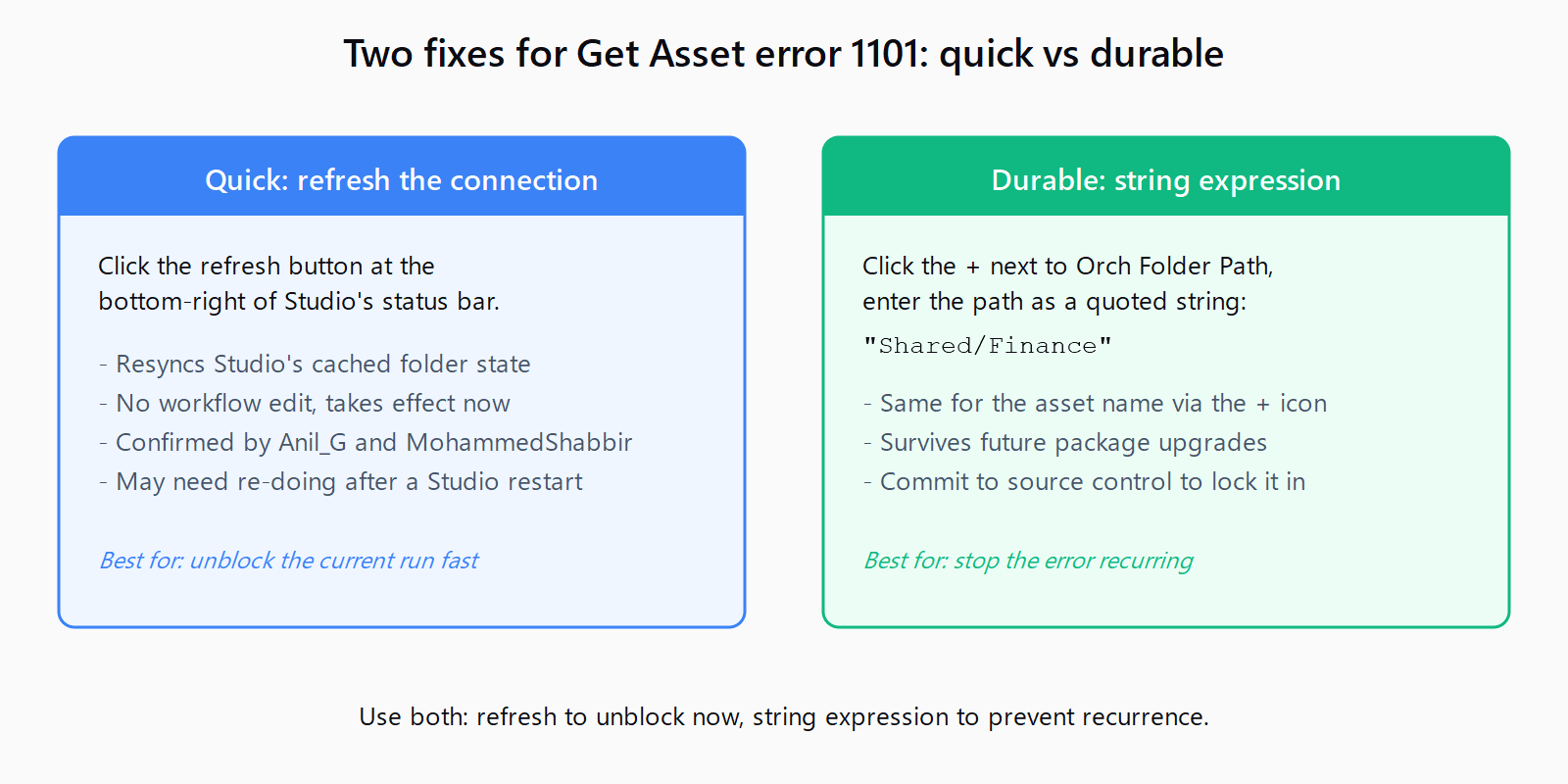
- Refresh the Orchestrator connection. In Studio, click the refresh button at the bottom-right of the status bar, next to the Orchestrator connection indicator. This resyncs Studio's cached folder state with Orchestrator. Run the workflow again. In the forum thread, Anil_G and MohammedShabbir both confirmed this resets the slipping connection and clears the 1101 error.
- Re-enter Orch Folder Path as a string expression. If the refresh does not hold, the dropdown-selected value is the deeper problem. Click the
+icon next to the Orch Folder Path field, open the expression editor, and enter the folder path as a quoted string such as"Shared/Finance". Do the same for the asset name. yedukondaluaregala's recommendation on the same thread is to never trust the dropdown for these fields after a package upgrade, because the dropdown's selected-value binding is what breaks. - Run the activity and commit. The asset value returns and the 400 disappears. If the workflow lives in source control, commit the expression-based field values so a future upgrade cannot silently clear them.
How to verify the fix worked?
Set a breakpoint on the Get Orchestrator Asset activity and run the workflow in debug. The Locals panel should show the asset's value populated on the output, and the Output panel should show no 400 Bad Request line. If you publish to Orchestrator and run the process unattended, the job should succeed without a folder error, because the design-time fix carries through the published package.
How to troubleshoot when the refresh does not hold?
If the refresh holds but the error returns on the next Studio restart, the activities package is the deeper cause. Update UiPath.System.Activities to the version bundled with your Studio build (v26.2.4 for 2025.10.12) via Manage Project Dependencies, then re-open the workflow. If the field is genuinely empty rather than stale, re-enter the folder path manually, because the designer will not warn you that the value was dropped.
This is part of a run of post-upgrade Studio regressions. The 2026.0.196 cache-desync regression reports workflows as missing for the same underlying reason, and the CS0246 GlobalVariablesNamespace publish error traces back to a Studio upgrade dropping Imports panel entries. The shared pattern is that an upgrade silently clears design-time state, and the fix is to resync or re-enter rather than rebuild. For the wider set of UiPath and Power Automate failures with their fixes, the Automation Error Index catalogs them by error code.
FAQ
Does error 1101 affect unattended robots?
No. MohammedShabbir confirmed on the forum thread that unattended robot runs were unaffected in his environment, and the published package carries the resynced connection state. The regression is Studio design-time and debug calls only, though it can also surface when publishing from an affected Studio session.
Should I use the dropdown or a variable for Orch Folder Path?
Use a variable or a quoted string expression, not the dropdown. The dropdown's selected-value binding is what breaks across a package upgrade or tenant migration. golla.sandeep's recommendation on the forum is to pass both the folder path and the asset name from a config variable, so the value survives upgrades that clear dropdown selections.
Is error 1101 a folder permissions problem?
Not in this post-upgrade variant. The folder exists and the robot account still has access. The request fails because the activity sends no folder at all after the field value is cleared. Check permissions only if the refresh and expression-based field fixes both fail and the folder was recently moved or renamed in Orchestrator.
What versions are affected?
The confirmed report is Studio 2025.10.12 with System.Activities 24.10.8. The bundled activities version for 2025.10.12 is v26.2.4, so the mismatch between an older pinned package and the new Studio is the trigger. If you are on a later Studio build and still see 1101, the same field-clearing mechanism applies until UiPath acknowledges and patches it.
Will refreshing the connection break other activities?
No. Refreshing the Orchestrator connection only re-pulls the folder and credential state Studio caches locally. It does not modify the workflow, the published package, or anything in Orchestrator itself, so other activities keep working.