
What Is Power Automate? A Beginner's Guide for 2026
Power Automate is Microsoft's workflow automation service. The beginner's map: cloud flows vs desktop RPA, standard vs premium connectors, 2026 pricing, and alternatives.
TL;DR: Power Automate is Microsoft's workflow automation service in the Power Platform - it runs cloud flows that connect apps like Outlook, Teams, and SharePoint, plus desktop flows for robotic process automation on Windows.
If you have a Microsoft 365 account, you already have access to Power Automate, and most people use a fraction of what it does. This is the beginner's map: what it is, the kinds of automation it runs, what it costs in 2026, and when a lighter tool would serve you better.
How does Power Automate work?
In Microsoft's words, Power Automate "helps you create automated workflows between your favorite apps and services to synchronize files, get notifications, collect data, and more." A workflow - Microsoft calls it a flow - is a trigger plus one or more actions. The trigger is the event that starts the flow (a new email, a file added to SharePoint, a scheduled time), and the actions are what happens next (post to Teams, create a row, send an approval).
Flows reach other apps through connectors. Standard connectors cover the Microsoft stack and common services - Outlook, Teams, SharePoint, OneDrive - and come with most Microsoft 365 plans. Premium connectors reach systems like Salesforce, SAP, and Oracle, and any flow that uses one requires a paid license. Knowing which side of that line your apps sit on is the single biggest factor in what Power Automate will cost you.
What types of flows can you build?
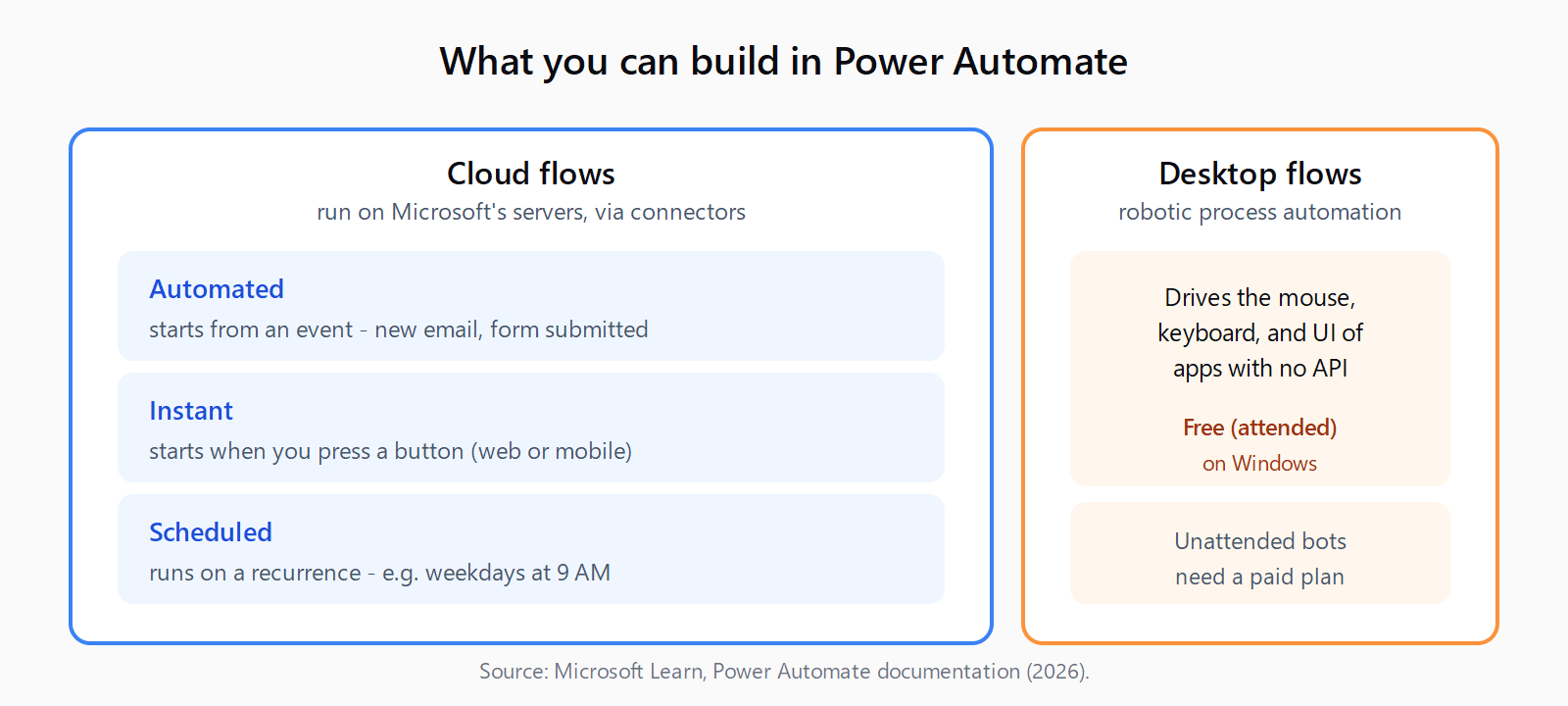
- Automated cloud flows start from an event, such as an email arriving or a form being submitted.
- Instant cloud flows start when you press a button, from the web or the mobile app.
- Scheduled cloud flows run on a recurrence, such as every weekday at 9 AM.
- Desktop flows are robotic process automation - they drive the mouse, keyboard, and UI of desktop and legacy apps that have no API.
Cloud flows are the common case and run on Microsoft's servers. Desktop flows are the robotic process automation side: when there is no connector and no API, a desktop flow clicks through the application the way a person would. Power Automate for desktop ships free for Windows users for attended automation, where you start the bot and watch it run; unattended automation, where bots run on their own, needs a paid plan.
How much does Power Automate cost in 2026?
There is a free tier: with a qualifying Microsoft 365 license you can build cloud flows that use only standard connectors. Beyond that, as of 2026 the main paid plans are Power Automate Premium at $15 per user per month (unlimited cloud flows for that user, premium connectors, and attended RPA), the Process plan at $150 per bot per month (unattended RPA), and the Hosted Process plan at $215 per bot per month (cloud-hosted unattended bots). Check the Power Automate documentation and the live pricing page before you commit, because Microsoft revises these tiers regularly.
When should you use Power Automate, and when not?
Power Automate is the obvious pick when you live inside Microsoft 365 - the standard connectors, single sign-on, and admin governance make it the path of least resistance for Outlook, Teams, SharePoint, and Dataverse automation. It is also the only option in this space with first-class desktop RPA built in.
It is the wrong pick when your stack is mostly non-Microsoft SaaS and you want simple app-to-app automation without per-user premium licensing. In that case lighter tools are cheaper and faster to wire up - hosted no-code platforms like Make and Zapier are quicker to set up, and self-hosted options exist if you want to own the infrastructure. Match the tool to where your apps and your budget already live.
How do you get started with Power Automate?
Sign in at make.powerautomate.com with your work or school account, open Templates, and run a prebuilt flow such as "Save email attachments to OneDrive" to see the trigger-and-action model in action. Then build one from scratch: pick a trigger, add an action, and test it. If a flow you build later goes quiet, our guide on why a trigger might not fire and the Power Automate flow checker walk through the usual causes.
FAQ
Is Power Automate free?
There is a free tier with a qualifying Microsoft 365 license, covering cloud flows that use only standard connectors. Premium connectors and unattended RPA require paid plans starting at $15 per user per month.
What is the difference between a cloud flow and a desktop flow?
A cloud flow runs on Microsoft's servers and connects apps through connectors and APIs. A desktop flow is robotic process automation that drives the UI of desktop or legacy apps directly, for systems with no API.
Do I need coding skills to use Power Automate?
No. Power Automate is a low-code tool built around templates and a visual designer. Expressions and conditions let you go further, but you can build useful flows without writing code.
What is the difference between Power Automate and Power Apps?
Power Automate builds automated workflows; Power Apps builds custom business apps with their own interface. They are sibling products in the Power Platform and are often used together.
Is Power Automate the same as RPA?
RPA is one part of Power Automate. Desktop flows provide robotic process automation, while cloud flows handle API-based, connector-driven automation. The product covers both.