
Best AI mobile app builders for App Store publishing in 2027
Compare FlutterFlow, Replit, Bolt and Rork for App Store releases, source export, paid plans and the device tests founders should run before buying.
TL;DR: Choose FlutterFlow for visual control and exported Flutter code, Replit for guided iOS releases, Bolt for Expo development, and Rork after confirming the project stack.
App Store publishing needs a signed build, working accounts, and a release process someone can maintain. A phone-shaped browser preview proves little about those jobs. This comparison, checked on 26 October 2026, follows the documented path from generated screens to a testable store build; it is a documentation review, with no claimed hands-on benchmark.
Which AI mobile app builder fits your release plan?
| Builder | Best fit | Publishing and ownership | Paid-plan check |
|---|---|---|---|
| FlutterFlow | Founders who want visual editing. | Flutter source download and store deployment; GitHub needs Growth. | Basic USD 39/month; Growth USD 80/month for first seat. |
| Replit | Guided iOS build and backend work; Android previews. | React Native/Expo; guided TestFlight and App Store flow; Google Play publishing unsupported. | Simulator access: Core, Pro, Enterprise; confirm current price at checkout. |
| Bolt | Founders with a developer handling Expo releases. | Expo project; download code and publish through external EAS tooling. | Pro USD 18/month billed annually; 10M tokens/month. |
| Rork | Mobile-focused prompting after stack verification. | Paid GitHub export; FAQ names Pro as Expo and Max as SwiftUI; verify the selected product. | FAQ lists USD 25 to USD 200+ monthly; confirm account allowances. |
The recommendations prioritize the release route and the person maintaining it. Token counts are not comparable with another vendor's credits. Keep developer accounts, production data access, and signing credentials under the business's control from the first trial.
What makes each builder a practical choice?
When should a founder choose FlutterFlow?
FlutterFlow suits a founder who wants to inspect screens and application logic visually. Its pricing table puts code download, APK download, and one-click store deployment on Basic at USD 39/month. Growth starts at USD 80/month for the first seat and adds GitHub integration; Basic includes 100 Lite credits monthly, Growth 200 per seat.
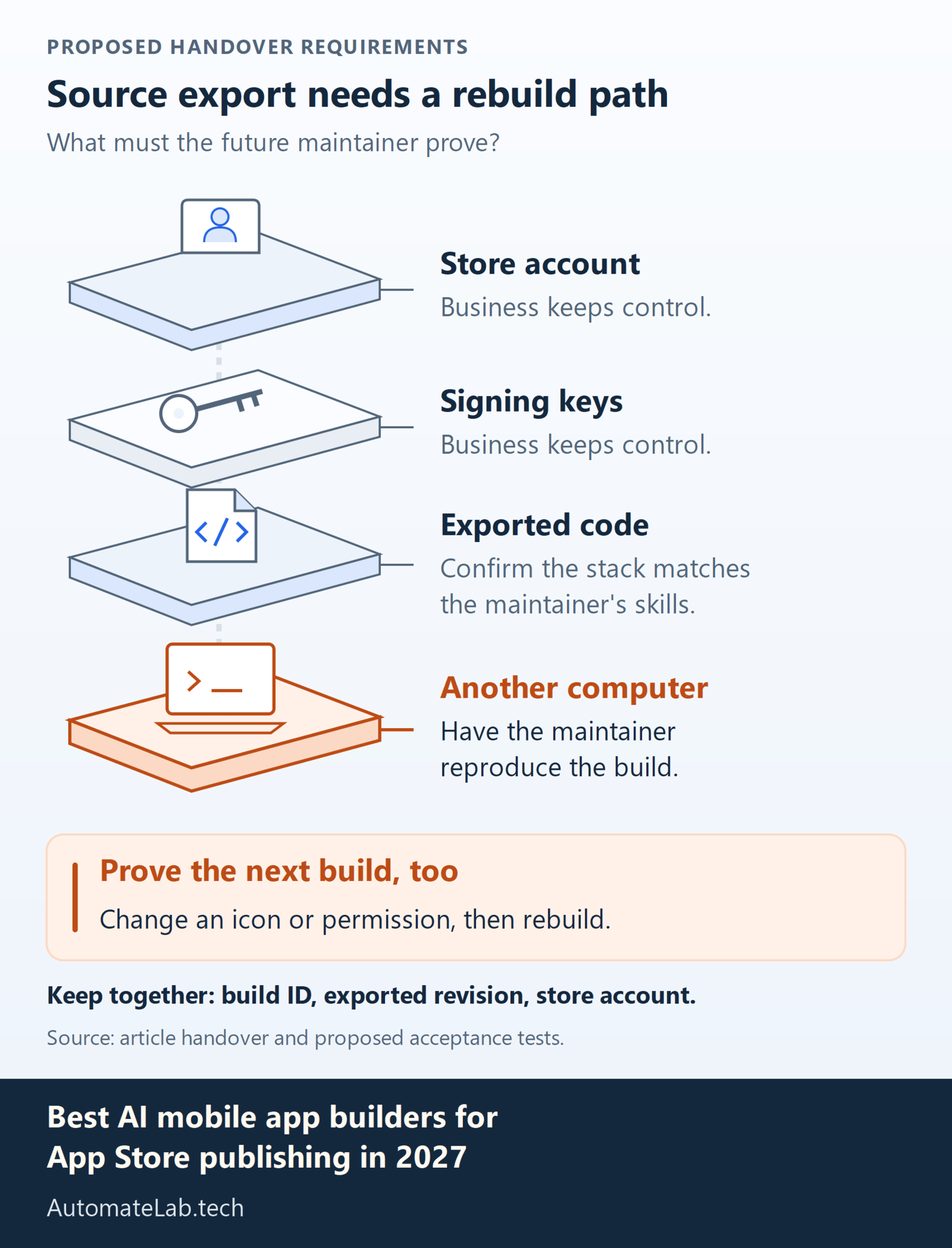
Source download and an ongoing development workflow solve different handover needs. Exporting once gives a developer a starting point. Before choosing, agree whether future fixes happen in FlutterFlow or in the exported project, and demonstrate how the next release will be built.
When does Replit make iOS publishing easier?
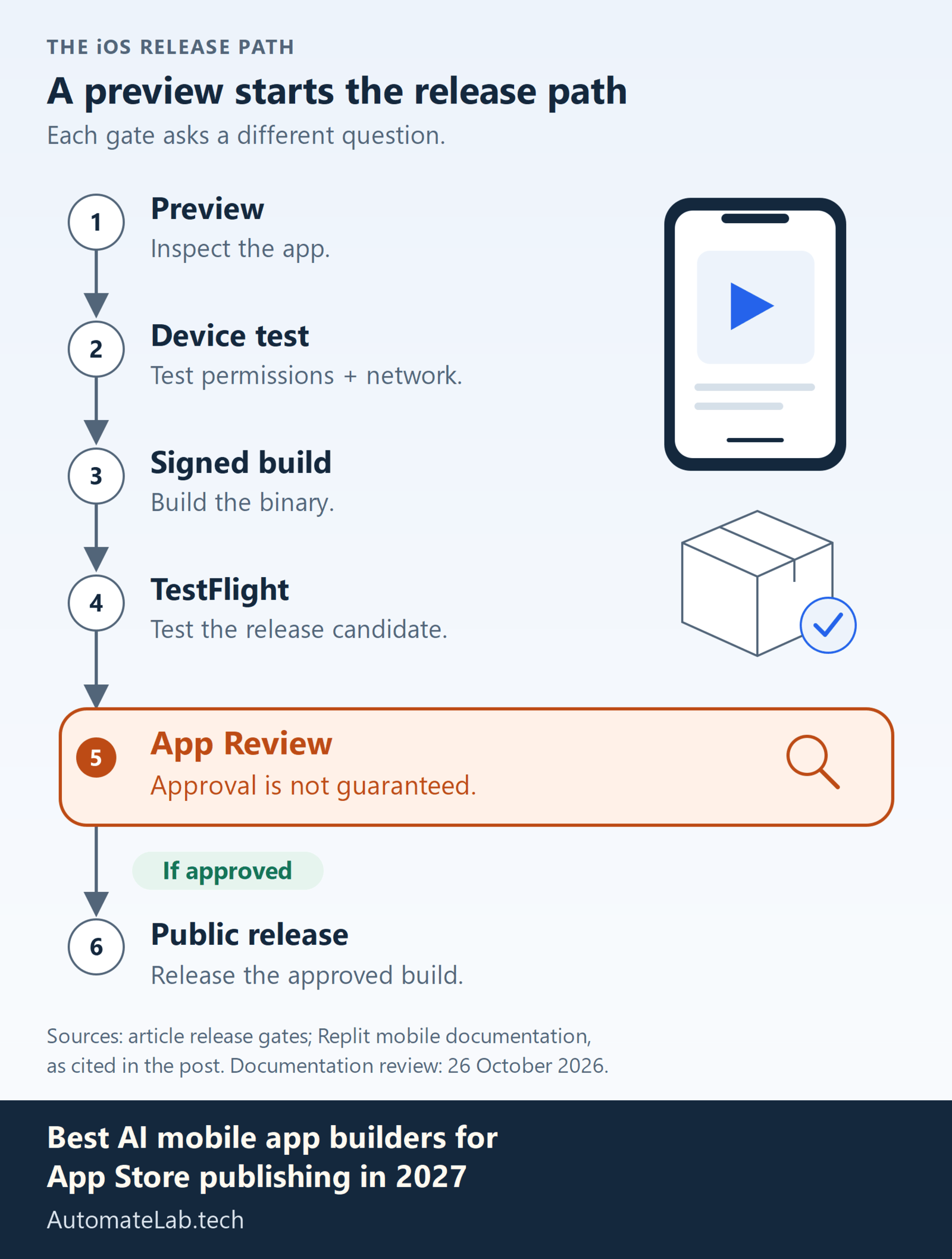
Replit's native mobile documentation describes React Native with Expo, cloud simulators on Core, Pro, and Enterprise, and a guided TestFlight/App Store route. Google Play publishing is explicitly unsupported. Expo Go previews also support fewer native modules than custom development builds, so test the required device feature before committing.
Consider Replit when the app also needs server routes or data services and someone can review generated code. Its public pricing page did not expose current plan amounts in the retrieved page; obtain the live quote and set a usage budget. Mobile support alone does not establish the cost of running the backend after launch. Replit also says EAS CLI and EAS Build are unsupported inside its workspace; do not assume Bolt's external EAS steps work there.
Who should use Bolt for mobile development?
Bolt's Expo publishing guide takes the project through downloaded code and external Expo Application Services tooling. Specify a mobile app at the start. This route fits a founder who has a developer available for dependencies, build configuration, and release failures.
The Bolt Pro allowance shown is USD 18/month billed annually, with 10 million tokens monthly and rollover. Keep Expo build services and production infrastructure in the budget separately. Ask the maintainer to rebuild the downloaded project on another computer before treating source access as a complete exit plan.
What should you confirm before paying for Rork?
The Rork FAQ currently contains mixed descriptions: general answers name SwiftUI and Kotlin, while technical answers describe Pro as React Native/Expo and Max as SwiftUI. It lists paid code export through GitHub and monthly plans from USD 25 to USD 200+, with Max on USD 200+ plans.
Request written confirmation of the stack for the project you will create, both target platforms, and the applicable publishing instructions. Its technical FAQ gives separate export contracts: Pro exports React Native/Expo, while Max exports a SwiftUI Xcode project. Max is iOS-only. Treat the conflicting general description as a buying question for the selected product. A founder hiring a Flutter developer, for example, needs to know whether the delivered repository matches that person's skills.
Separate the mobile repository from its operational dependencies in the handover. Record where authentication lives, who can recover the store account, and how production secrets are changed. Ask the maintainer to explain the payment flow using the actual product you plan to sell, including what happens when a purchase is restored.
Related guides cover Best LLM for Coding in 2026: What the Benchmarks Actually Say and Codex vs Claude Code: OpenAI and Anthropic Coding Agents Compared.
How do you test a builder before choosing a paid plan?
Use the same small app brief for every candidate: an account, a private saved record, and the device capability that drives the business case. Include an account recovery path. A visual demo can hide authorization mistakes, so test two users and verify that neither can read the other's saved record.
Then install a release candidate through the intended testing channel. Exercise the feature after denying its permission, then grant permission and repeat. Test a failed network request and an app restart. Keep the expected result written beside each case so another person can repeat the check.
- Export the FlutterFlow project and ask its future maintainer to build it.
- Take the Replit project through its documented iOS testing route and confirm any separate Android plan.
- Build Bolt's downloaded Expo project using the intended release tooling.
- Confirm Rork's project stack and test the matching export and publishing route.
Accept a builder only when the release candidate passes the required behavior and the maintainer can reproduce the build. Keep the build identifier, exported revision, and store account together in the handover. Change an icon or permission and rebuild once more; those native changes need a new build in Replit's documented workflow. These are proposed acceptance tests, not results from apps tested for this article.
FAQ
Does an Expo preview prove an app is ready for the App Store?
No. Replit distinguishes Expo Go previews from native builds, and its release flow still goes through TestFlight and App Review.
Which builder has a clear source download plan?
FlutterFlow explicitly lists source download on Basic. Rork lists paid GitHub export, but confirm the generated stack before choosing a developer.
Can a founder skip ongoing maintenance?
Budget for reviewing generated changes and rebuilding releases. The acceptance test should include a small post-launch change, so the person responsible can demonstrate that work before purchase.