
Best AI meeting assistants for CRM tasks in 2027
Compare Fireflies, Fathom and Otter for sales-call notes, CRM field sync and assigned follow-up tasks, with plan gates and a practical acceptance test.

TL;DR: Start with Fireflies for HubSpot tasks, Fathom for structured CRM notes, and Otter for Salesforce workflows after checking plan limits and administrator requirements.
A meeting summary can contain a follow-up without creating anything in a sales rep's task list. This comparison, checked on 26 October 2026, checks the documented path from a recorded call to a CRM record, then to an assigned task. It is a source-based shortlist, not a transcription accuracy benchmark.
Which AI meeting assistant fits your CRM workflow?
| Assistant | Best starting use case | Plan and limit check | Task acceptance requirement |
|---|---|---|---|
| Fireflies.ai | Native HubSpot action-item tasks. | Pro USD 18/seat/month monthly or USD 10 annually; 8,000 storage minutes/seat. | Enable task creation and verify owner and associated record. |
| Fathom | CRM notes, with Business for field sync. | Team USD 19/user/month monthly or USD 15 annually; Business USD 34 monthly or USD 25 annually; two-user minimum. | Confirm whether the selected integration creates task objects or writes action-item text. |
| Otter.ai | Salesforce integration with a defined administrative model. | Current pricing lists limited CRM sync on lower tiers; Enterprise workspace setup has additional requirements. | Verify task creation separately from note sync and field autofill. |
Choose on the output your team will actually use. Compare the required CRM object and field mapping before comparing summaries. Choose a sales rep to inspect the CRM after the trial call and record which assigned work needs manual correction.
For the pilot budget, include every recording seat and the people who administer the connection. Keep a small sample of corrected tasks so the sales manager can judge whether the remaining review work is acceptable.
What does each assistant send into your CRM?
When is Fireflies the clearest HubSpot task option?
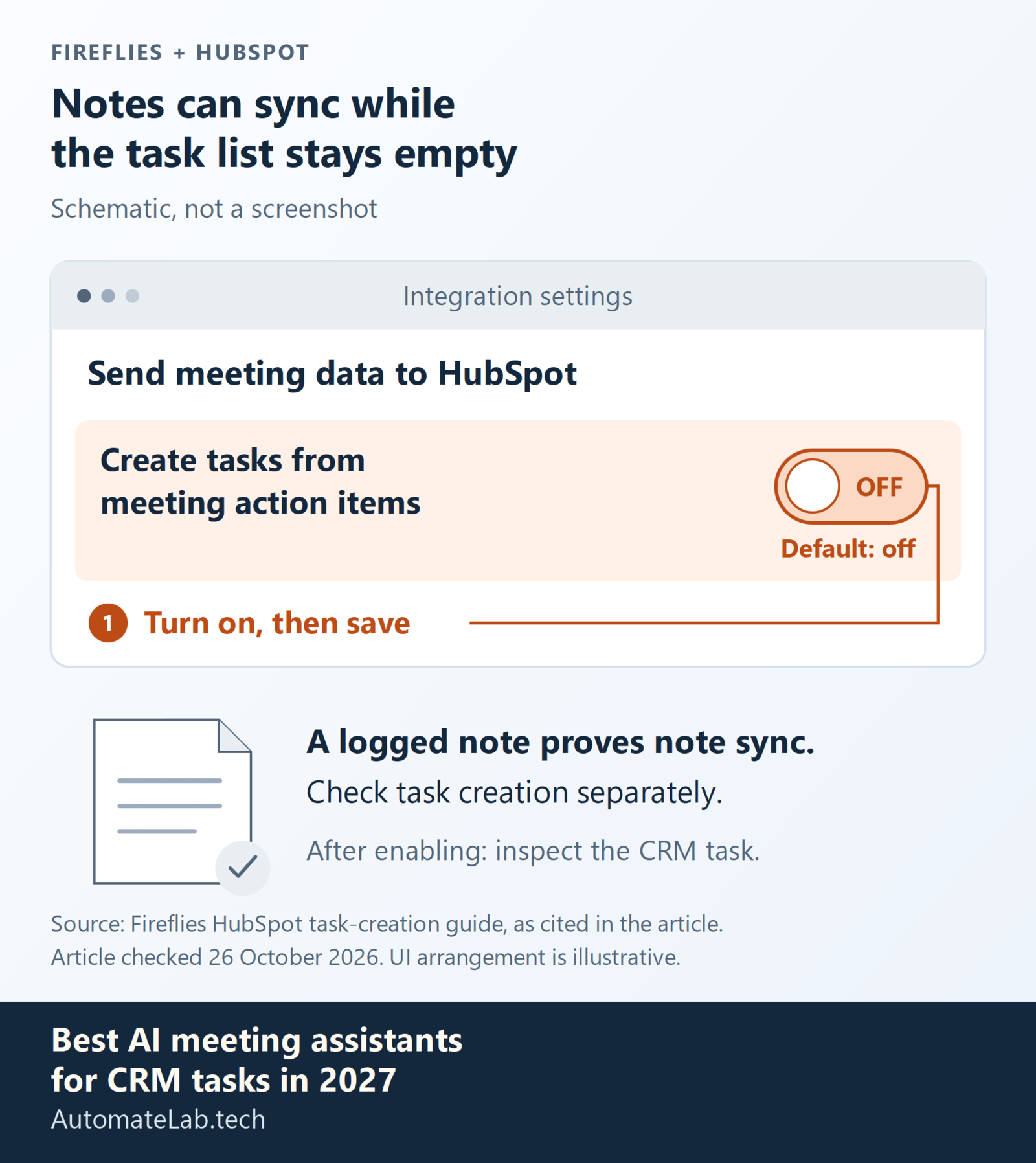
Fireflies has an explicit HubSpot task-creation guide. In the integration's Send meeting data to HubSpot settings, turn on Create tasks from meeting action items and save. The switch is off by default. A successful connection can log meeting notes while leaving the task list empty.
The HubSpot integration documentation distinguishes creating contacts, logging calls and notes, and attaching activity to deals. It also says transcript saving requires Pro or above. Test permissions on the actual contact and deal; a task is less useful if its owner cannot open the associated record.
Fireflies' billing guide lists Pro at USD 18/seat/month monthly or USD 10 with annual billing. AI credits are a separate cost consideration, shared across the workspace. Price the precise automation you need, including any middleware, and check the trial's renewal settings.
When should you choose Fathom for sales handoffs?
Fathom's CRM integration page describes summary logging to Salesforce and HubSpot, plus HubSpot custom-field mapping; Salesforce field mapping is marked as rolling out. Its Business plan lists CRM field sync at USD 34/user/month monthly or USD 25 annually, with a two-user minimum.
Use Fathom when the first goal is a consistent call record and selected deal fields. Its integration directory covers Zoom, Google Meet, and Microsoft Teams, and describes Zapier output containing action items. Verify the actual CRM task behavior in your workspace; action items inside a synced summary and independently assigned task objects are different deliverables.
Write the required output down before trialing it. For example, a buyer's budget belongs in the agreed CRM field, while a request for a revised proposal needs an assigned task. Keep the source recording link available so a rep can resolve an ambiguous commitment.
What should Salesforce teams verify with Otter?
Otter's current pricing page lists Salesforce and HubSpot integrations with user limits, while AI Chat with Salesforce is a separate capability. Do not assume that a lower-priced plan supplies every administrative or sales feature carrying the Salesforce name.
The Enterprise Salesforce guide requires the installer to be both Otter workspace admin and Salesforce admin. It names Sales Cloud Enterprise, Unlimited, or Developer Edition, supports text-field mapping, and includes task-creation settings. A workspace-wide connection prevents members from connecting their own Salesforce accounts, so agree the administrative model before onboarding reps. Check your edition before booking a pilot and agree who owns integration changes after rollout.
Otter also states that Salesforce Sandbox is unsupported. Plan a controlled test with designated records and the administrator's approval. A general promise of Salesforce support does not establish that the intended test environment is supported.
Related guides cover How to connect HubSpot to Zapier without code and How to connect Salesforce to Zapier: full setup guide.
How do you test sales-call follow-ups before rollout?
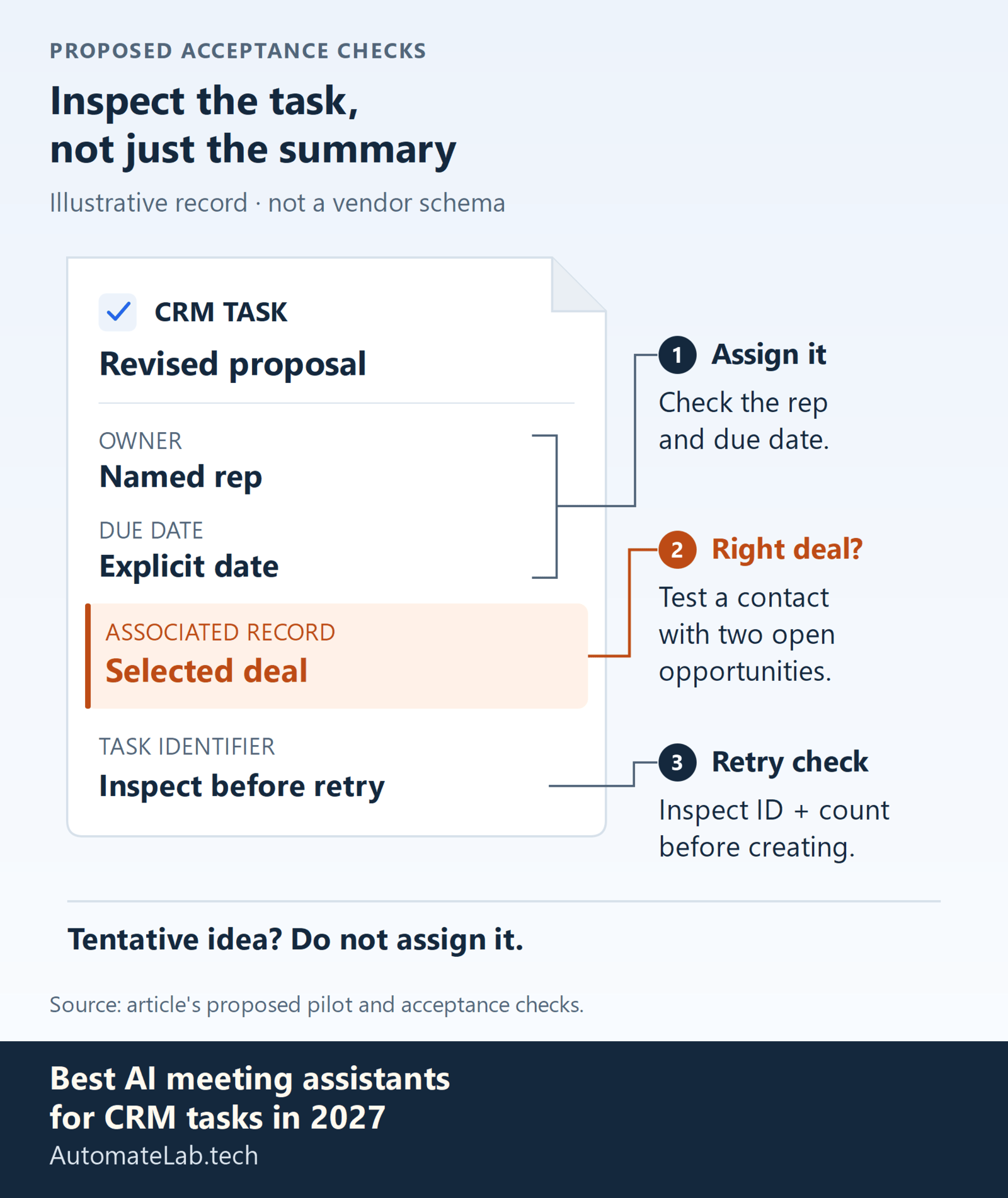
Run a short call with a test contact already linked to a deal. State one commitment with a named rep and an explicit date, then discuss a possible action without agreeing to it. Inspect the CRM after processing: the committed work should appear once, with the expected owner and record association; the tentative idea should not become assigned work.
Repeat with a changed due date and a contact who has two open opportunities. Record where human selection is needed. If an integration is retried, inspect the CRM task identifier and count before sending another create request. A repeated summary must not create a second commitment. Add a failed-connection case and check how the team learns that the handoff did not finish. These are proposed acceptance checks; no vendor behavior is assumed until the trial demonstrates it.
- Enable Fireflies' HubSpot task switch and inspect the resulting CRM task.
- Check Fathom's note output, field mapping, and separate task requirement.
- Confirm Otter's plan, Salesforce edition, and permitted testing environment.
Restrict automatic attendance to calls your team has chosen to capture, and test a skipped meeting. Configure recording and sharing controls before inviting real customers. Require a rep to review uncertain commitments before they drive customer-facing follow-ups.
FAQ
Does CRM sync always create follow-up tasks?
No. Check task creation as its own output; Fireflies documents a HubSpot switch that is off by default.
Can Fathom map Salesforce fields today?
Its CRM page marks Salesforce custom-field mapping as rolling out. Confirm availability in the intended workspace before buying for that feature.
Can an Otter Salesforce pilot use a sandbox?
Otter's Salesforce connection guide says Salesforce Sandbox environments are unsupported. Agree a controlled alternative with the administrator.