
ArchiPlan: Production Scheduling for Small Manufacturers
A detailed partner guide with practical manufacturing cases, real sample screens, setup steps and a checklist for evaluating ArchiPlan.

TL;DR: ArchiPlan helps small manufacturers build production schedules around available people, machines, skills and shifts, then rebuild them when orders or availability change.
A machine can be free while its only trained operator is busy elsewhere. ArchiPlan production scheduling software addresses that everyday planning problem: deciding what can run, where, with whom, and when an order can finish.
ArchiPlan is an AutomateLab partner project. This guide uses its public documentation and real software screens with sample data, checked on 2 November 2026. The cases below are illustrative planning situations, not customer testimonials or measured savings.
Who would use ArchiPlan?
The main user is the person who turns an order book into tomorrow's work: a production planner, workshop manager, operations lead or owner who also handles scheduling. ArchiPlan targets small and mid-sized manufacturers whose plans change when a rush order arrives, somebody is absent or equipment becomes unavailable.
A fabrication shop might share a qualified setter across several machines. An assembly workshop might need the same people for different product stages. Test those applications against actual shop rules and check whether the schedule respects the resources that constrain your work.
| Role | Planning question | Practical use |
|---|---|---|
| Production planner | Which orders can finish with the capacity available? | Review the sequence, resource assignments and late orders before releasing work. |
| Workshop manager | What changes when someone is off? | Update availability, rebuild and review affected delivery dates. |
| Owner-manager | Can the shop accept this urgent job? | Inspect the revised plan before committing to a date. |
| Sales or customer service | Which date can the planner support? | Use the accepted plan as evidence for a customer conversation. |
How does ArchiPlan turn shop information into a schedule?
The ArchiPlan setup workflow accepts voice or typed descriptions of people, machines and products. Describe the operation and who can perform it. The software asks for missing details, including whether a duration applies to one unit or the whole order. Ordinary forms are also available.
AI helps enter and clarify the facts. ArchiPlan's scheduler then builds the plan and checks it against the configured rules. The planner remains responsible for checking those inputs and deciding what to promise. A fluent description of a shop still needs accurate operation times.
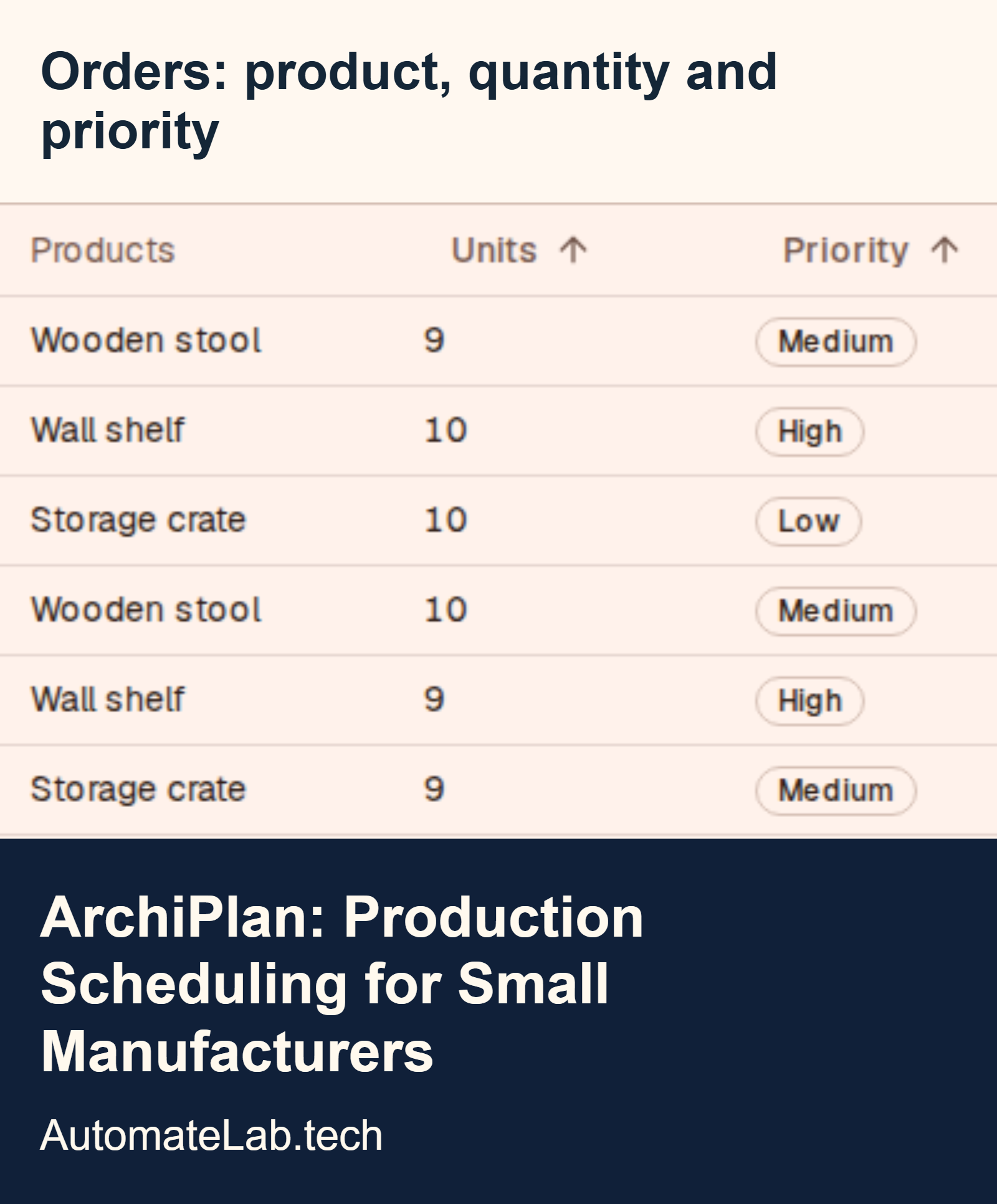
Products have step-by-step recipes with the resources and skills needed for each step. Orders can arrive by hand, voice or spreadsheet. ArchiPlan describes CSV and Excel import with column matching and a preview before saving. Check quantities, units and dates in that preview.
Which manufacturing cases does ArchiPlan help with?
Can a rush order fit without hiding another late job?
Consider a shop with several orders already planned and an urgent request for tomorrow. Add the proposed order with its real steps and deadline, then rebuild. Review which existing orders become late before accepting it. The benefit is a visible delivery trade-off; the software cannot create extra working hours.
What happens when a trained operator is absent?
Suppose two machines share one trained operator. When that person is off, both machine calendars may still contain empty space. Update the absence and rebuild against the remaining eligible people. A useful result shows the resulting delay or a feasible alternative assignment. Check training records before treating another person as interchangeable.
How can a planner avoid double-booking shared people?
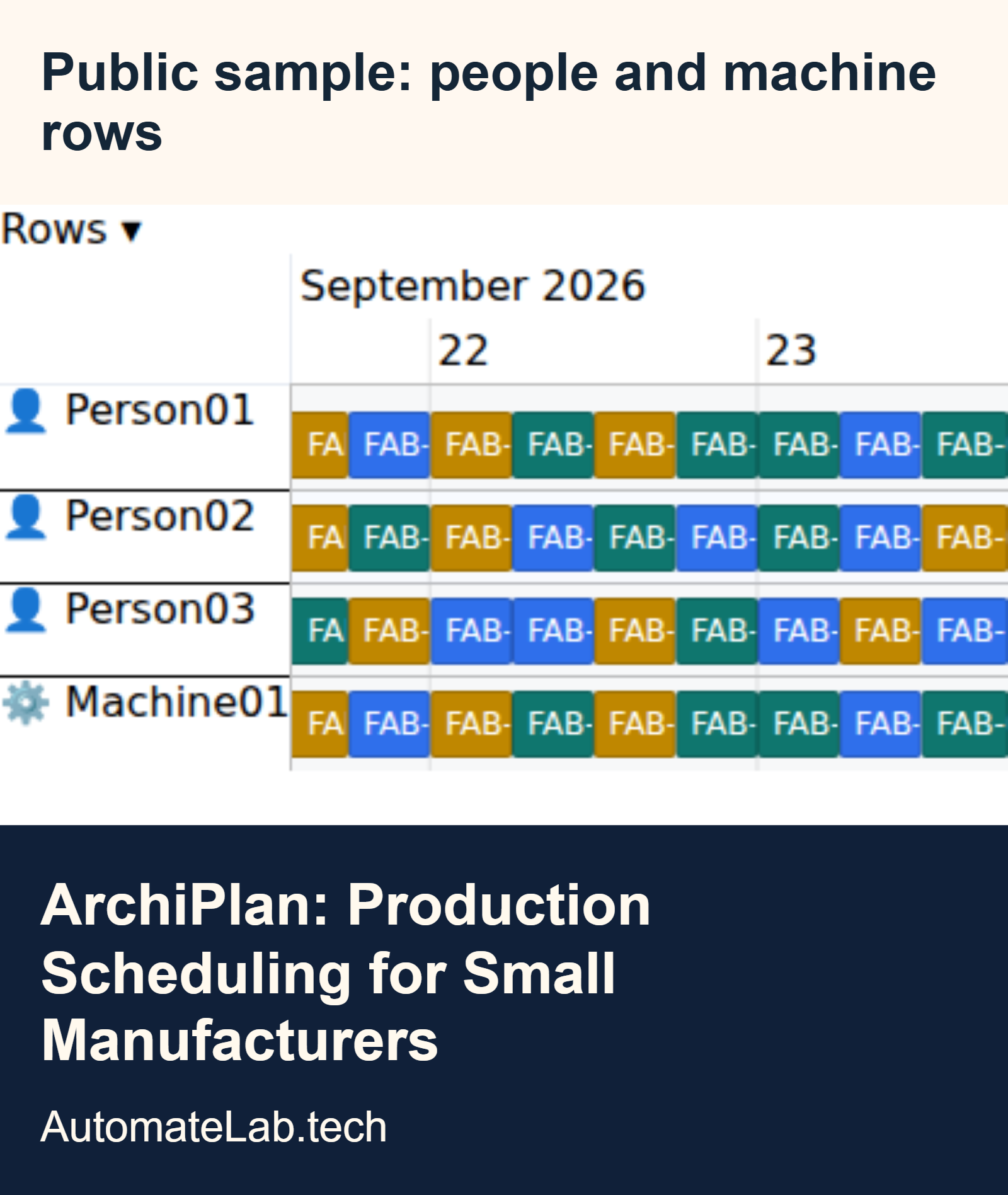
A person might set up one machine and then move to assembly. ArchiPlan says it schedules a job when the machine and a trained person are both available. Model attendance accurately: a process requiring continuous attention differs from an unattended cycle. Confirm the rules for your operation during the trial.
Can the plan change while work is already running?
ArchiPlan's published workflow preserves work marked as started when rebuilding. A morning disruption can then change the remaining sequence without moving jobs already under way. Record starts and completions promptly, then inspect the revised work. A schedule based on yesterday's status can send the next job to a resource that is still occupied.
| Illustrative case | Change to record | What to inspect | Potential benefit |
|---|---|---|---|
| Urgent replacement part | Add the proposed order, routing and deadline. | Its finish and every affected existing order. | Explain the cost of accepting the rush job. |
| Qualified operator off sick | Record the person's unavailable time. | Eligible replacements and changed finish dates. | Avoid confusing idle equipment with usable capacity. |
| Machine unavailable | Update equipment availability. | Whether approved alternatives exist and fit. | Rebuild around actual availability. |
| Shared setter | Represent the skill and attendance requirement. | Whether simultaneous bookings require the same person. | Make a hidden labour bottleneck visible. |
| Planner handover | Keep recipes, calendars and order status current. | Whether another planner can explain the accepted sequence. | Reduce dependence on one person's memory. |
What information should you prepare before planning?
Bring the facts for the trial area together before importing a large order book. Give each uncertain duration an owner who can check it. A planner can correct one routing after talking to an operator; correcting hundreds of imported guesses takes longer.
| Input | What to prepare | What to check during setup |
|---|---|---|
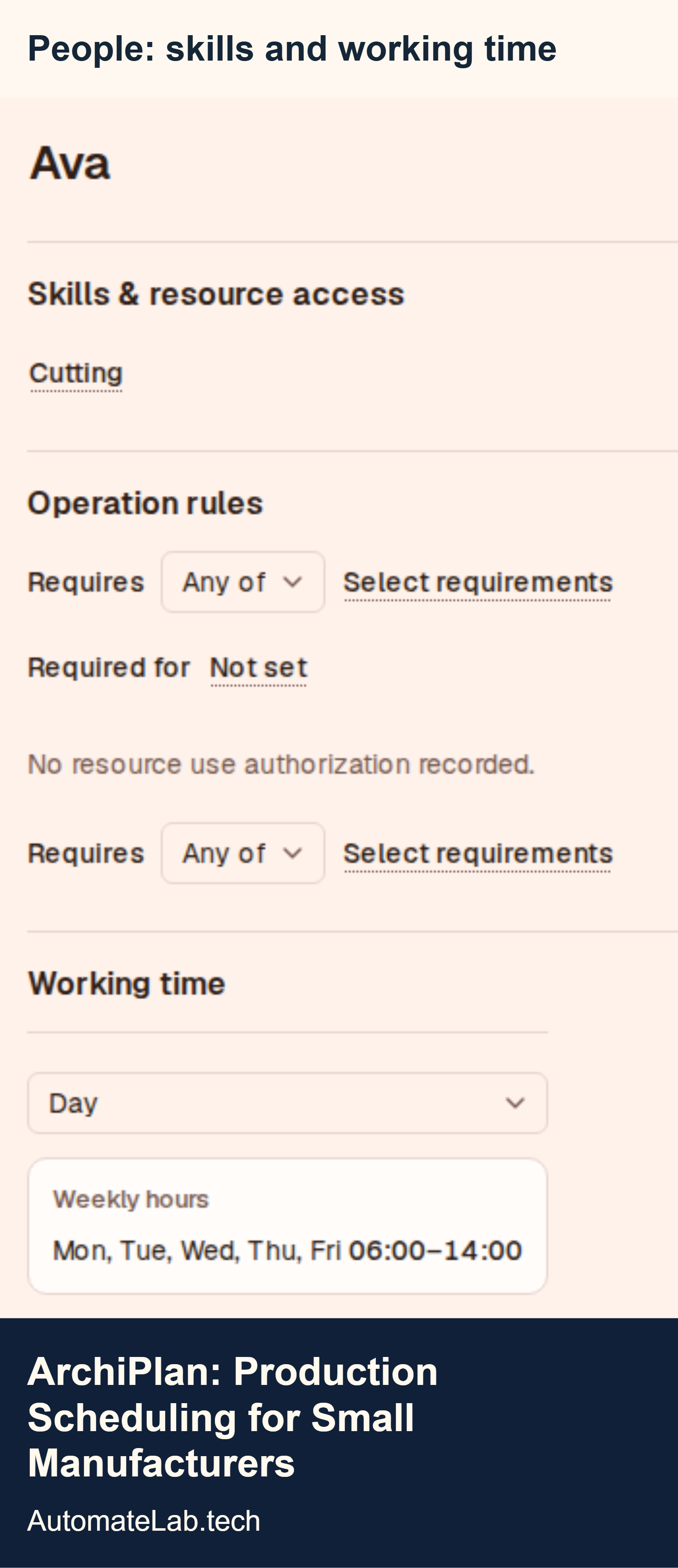
| People and skills | The people available to the trial area and the operations each person is qualified to perform. | Distinguish training from a preferred assignment. A familiar operator and an eligible replacement may have different availability. |
| Equipment | The machines, benches or other shared resources required by each product step. | Ask whether an alternative is approved for the work, rather than assuming similar equipment is interchangeable. |
| Working calendars | Normal hours, shifts and known absence for the people and equipment involved. | Verify the displayed dates and working hours against the actual week being planned. |
| Product steps | The ordered operations needed to make each trial product. | Confirm predecessors and the point at which the next operation can begin. |
| Operation times | Checked estimates and a clear distinction between time per unit and time per order. | Ask how setup, unattended time and interruptions should be represented for your process. |
| Orders | Product, quantity, priority and the date already promised to the customer. | Keep the original promise visible when comparing a revised finish; do not move it just to remove a late warning. |
| Progress and holds | Which orders have started or finished, plus any known reason work cannot proceed. | Confirm supported ways to represent each hold. A note by itself may not constrain the scheduler. |
Some requirements will be specific to your shop, such as material releases, inspection approval or a process that cannot cross a break. Show those examples during the trial and confirm the supported model. This guide does not establish that every possible manufacturing constraint is implemented.
How would you build your first ArchiPlan production schedule?
Start with a small group of real orders that share a resource. ArchiPlan's production scheduling inputs guide explains why remaining operations and availability matter more than a single order lead-time estimate.
- List people, machines, working hours and skills for the trial area.
- Describe each product's operation sequence and check the time units with the floor.
- Enter a few open orders or import a checked spreadsheet.
- Generate the schedule and review assignments, finishes and warnings.
- Change one real constraint, rebuild and compare the affected orders.
- Agree who updates order status and who approves the plan.
Use one test that should fail and one that should fit. Make the only trained operator unavailable, then restore their shift. The first result should expose the capacity problem; the second should allow a feasible booking if the other requirements are satisfied. Ask the supplier to explain any unexpected result.
How does a shared operator change the delivery date?
Take an illustrative workshop with two machines and one qualified operator, Alex. Each job needs Alex throughout a 90-minute operation. Both jobs are ready at 08:00, and the customer wants them finished by 10:00. A machine-only plan could place both operations at 08:00 and show a 09:30 finish.
Alex cannot attend both jobs. With one operator, the first can run from 08:00 to 09:30 and the second from 09:30 to 11:00, assuming continuous working time and no other constraints. The second order misses 10:00 by an hour. The times in this example come from hand calculations, rather than an ArchiPlan benchmark.
The planner has a concrete decision: change the promise, find another qualified person or investigate an approved process change. Adding another machine alone does not remove this labour constraint. Enter this kind of conflict during the trial and ask the schedule to expose it before customers receive dates.
What benefits should a manufacturer look for?
Look for less manual rebuilding, clearer delivery discussions and fewer resource conflicts. During evaluation, establish whether those improvements occur in your own shop. Compare the same order set before and during the trial, and record the time needed to produce a plan the floor accepts.
Track changes to promised dates and the reason for each change. Ask a second planner to explain tomorrow's sequence from the saved information. If they still need a private spreadsheet or the first planner's memory, identify which fact or handoff is missing.
For teams already using agentic workflows and RPA, production scheduling is a separate decision. Moving order data between systems and finding a feasible machine-and-person booking require different checks. The enterprise automation platform comparison covers the surrounding automation choices.
Where does ArchiPlan fit beside an ERP?
ArchiPlan focuses on production scheduling. Keep responsibility for purchasing, inventory and accounting clear in the systems that own those records. Its public workflow supports spreadsheet imports; that does not establish a live connection to your ERP.
Before buying another scheduler, test what the existing ERP can already do. The partner's ERP versus APS scheduling guide recommends giving both systems the same jobs and constraints. Ask how material holds, breaks, setup rules and shop-specific requirements enter the plan. Confirm support through a demonstration.
How much does ArchiPlan cost, and how should you test it?
The ArchiPlan website lists a 14-day trial without a credit card, then $99 per month or $990 per year for the company, checked on 2 November 2026. Confirm the current terms before subscribing. Use a desktop or laptop browser, the usage described on the site.
Start through the ArchiPlan trial signup and bring a few awkward orders. Before deciding, reproduce a rush job, an absence and a started order. Keep the original due dates visible so the trial reveals whether the plan works.
FAQ
Is ArchiPlan suitable for a small manufacturing business?
ArchiPlan targets small and mid-sized manufacturers scheduling people and machines. Test it with your actual operation rules and a small set of orders before expanding coverage.
Can ArchiPlan import orders from Excel?
Its website describes CSV and Excel import with column matching and a preview. Check the mapped fields and warnings before saving orders.
Does AI make the final production decision?
AI helps enter shop information; the scheduler builds and checks the plan. The planner reviews the result and decides which delivery dates to promise.
Does ArchiPlan replace an ERP?
ArchiPlan is a production scheduler. Confirm how orders and progress will move between it and the systems responsible for inventory, purchasing and accounting.
What should you measure during the trial?
Measure the time to rebuild an accepted plan, unexplained resource conflicts and changes to promised dates. Review the causes alongside the numbers so missing inputs remain visible.