
How to call OpenAI with streaming responses from n8n
Native AI Agent + OpenAI Chat Model + Chat Trigger streaming setup for n8n, why the standard HTTP Request node silently buffers SSE, and the August 2026 Assistants API deadline.
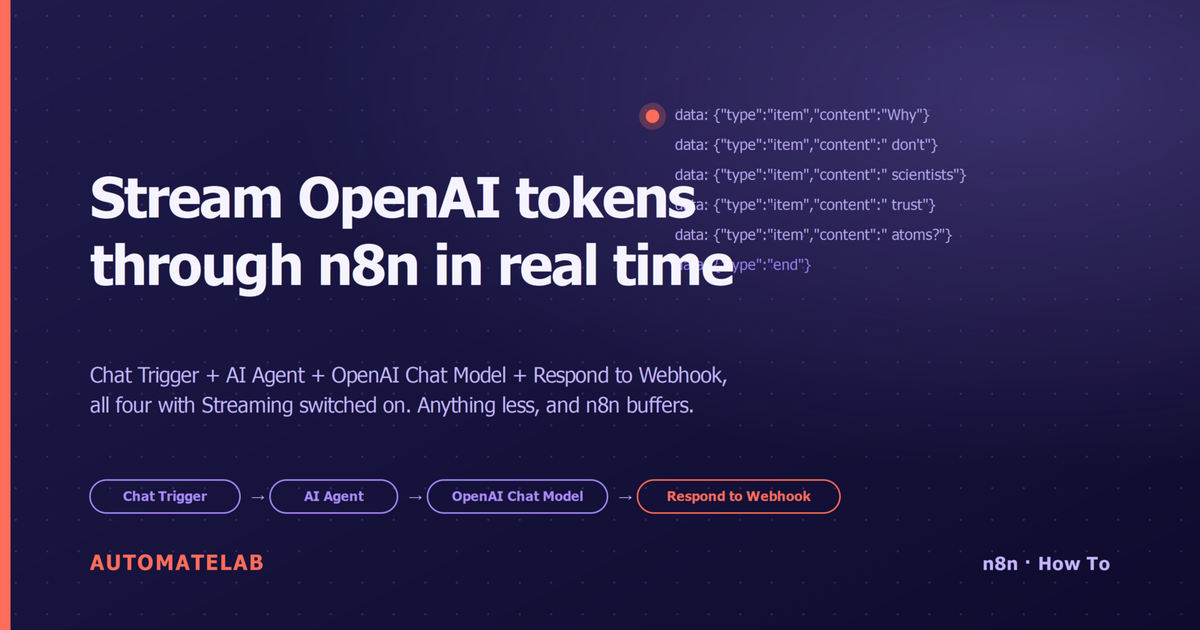
TL;DR. To stream OpenAI tokens through n8n in real time, you need three nodes opted in at once: a Chat Trigger (or Webhook) with Response Mode: Streaming, an AI Agent with Streaming enabled, and an OpenAI Chat Model sub-node with its Streaming toggle on. Pointing the bare HTTP Request node at OpenAI with stream: true looks like it should work — but it silently buffers the entire SSE response before returning, which is the opposite of what you want.
The shape of the flow
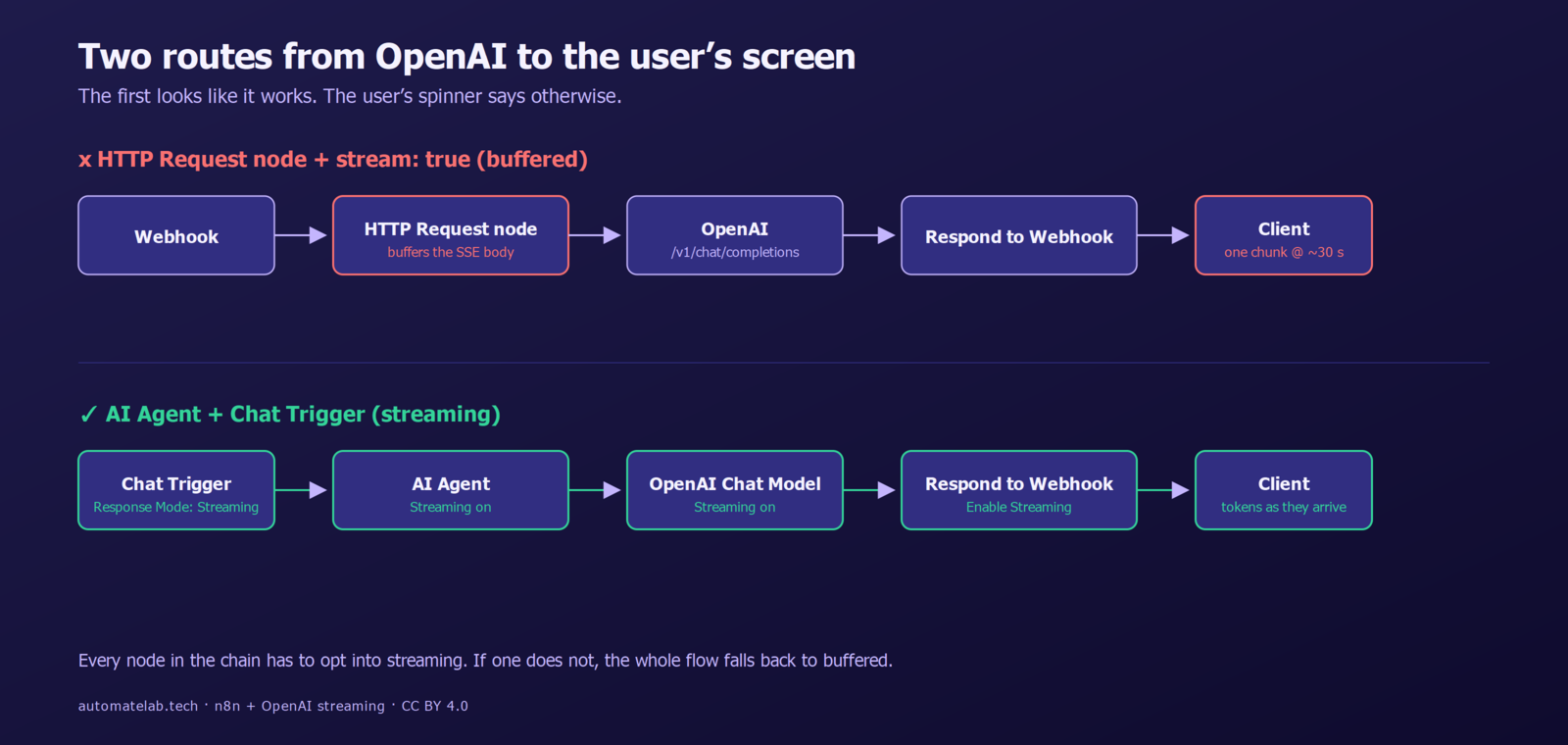
End-to-end streaming in n8n is an opt-in chain. The minimum viable workflow is four nodes:
- Chat Trigger (v1.3 or later) with Response Mode set to Streaming Response. Or a Webhook trigger with the same Response Mode if you are not using n8n's built-in chat widget.
- AI Agent node (the LangChain-style agent that wraps a chat model) with the Streaming option enabled.
- OpenAI Chat Model sub-node, attached to the agent. Pick a streamable model (any GPT-4o or newer) and turn on Streaming.
- Respond to Webhook at the end, with Enable Streaming on. This is the node that actually flushes SSE chunks to the HTTP client.
If any link in the chain is off, the whole flow falls back to buffered. The trigger negotiates the SSE response; the agent supplies the per-token deltas; the response node forwards them. There is no global "stream" setting — each node opts in independently.
What the client actually receives
With everything wired up, the HTTP response is text/event-stream over chunked transfer. Each chunk is an SSE event of the form:
data: {"type":"item","content":"Why"}

data: {"type":"item","content":" don't"}

data: {"type":"item","content":" scientists"}

data: {"type":"end"}
The wrapping schema is n8n's structured stream — the same one used by the @n8n/chat widget — not OpenAI's raw SSE. That is on purpose: it lets the agent emit non-text events (tool-call-start, tool-call-end, node-execute-before/after) without colliding with token deltas. If you are consuming this from a custom frontend, parse on data.type and concatenate data.content only when type === "item".
Why the HTTP Request node will not stream OpenAI for you
This is the trap most "how to stream OpenAI from n8n" guides skip. You can send a perfectly valid Chat Completions request through the HTTP Request node:
POST https://api.openai.com/v1/chat/completions
{
  "model": "gpt-4o",
  "messages": [{"role":"user","content":"Tell me a joke"}],
  "stream": true
}
OpenAI honours the request and starts pushing SSE deltas immediately. But n8n's standard HTTP Request node reads the response body to completion before passing anything downstream. From the workflow's perspective, the call takes the same wall-clock time it would have without streaming — you just get a giant text blob full of data: lines instead of a single JSON object. The user staring at the loading spinner waits exactly as long.
There is no flag on the HTTP Request node to fix this. The node was designed for request/response, not streaming. If you absolutely need to proxy an arbitrary streaming API (Anthropic, Mistral, a self-hosted LLM) through n8n, the community package n8n-nodes-streaming-http-request exposes a Proxy mode and a Wrap mode that forward chunks one-for-one. Installing community nodes requires self-hosted n8n; the cloud edition is locked to the verified node list.
Chat Completions vs Responses API: pick one and commit
n8n 1.117.0 split the OpenAI node's text-generation operation in two:
- Generate a Chat Completion — the classic
/v1/chat/completionsendpoint. Streaming emits{"choices":[{"delta":{"content":"..."}}]}per chunk and terminates withdata: [DONE]. - Generate a Model Response — the newer
/v1/responsesendpoint. Streaming emits typed semantic events likeresponse.output_text.deltaandresponse.completed, not unstructured deltas.
The two wire formats are not interchangeable. If you wrote a Code node that parses chunk.choices[0].delta.content against Chat Completions and you flip the operation to "Generate a Model Response" later, the parser silently breaks — the field is now chunk.delta nested under an event type that you have to filter on. Pick one endpoint per workflow and stick with it until you intentionally rewrite the consumer.
The Responses API is where OpenAI is investing. Chat Completions is not going away in 2026, but new features (built-in web search, file search, code interpreter as first-class tools) ship to Responses first. If you are starting a new agent flow today, choose Generate a Model Response.
The August 2026 deadline you cannot ignore
OpenAI's Assistants API enters full shutdown on 26 August 2026. Deprecation started a year earlier. Any n8n workflow that uses the old "Assistants" operation needs to move to Responses before then — not just for streaming, but to keep working at all. n8n's release notes for 1.117 spell out the migration: the "Message a model" operation no longer exists; pick the explicit Chat Completion or Model Response operation in its place.
If you have a fleet of agents in production, audit them now. The Responses-shaped output is structurally different (typed events, structured outputs as first-class) and the streaming wire format is different too, so a one-line config change is not the whole migration.
Worked example: a streaming chat endpoint in five clicks
For a from-scratch setup that mirrors the n8n docs:
- Add a Chat Trigger. In Response Mode, choose Streaming Response. (If you are exposing this to an external frontend instead of the built-in widget, use the Webhook node with the same Response Mode and remember to set CORS.)
- Add an AI Agent node downstream. Toggle Options > Streaming on.
- Attach an OpenAI Chat Model as the agent's language-model sub-node. Pick
gpt-4o(or whatever your account has access to) and toggle Streaming on inside the sub-node options. - Optional but recommended: attach a memory sub-node (Window Buffer Memory works for most cases) so the agent has conversation context.
- At the end of the workflow, add Respond to Webhook and enable Streaming. (The Chat Trigger handles this for you when you use the built-in widget — you only need Respond to Webhook for the Webhook-trigger path.)
Activate the workflow. Test the chat-trigger URL from the production chat URL inside the canvas, or POST to the webhook from curl:
curl -N -H "Content-Type: application/json" \
     -d '{"sessionId":"abc","message":"tell me a joke"}' \
     https://your-n8n.example/webhook/chat
The -N flag disables curl's output buffering, which is the other place streams silently die. You should see data: events arriving one per token rather than a single chunk at the end.
What about n8n's queue mode and SSE?
SSE works in single-instance n8n out of the box. In queue mode with separate worker containers, the trigger holds the HTTP connection on the main process while the workflow itself executes on a worker. The bridge between them ships token chunks back over Redis pub/sub; latency is a few milliseconds extra per chunk, which is invisible at typical LLM token rates (~50 tokens/sec for GPT-4o). Reverse proxies need proxy_buffering off for the n8n location or you will buffer there instead — this is the most common production gotcha after the HTTP-node trap above.
FAQ
Does n8n's standard HTTP Request node support streaming?
No — it buffers the entire response body before passing data to the next node, even when the upstream API streams SSE. For OpenAI specifically, use the dedicated OpenAI Chat Model sub-node under an AI Agent. For other streaming APIs, the community n8n-nodes-streaming-http-request package adds a streaming-aware HTTP node (self-hosted n8n only).
What's the difference between "Generate a Chat Completion" and "Generate a Model Response"?
Chat Completion is the classic /chat/completions endpoint — streaming yields delta.content chunks terminated by [DONE]. Model Response is the newer /responses endpoint — streaming yields typed semantic events (response.output_text.delta, response.completed). The Responses API is where OpenAI is investing in 2026 features; the wire formats are not interchangeable.
Do I need self-hosted n8n to stream OpenAI?
No for the native AI Agent + OpenAI Chat Model path — that works on n8n Cloud. You do need self-hosted n8n if you want to install the n8n-nodes-streaming-http-request community package, or if you want to write streaming logic inside a Code node using the openai npm package directly.
How do I migrate streaming workflows off the Assistants API before 26 August 2026?
Replace the Assistants operation with "Generate a Model Response" on the OpenAI node. The Responses API covers most Assistant capabilities natively (built-in tools, structured outputs, conversation state via Conversation ID and Previous Response ID). Audit any Code nodes that parse Assistants-shaped events — the Responses streaming format is typed semantic events, not deltas.
Can I stream to a custom frontend, or only the built-in n8n chat widget?
Either. The built-in widget (@n8n/chat npm package) parses the n8n structured stream automatically. To use your own frontend, hit the Webhook trigger with Response Mode: Streaming, then parse the SSE response on data.type === "item" and concatenate data.content. CORS headers need to be set on the webhook for browser requests.
Want to dig deeper? See the canonical n8n streaming responses guide and the OpenAI streaming API reference. For the broader n8n + AI context, our audit of 922 MCP servers covers the model-context-protocol side of the same agent stack.